
Your Browsing History
BEST SELLERS


BEST SELLERS
In Intel Motherboards
Our most popular products, based on sales and updated frequently.Shop Department

ASRock Z890 Lightning WiFi LGA 1851 ATX Motherboard
- Memory Standard: DDR5 4400 / DDR5 4800 / DDR5 5000 / DDR5 5200 / DDR5 5400 / DDR5 5600 / DDR5 5800 / DDR5 6000 / DDR5 6200 / DDR5 6400 / DDR5 6600 / DDR5 6800 / DDR5 7000 / DDR5 7200 / DDR5 7600 / DDR5 7900 / DDR5 7950 / DDR5 8000 / DDR5 8200 / DDR5 8266 / DDR5 8400 / DDR5 8600 / DDR5 8800 / DDR5 9000 / DDR5 9066 / DDR5 9200 / DDR5 9466
- Number of Memory Slots: 4x288pin (DDR5)
- Audio Chipset: Realtek ALC1220
- Brand: ASRock
- Model #: Z890 Lightning WiFi
- Item #: N82E16813162173
- Return Policy: 30-Day Return Policy
$199.99
Free Shipping
The Stage 2 Actually works, with the 270k. I had the 265K and could not get it to work other than just be in windows and be a browser. Just the cpu swap, reinstalled the latest bios, (which I already had), Now doing Stage2, and asrock extreme voltage. Gives me everything the 200s boost had to offer, and freedom to go farther with the ram voltages. Currently only doing 7600mhz with xmp timings for 7200 stock m-die 24gb per stick of gskill.
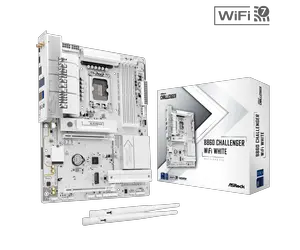
ASRock B860 CHALLENGER WIFI WHITE LGA 1851 Intel B860 SATA 6Gb/s DDR5 Intel Core Ultra ATX Motherboard
- Memory Standard: DDR5 8666
- Number of Memory Slots: 4x288pin (DDR5)
- PCI Express x16: 2 x PCI Express x16
- Audio Chipset: Realtek ALC897
- Model #: B860 CHALLENGER WIFI WHITE
- Item #: N82E16813162240
- Return Policy: 30-Day Return Policy
$159.99
Free Shipping
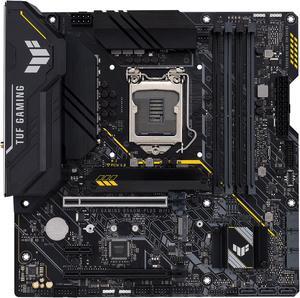
ASUS TUF Gaming B560M-PLUS WiFi LGA1200 (Intel®11th/10th Gen) Micro ATX Gaming Motherboard (PCIe 4.0, 2X M.2 Slots,8+1 Power Stages, 2.5Gb LAN, WiFi 6, USB 3.2 Type-C®, Thunderbolt™ 4 Support)
- Memory Standard: DDR4 5000(OC) / 4800(OC) / 4600(OC) / 4400(OC) / 4266(OC) / 4000(OC) / 3733(OC) / 3600(OC) / 3466(OC) / 3333(OC) / 3200 / 2933 / 2800 / 2666 / 2400 / 2133* * 11th Gen Intel processors support 3200 / 2933 / 2800 / 2666 / 2400 / 2133 natively. * 10th Gen Intel Core i7 / i9 processors support 2933 / 2800 / 2666 / 2400 / 2133 natively, others will run at the maximum transfer rate of DDR4 2666. * Refer to www.asus.com for the Memory QVL (Qualified Vendors Lists), and memory frequency support depends on the CPU types.
- Number of Memory Slots: 4x288pin (DDR4)
- Audio Chipset: Realtek ALC897
- Brand: ASUS
- Model #: TUF GAM B560M-PLUS W
- Item #: 9SIC5YTKW14004
- Return Policy: View Return Policy
$155.90
Free Shipping
2 NVME slots Internal header for USB-C Fast WIFI
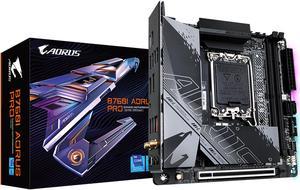
GIGABYTE B760I AORUS PRO LGA 1700 Intel B760 DDR5 SATA 6Gb/s Mini ITX Motherboard
- Memory Standard: Support for DDR5 8000(O.C.) /7800(O.C.) /7600(O.C.) /7400(O.C.) /7200(O.C.) /7000(O.C.) /6800(O.C.) /6600(O.C.) / 6400(O.C.) / 6200(O.C.) / 6000(O.C.) / 5800(O.C.) / 5600(O.C.) / 5400(O.C.) / 5200(O.C.) / 4800 / 4000 MT/s memory modules
- Number of Memory Slots: 2x288pin (DDR5)
- Audio Chipset: Realtek Audio CODEC High Definition Audio 2/4/5.1/7.1-channel * You can change the functionality of an audio jack using the audio software. To configure 7.1-channel audio, access the audio software for audio settings. Support for S/PDIF Out
- Brand: GIGABYTE
- Model #: B760I AORUS PRO
- Item #: N82E16813145459
- Return Policy: 30-Day Return Policy
$199.99
$219.99
$0.99 Shipping
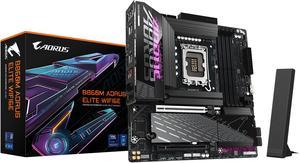
GIGABYTE B860M AORUS ELITE WIFI6E Intel Core Ultra (Series 2) LGA 1851 Motherboard, mATX, DDR5, 3x M.2, PCIe 5.0, USB-C, WIFI6E, 2.5GbE LAN, EZ-Latch
- Memory Standard: DDR5 5600 / DDR5 6400 / DDR5 6600 / DDR5 6800 / DDR5 7000 / DDR5 7200 / DDR5 7400 / DDR5 7600 / DDR5 7800 / DDR5 7900 / DDR5 7950 / DDR5 8000 / DDR5 8200 / DDR5 8266 / DDR5 8400 / DDR5 8600 / DDR5 8800 / DDR5 9200
- Number of Memory Slots: 4x288pin (DDR5)
- Brand: GIGABYTE
- CPU Socket Type: LGA 1851
- Model #: B860M A ELITE WIFI6E
- Item #: 9SIC3DRKN68854
- Return Policy: View Return Policy
$229.79
Free Shipping
Easy to install. Not a large Motherboard compared to a z series. gigabyte is easy and straight forward to update BIOS extremely easy
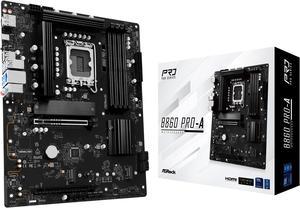
ASRock B860 Pro-A LGA 1851 Intel B860 SATA 6Gb/s DDR5 Intel Core Ultra ATX Motherboard
- Memory Standard: Up to DDR5 8666+(OC)
- Number of Memory Slots: 4x288pin (DDR5)
- Audio Chipset: Realtek ALC897
- Brand: ASRock
- Model #: B860 Pro-A
- Item #: N82E16813162207
- Return Policy: 30-Day Return Policy
$119.99
$139.99
Free Shipping
ALERT! It's 2025 already, and this motherboard will not recognize a GPT-partitioned device as bootable! Once I figured out why I didn't seem to have any bootable drives, I formatted and partitioned my M2 SSD with a MS-DOS partition table, and it was good to go. I bought a pair of 24 GB G.Skill Trident DDR5 DIMMs that are listed on the ASROCK QVL. The CPU is an Intel Core Ultra 7 265KF. I learned that my nice legacy heatsink was incompatible with the heatsink footprint (the 4 holes) on a LGA 1851, so I bought a Noctua NH-D9L and it works great. CPU temp with air cooling is 32-35C. I;ve been a pretty reliable Asus MB user over the years, but this ASROCK unit is getting the job done for me and I have zero regrets for this decision.
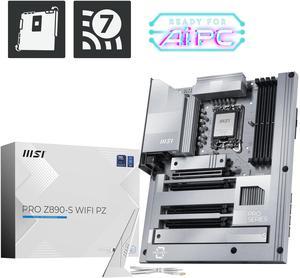
MSI PRO Z890-S WIFI PZ LGA 1851 243.84mmx304.8mm (280) Motherboards - Intel
- Memory Standard: 4x DDR5 UDIMM, Maximum Memory Capacity 256GB Memory Support 8800 - 6400 (OC) MT/s / 6400 - 4800 (JEDEC) MT/s Max. overclocking frequency: • 1DPC 1R Max speed up to 8800+ MT/s • 1DPC 2R Max speed up to 7200+ MT/s • 2DPC 1R Max speed up to 6400+ MT/s • 2DPC 2R Max speed up to 5600+ MT/s Supports Intel® POR Speed and JEDEC Speed Supports Memory Overclocking and Intel® XMP 3.0 Supports Dual-Controller Dual-Channel mode Supports Non-ECC, Un-buffered memory Supports CUDIMM • The DIMM slots on this motherboard have double-sided latches. • Memory compatibility and supported speeds can vary depending on the CPU and memory configuration. For detailed information, please refer to the Memory Compatibility List available on the product’s Support page or visit https://www.msi.com/support/.
- Number of Memory Slots: 4x288pin (DDR5)
- PC...
- Model #: PRO Z890-S WIFI PZ
- Item #: N82E16813144704
- Return Policy: 30-Day Return Policy
$224.99
$249.99
Free Shipping
Easy to assemble Bottom slot is PCIe gen 4 x4 to CPU, great for AI No weird bottom PCIe power connector bc pz layout so second GPU is easy It has a thunderbolt 5 header for when MSI releases that to to consumers. It looks clean! Hidden gem Great price
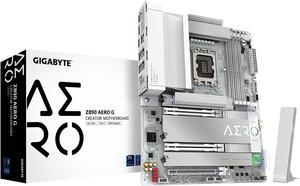
GIGABYTE Z890 AERO G Ultra Core (Series 2) LGA 1851, ATX, DDR5, 5xM.2, PCIe 5.0, Thunderbolt 4, WIFI7, Dual 2.5Gbe LAN, EZ-Latch
- Memory Standard: DDR5 5600 / DDR5 5800 / DDR5 6000 / DDR5 6200 / DDR5 6400 / DDR5 6600 / DDR5 6800 / DDR5 7000 / DDR5 7200 / DDR5 7400 / DDR5 7600 / DDR5 7800 / DDR5 7900 / DDR5 7950 / DDR5 8000 / DDR5 8200 / DDR5 8266 / DDR5 8400 / DDR5 8600 / DDR5 8800 / DDR5 8933 / DDR5 9066 / DDR5 9200
- Number of Memory Slots: 4x288pin (DDR5)
- Brand: GIGABYTE
- CPU Socket Type: LGA 1851
- Model #: Z890 AERO G
- Item #: N82E16813145528
- Return Policy: 30-Day Return Policy
OUT OF STOCK
Sold Price: $249.99
Free Shipping
z890 Aorus Elite WiFi7 w/Core Ultra 7 265k Both great I/O and internal connections, 1 USB-C/Thunderbolt, 5 USB 3.2 and 4 2.0 USB on the rear IO panel, not to mention however many extra you plug into the front connectors, built-in RGB LED's are nice, bright and add appeal even before in, I MUST be losing my mind because after doing BIOS updates HWInfo64 shows the motherboard is in the quad-channel memory setting, which I haven't heard anything about in the last 10 years or so and thought it was dead and gone. So a VERY pleasant surprise that not only am I upgrading from DDR4 3600Mhz ram to DDR5 6000 Mhz, but swapping from dual-channel to quad as soon as I get 2 additional sticks of DDR5 ram
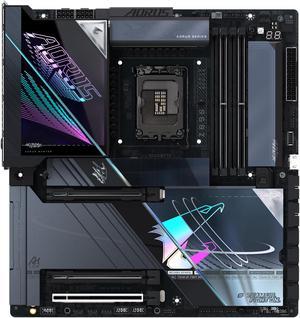
GIGABYTE Z890 AORUS MASTER AI TOP Intel Core Ultra (Series 2) LGA 1851 Motherboard, E-ATX, DDR5, 4x M.2, PCIe 5.0, Thunderbolt 4, WIFI7, 10GbE LAN, EZ-Latch
- Memory Standard: DDR5 5600 / DDR5 5800 / DDR5 6000 / DDR5 6200 / DDR5 6400 / DDR5 6600 / DDR5 6800 / DDR5 7000 / DDR5 7200 / DDR5 7400 / DDR5 7600 / DDR5 7800 / DDR5 7900 / DDR5 7950 / DDR5 8000 / DDR5 8200 / DDR5 8266 / DDR5 8400 / DDR5 8600 / DDR5 8800 / DDR5 8933 / DDR5 9066 / DDR5 9200 / DDR5 9333 / DDR5 9466 / DDR5 9500
- Number of Memory Slots: 4x288pin (DDR5)
- Audio Chipset: ESS ES9280 chip (rear panel audio) - Support for DTS:X Ultra - High Definition Audio - 2-channel ESS ES9118 DAC chip (front panel audio)
- Brand: GIGABYTE
- Model #: Z890 AORUS MASTER AI TOP
- Item #: N82E16813145542
- Return Policy: 30-Day Return Policy
$549.99
$749.99
Free Shipping
Build solid, heavy, durable. Great location for connectors (at least for my artic c8) Everything went together easy. No issues with clips, mechanisms, etc. Looks beautiful. Updated bios before power on, this is a great board, with great features. Very easy to navigate bios, everything worked exactly as it should.
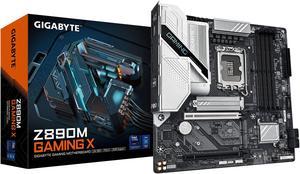
Z890M GAMING X LGA 1851 Micro ATX (280) Motherboards - Intel
- Memory Standard: DDR5 5600 / DDR5 5800 / DDR5 6000 / DDR5 6200 / DDR5 6400 / DDR5 6600 / DDR5 6800 / DDR5 7000 / DDR5 7200 / DDR5 7400 / DDR5 7600 / DDR5 7900 / DDR5 7950 / DDR5 8000 / DDR5 8200 / DDR5 8266 / DDR5 8400 / DDR5 8600 / DDR5 8800 / DDR5 9066 / DDR5 9200
- Number of Memory Slots: 4x288pin (DDR5)
- CPU Socket Type: LGA 1851
- Chipset: Intel Z890
- Model #: Z890M GAMING X
- Item #: N82E16813145533
- Return Policy: 30-Day Return Policy
$159.99
$2.99 Shipping
easy to install solid build
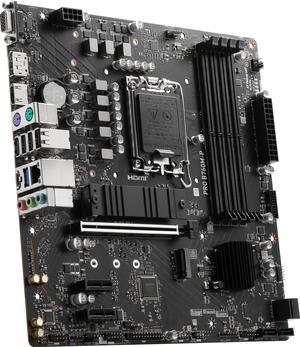
MSI PRO B760M-P LGA 1700 Intel B760 SATA 6Gb/s Micro ATX Motherboard
- Memory Standard: Memory Support DDR5 6800+(OC)/ 6600(OC)/ 6400(OC)/ 6200(OC)/ 6000(OC)/ 5800(OC)/ 5600(JEDEC)/ 5400(JEDEC)/ 5200(JEDEC)/ 5000(JEDEC)/ 4800(JEDEC) MHz Max. overclocking frequency: • 1DPC 1R Max speed up to 6800+ MHz • 1DPC 2R Max speed up to 6400+ MHz • 2DPC 1R Max speed up to 6000+ MHz • 2DPC 2R Max speed up to 5600+ MHz
- Number of Memory Slots: 4x288pin (DDR5)
- Audio Chipset: Realtek® ALC897 Codec 7.1-Channel High Definition Audio
- Brand: MSI
- Model #: PRO B760M-P
- Item #: N82E16813144709
- Return Policy: 30-Day Return Policy
$119.99
$4.99 Shipping
Affordable price Excellent workmanship Stable and easy-to-use BIOS
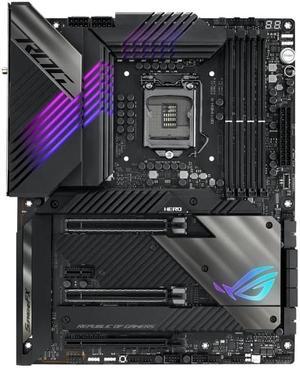
ASUS ROG Maximus XIII Hero (WiFi 6E) Z590 LGA 1200 (Intel 11th/10th Gen) ATX Gaming Motherboard (PCIe 4.0, 14+2 Power Stages, DDR4 5333+, Dual 2.5Gb LAN, Thunderbolt 4 Onboard, Bluetooth v5.2.
- Memory Standard: DDR4 5333(OC)/ 5133(OC)/ 5000(OC)/ 4800(OC)/ 4700(OC)/ 4600(OC)/ 4500(OC)/ 4400(OC)/ 4266(OC)/ 4133(OC)/ 4000(OC)/ 3866(OC)/ 3733(OC)/ 3600(OC)/ 3466(OC)/ 3400(OC)/ 3333(OC)/ 3200/ 3000/ 2933/ 2800/ 2666/ 2400/ 2133 MHz Non-ECC, Un-buffered Memory* * 10th Gen Intel Core i7/i9 processors support 2933/ 2800/ 2666/ 2400/ 2133 natively, others will run at the maximum transfer rate of DDR4 2666MHz. * 11th Gen Intel Core processors support 3200/ 2933/ 2800/ 2666/ 2400/ 2133 natively. * Refer to www.asus.com for the Memory QVL (Qualified Vendors Lists), and memory frequency support depends on the CPU types.
- Number of Memory Slots: 4x288pin (DDR4)
- Audio Chipset: ROG SupremeFX 7.1 Surround Sound High Definition Audio CODEC ALC4082
- Brand: ASUS
- Model #: ROG MAXIMUS XIII HER
- Item #: 9SIC5YTKW94435
- Return Policy: View Return Policy
$260.57
$39.99 Shipping
Came from Maximus XII Z490, This board is faster somewhat Running 10850K on air, DDR4 G Skill 4266 32GB C17 (2x16) , TEAMGROUP T-Force CARDEA II 1TB NVME Runs cool and Fast as hell without any overclock yet other than xmp on the ram boosts to 5.3 on 2 cores and rocks all of them at 4.8 consistent max temps 74c adding a second m.2 turns off a sata port and not the pcie slots
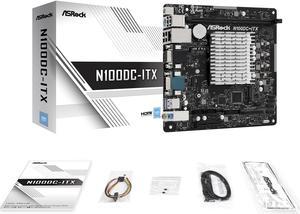
ASRock N100DC-ITX - Intel Quad-Core Processor N100 (Up to 3.4 GHz) DDR4- 2 SATA3, Supports Intel Turbo Boost Technology Mini ITX (280) Motherboards - Intel
- Memory Standard: Supports DDR4 non-ECC, un-buffered memory up to 3200* * Please refer to Memory Support List on ASRock's website for more information. (http://www.asrock.com/) - Max. capacity of system memory: 32GB
- Number of Memory Slots: 1 x DDR4 DIMM Slot
- PCI Express x16: 1 x PCIe 3.0 x4 Slot (PCIE1), supports x2 mode* - 1 x M.2 Socket (Key E), supports type 2230 Intel® CNVio (Integrated WiFi/BT) * Supports NVMe SSD as boot disks
- Brand: ASRock
- Model #: N100DC-ITX
- Item #: 9SIAD6HKHC5432
- Return Policy: View Return Policy
$315.06
Free Shipping
You can cram one of these motherboard+processor combos into a tiny case with the power supply abstracted to an external laptop-style PSU. The board is powerful enough for everyday tasks and you can drag it around for various things.
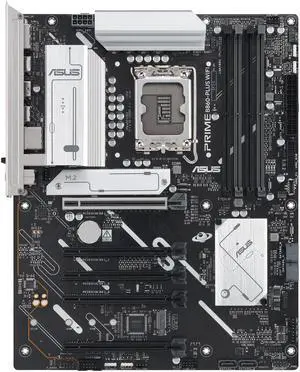
ASUS PRIME B860-PLUS WIFI-CSM B860 LGA 1851 ATX motherboard, Intel Core Ultra Series 2 Ready, Advanced AI, DDR5, PCIe 5.0, HDMI, USB 20Gbps Type-C, 2x M.2, WiFi 6E, 2.5Gb, ACCE Remote IT Management
- Memory Standard: Support up to 8200+MT/s (OC)
- Number of Memory Slots: 4x288pin (DDR5)
- Brand: ASUS
- CPU Socket Type: LGA 1851
- Model #: PRIME B860-PLUS WIFI-CSM
- Item #: 9SIAFJ8KTR7752
- Return Policy: View Return Policy
$193.51
$202.44
Free Shipping

ASRock N100M Micro ATX (280) Motherboards - Intel, 1 DDR4 DIMM, 2 SATA3, 1 M.2 Intel Quad-Core Processor N100 (Up to 3.4 GHz),.1 CH HD Audio
- Memory Standard: 1 x DDR4 DIMM Slot - Supports DDR4 non-ECC, un-buffered memory up to 3200 - Supports ECC UDIMM memory modules (operate in non-ECC mode) - Max. capacity of system memory: 32GB
- Brand: ASRock
- Chipset: - Intel® Quad-Core Processor N100 (Up to 3.4 GHz) - Supports Intel® Turbo Boost Technology
- Form Factor: Micro ATX
- Model #: N100M
- Item #: N82E16813162134
- Return Policy: 30-Day Return Policy
OUT OF STOCK
Sold Price: $110.99
Free Shipping
Supports Linux Supports Win11 Low cost Low power Extensive connectivity Good BIOS
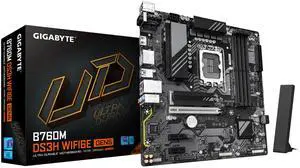
GIGABYTE B760M DS3H WIFI6E GEN5 LGA 1700 Intel B760 M-ATX Motherboard with DDR5, M.2, PCIe 5.0, USB 3.2 Gen 2 Type-C, WIFI6E 2.5GbE LAN, WIFI EZ-Plug, PCIe EZ-Latch
- Memory Standard: DDR5 7600(O.C.) /7400(O.C.) /7200(O.C.) /7000(O.C.) /6800(O.C.) /6600(O.C.) / 6400(O.C.) / 6200(O.C.) / 6000(O.C.) / 5800(O.C.)/ 5600/5200/4800/4400
- Number of Memory Slots: 4x288pin (DDR5)
- Brand: GIGABYTE
- CPU Socket Type: LGA 1700
- Model #: B760M DS3H WIFI6E GEN5
- Item #: N82E16813145591
- Return Policy: 30-Day Return Policy
$145.99
$149.98
$3.99 Shipping
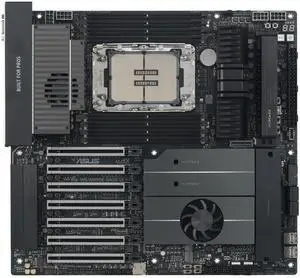
ASUS Pro WS W890E-SAGE SE Intel W890 (LGA 4710-2) EEB workstation motherboard, PCIe 5.0 x16, M.2, MCIO, SlimSAS, 2x 10Gb LAN, Server-grade Remote Management, 16+(2+2)+1+2 stages, USB4, USB Type-C
- Number of Memory Slots: 8x288pin (DDR5)
- Brand: ASUS
- CPU Socket Type: LGA 4710
- Chipset: Intel W890
- Model #: Pro WS W890E-SAGE SE
- Item #: N82E16813119779
- Return Policy: 30-Day Return Policy
$1,168.99
Free Shipping
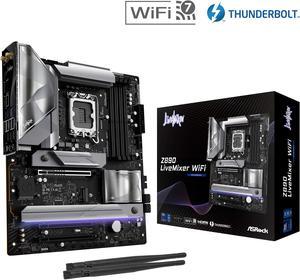
ASRock Z890 LiveMixer WiFi LGA 1851 ATX Motherboard
- Memory Standard: DDR5 4400 / DDR5 4800 / DDR5 5000 / DDR5 5200 / DDR5 5400 / DDR5 5600 / DDR5 5800 / DDR5 6000 / DDR5 6200 / DDR5 6400 / DDR5 6600 / DDR5 6800 / DDR5 7000 / DDR5 7200 / DDR5 7400 / DDR5 7600 / DDR5 7800 / DDR5 7900 / DDR5 7950 / DDR5 8000 / DDR5 8200 / DDR5 8266 / DDR5 8400 / DDR5 8600 / DDR5 8666 / DDR5 8800 / DDR5 8933 / DDR5 9000 / DDR5 9066 / DDR5 9200 / DDR5 9466
- Number of Memory Slots: 4x288pin (DDR5)
- Audio Chipset: Realtek ALC1220
- Brand: ASRock
- Model #: Z890 LiveMixer WiFi
- Item #: N82E16813162175
- Return Policy: 30-Day Return Policy
$209.99
$239.99
Free Shipping
"This review for ASRock review rebate program." Lots of options for connection of SSD's.
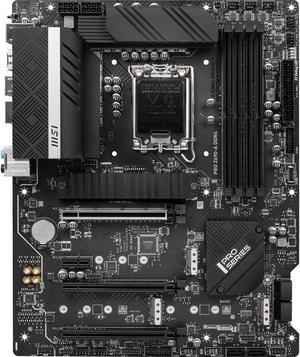
MSI PRO Z690-A DDR4 LGA 1700 Intel Z690 SATA 6Gb/s ATX Intel Motherboard
- Memory Standard: DDR4 1R 3200 / 2933 / 2666 / 2133 (by JEDEC & POR) Max overclocking frequency: 1DPC 1R Max speed up to 5200+ 1DPC 2R Max speed up to 4800+ 2DPC 1R Max speed up to 4400+ 2DPC 2R Max speed up to 4000+
- Number of Memory Slots: 4x288pin (DDR4)
- Audio Chipset: Realtek ALC897
- Brand: MSI
- Model #: PRO Z690-A DDR4
- Item #: 9SIC4CTKX32563
- Return Policy: View Return Policy
$224.29
Free Shipping
- Excellent build quality of board - m.2 slot has decent heatsink - Generally easy to setup and use - Easy to use bios - Easy to install a AIO cooler
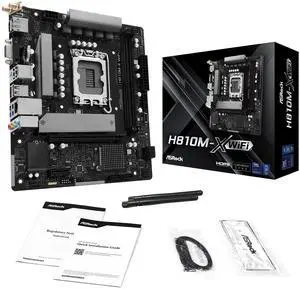
ASRock H810M-X WIFI LGA 1851 Micro ATX Motherboard
- Memory Standard: Up to DDR5 6400
- Number of Memory Slots: 2x288pin (DDR5)
- Audio Chipset: Realtek ALC897
- Brand: ASRock
- Model #: H810M-X WIFI
- Item #: N82E16813162236
- Return Policy: 30-Day Return Policy
$112.99
Free Shipping