
Your Browsing History
BEST SELLERS


BEST SELLERS
In Intel Motherboards
Our most popular products, based on sales and updated frequently.Shop Department
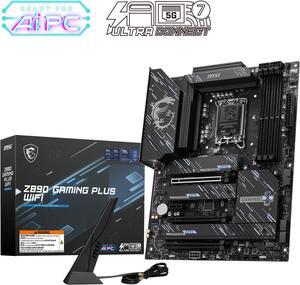
MSI Z890 GAMING PLUS WIFI LGA 1851 ATX Motherboard
- Memory Standard: DDR5 4800 / DDR5 5000 / DDR5 5200 / DDR5 5400 / DDR5 5600 / DDR5 5800 / DDR5 6000 / DDR5 6200 / DDR5 6400 / DDR5 6600 / DDR5 6800 / DDR5 7000 / DDR5 7200 / DDR5 7400 / DDR5 7600 / DDR5 7800 / DDR5 7900 / DDR5 7950 / DDR5 8000 / DDR5 8200 / DDR5 8266 / DDR5 8400 / DDR5 8600 / DDR5 8666 / DDR5 8800 / DDR5 8933 / DDR5 9000 / DDR5 9066 / DDR5 9200
- Number of Memory Slots: 4x288pin (DDR5)
- Audio Chipset: Realtek ALC897
- Brand: MSI
- Model #: Z890 GAMING PLUS WIFI
- Item #: N82E16813144671
- Return Policy: 30-Day Return Policy
$179.99
$269.99
Free Shipping
Lots of options. Got a free MSI AIO with it. Looks greats and works great do far. Would by again.
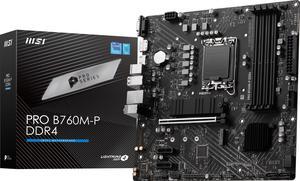
MSI PRO B760M-P DDR4 LGA 1700 Intel B760 SATA 6Gb/s Micro ATX Motherboard
- Memory Standard: DDR4 3200
- Number of Memory Slots: 4x288pin (DDR4)
- PCI Express x16: 1 x PCI Express x16
- Audio Chipset: Realtek ALC897
- Model #: PRO B760M-P DDR4
- Item #: 9SIC0X3KG68673
- Return Policy: View Return Policy
$116.00
Free Shipping
I/O Panel has plenty of ports Great Value Well laid out
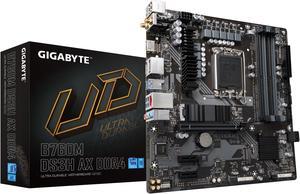
GIGABYTE B760M DS3H AX DDR4 LGA 1700 Intel B760 M-ATX Motherboard with DDR4, Dual M.2, PCIe 4.0, USB 3.2 Gen 2 Type-C, WiFi 6E, 2.5GbE LAN, Q-Flash Plus, PCIe EZ-Latch
- Memory Standard: Support for DDR4 5333(O.C.)/ 5133(O.C.)/ 5000(O.C.)/ 4933(O.C.)/ 4800(O.C.)/ 4700(O.C.)/ 4600(O.C.)/ 4500(O.C.)/ 4400(O.C.)/ 4300(O.C.)/ 4266(O.C.)/ 4133(O.C.)/ 4000(O.C.)/ 3866(O.C.)/ 3800(O.C.)/ 3733(O.C.)/ 3666(O.C.)/ 3600(O.C.)/ 3466(O.C.)/ 3400(O.C.)/ 3333(O.C.)/ 3300(O.C.)/ 3200/ 3000/ 2933/ 2666/ 2400/ 2133 MT/s memory modules
- Number of Memory Slots: 4x288pin (DDR4)
- Brand: GIGABYTE
- CPU Socket Type: LGA 1700
- Model #: B760M DS3H AX DDR4
- Item #: N82E16813145425
- Return Policy: 30-Day Return Policy
$129.99
$139.99
$3.99 Shipping
-DDR5 -Price -Intel 13 ready -Wifi & bluetooth
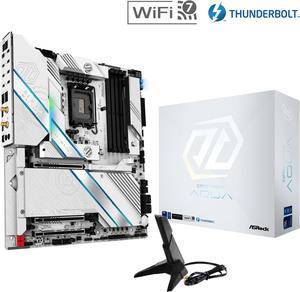
Z890 Taichi AQUA LGA 1851 Intel Z890 SATA 6G/s EATX Motherboard
- Memory Standard: DDR5 4400 / DDR5 4800 / DDR5 5000 / DDR5 5200 / DDR5 5400 / DDR5 5600 / DDR5 5800 / DDR5 6000 / DDR5 6200 / DDR5 6400 / DDR5 6600 / DDR5 6800 / DDR5 7000 / DDR5 7200 / DDR5 7400 / DDR5 7600 / DDR5 7800 / DDR5 7900 / DDR5 7950 / DDR5 8000 / DDR5 8200 / DDR5 8266 / DDR5 8400 / DDR5 8600 / DDR5 8666 / DDR5 8800 / DDR5 8933 / DDR5 9000 / DDR5 9066 / DDR5 9200 / DDR5 9466 / DDR5 9600
- Number of Memory Slots: 4x288pin (DDR5)
- Brand: ASRock
- CPU Socket Type: LGA 1851
- Model #: Z890 Taichi AQUA
- Item #: N82E16813162183
- Return Policy: 30-Day Return Policy
$399.99
$799.99
Free Shipping
All the bells and whistles Looks really stunning Six NVMe slots Prepared to run on custom water loop but runs just fine on air (make sure you have proper airflow) As stable as it gets Lots of type-c ports and 2 thunderbolt (plus 2 type-c headers, 2 regular A headers, and 2 USB 2.0 headers) Got it on sale <3
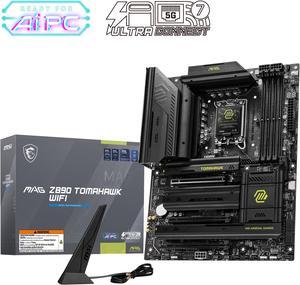
MSI MAG Z890 TOMAHAWK WIFI LGA 1851 ATX Motherboard
- Memory Standard: DDR5 4800 / DDR5 5000 / DDR5 5200 / DDR5 5400 / DDR5 5600 / DDR5 5800 / DDR5 6000 / DDR5 6200 / DDR5 6400 / DDR5 6600 / DDR5 6800 / DDR5 7000 / DDR5 7200 / DDR5 7400 / DDR5 7600 / DDR5 7800 / DDR5 7900 / DDR5 7950 / DDR5 8000 / DDR5 8200 / DDR5 8266 / DDR5 8400 / DDR5 8600 / DDR5 8666 / DDR5 8800 / DDR5 8933 / DDR5 9000 / DDR5 9066 / DDR5 9200
- Number of Memory Slots: 4x288pin (DDR5)
- Audio Chipset: Realtek ALC1220
- Brand: MSI
- Model #: MAG Z890 TOMAHAWK WIFI
- Item #: 9SIBYT0KW20179
- Return Policy: View Return Policy
$249.00
This board has practically everything I could need for my new build. Love that the IO Shield is already applied, has great VRM cooling, and tons of high-speed ports. Love how easy it is to install SSDs under the heatsinks without fumbling with super tiny screws. My favorite part is the PCIE release button. Super useful when removing these gigantic graphics cards nowadays.
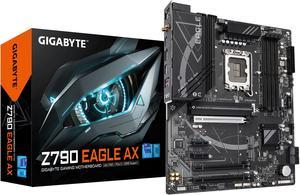
GIGABYTE Z790 EAGLE AX LGA 1700 Intel Z790 ATX Motherboard with DDR5, M.2, PCIe 5.0, USB 3.2 Gen2X2 Type-C, Intel Wi-Fi 6E, 2.5GbE LAN, Q-Flash Plus, EZ-Latch
- Memory Standard: DDR5 5600
- Number of Memory Slots: 4x288pin (DDR5)
- Brand: GIGABYTE
- CPU Socket Type: LGA 1700
- Model #: Z790 EAGLE AX
- Item #: N82E16813145495
- Return Policy: 30-Day Return Policy
$159.99
$209.99
$4.99 Shipping
Q-flash made updating the BIOS a snap Everything on the board is well labeled, making this great to build with for a first timer Good BIOS UI
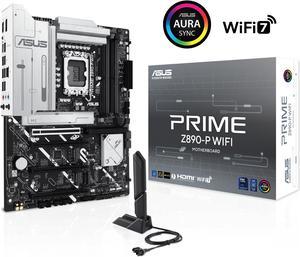
ASUS PRIME Z890-P WIFI Z890 LGA 1851 ATX motherboard, Intel® Core™ Ultra Series 2 Ready, Advanced AI PC-ready, 14+1+1+2 power stage, DDR5, PCIe® 5.0, Thunderbolt™ 4 USB Type-C®, 4x M.2, Wi-Fi 7, 2.5Gb
- Memory Standard: DDR5 4400 / DDR5 4800 / DDR5 5000 / DDR5 5200 / DDR5 5400 / DDR5 5600 / DDR5 5800 / DDR5 6000 / DDR5 6200 / DDR5 6400 / DDR5 6600 / DDR5 6800 / DDR5 7000 / DDR5 7200 / DDR5 7400 / DDR5 7600 / DDR5 7800 / DDR5 7900 / DDR5 7950 / DDR5 8000 / DDR5 8200 / DDR5 8266 / DDR5 8400 / DDR5 8600 / DDR5 8666
- Number of Memory Slots: 4x288pin (DDR5)
- Brand: ASUS
- CPU Socket Type: LGA 1851
- Model #: PRIME Z890-P WIFI
- Item #: N82E16813119696
- Return Policy: 30-Day Return Policy
$226.99
$236.99
$0.99 Shipping
initally after building it out i flipped the switch and nothing. i troublshooted several things. and still nothing. i even posted a DOA on newegg but today 1dec24 138pm dst. i looked again at 1 issue a 3rd time and corrected something. i am embarassed to say what it was but i corrected it. replugged some components i had previously unplugged and FLIPPED the swich and an OH MY G-D MOMENT OCCURED.! lights fans and after it shutoff briefly and on again SCREEN DISPLAY!. even a multiple times pc builder lik me can F_UP. AND just as an apologetic it took me about 25 hours partially because i kept running into issues mostly fitting components to tower. AND though i had lots of fun doing it it did take me 25hours probably a little less to build the thing. in my defense i was adding components that i was not familiar with and therefore took longer to make do. ... i coulod go on and on and on even making a fool of myself. if i havent already. when i mess up i admit it. and i did. and i corrected it. >>>>>>>>>>>>>>>>>>>>>> IN CONCLUSION the ASUS PRIME line of mobos does not disappoint specifically the asus prime Z890M-plus WIFI
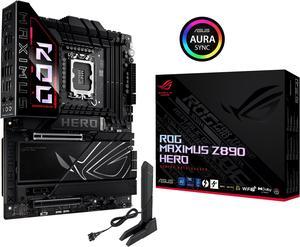
ASUS ROG MAXIMUS Z890 HERO Intel® Z890 LGA 1851 ATX motherboard, Advanced AI PC-ready, 22+2+1+2 stages, DDR5, WiFi 7, 3x PCIe® 5.0 M.2, Thunderbolt™ 4, USB Type-C®, AI Overclocking/Cooling/Networking
- Memory Standard: DDR5 4400 / DDR5 4800 / DDR5 5000 / DDR5 5200 / DDR5 5400 / DDR5 5600 / DDR5 5800 / DDR5 6000 / DDR5 6200 / DDR5 6400 / DDR5 6600 / DDR5 6800 / DDR5 7000 / DDR5 7200 / DDR5 7400 / DDR5 7600 / DDR5 7800 / DDR5 7900 / DDR5 7950 / DDR5 8000 / DDR5 8200 / DDR5 8266 / DDR5 8400 / DDR5 8600 / DDR5 8666 / DDR5 8800 / DDR5 8933 / DDR5 9000 / DDR5 9066 / DDR5 9200
- Number of Memory Slots: 4x288pin (DDR5)
- Brand: ASUS
- CPU Socket Type: LGA 1851
- Model #: ROG MAXIMUS Z890 HERO
- Item #: N82E16813119691
- Return Policy: 30-Day Return Policy
$449.99
Free Shipping
7600mhz XMP working beautifully right out of the box. I am coming from the exact same mobo but Z490 10th gen. The old mobo had a sad I/O plate but this new rig is fully integrated and comparing the two makes me laugh, the old one looks so cheap. The wifi and Bluetooth are excellent, reaching across a big room to my DualShock controllers.
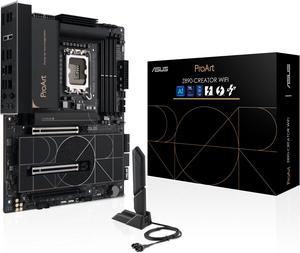
ASUS ProArt Z890-CREATOR WIFI Z890 LGA 1851 ATX Motherboard, Intel® Core™ Ultra Processor Series 2 Ready, 16+2+1+2 stages, PCIe® 5.0, DDR5, Thunderbolt™ 5 Type-C®, 10+2.5 Gb LAN, WiFi 7, 5x M.2, AI OC
- Memory Standard: DDR5 4400 / DDR5 4800 / DDR5 5000 / DDR5 5200 / DDR5 5400 / DDR5 5600 / DDR5 5800 / DDR5 6000 / DDR5 6200 / DDR5 6400 / DDR5 6600 / DDR5 6800 / DDR5 7000 / DDR5 7200 / DDR5 7400 / DDR5 7600 / DDR5 7800 / DDR5 7900 / DDR5 7950 / DDR5 8000 / DDR5 8200 / DDR5 8266 / DDR5 8400 / DDR5 8600
- Number of Memory Slots: 4x288pin (DDR5)
- Audio Chipset: Realtek ALC1220P
- Brand: ASUS
- Model #: PROART Z890-CREATOR WIFI
- Item #: N82E16813119699
- Return Policy: 30-Day Return Policy
$452.99
$489.99
Free Shipping
New LGA 1851 Lots of room for PCI 5 expansion Onboard BT and WiFi Tons of space for M.2 memory (gen 4 at least)
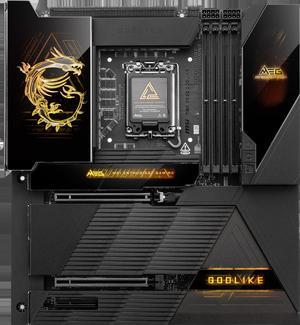
MSI MEG Z890 GODLIKE LGA 1851 Extended ATX Motherboard
- Memory Standard: DDR5 4800 / DDR5 5000 / DDR5 5200 / DDR5 5400 / DDR5 5600 / DDR5 5800 / DDR5 6000 / DDR5 6200 / DDR5 6400 / DDR5 6600 / DDR5 6800 / DDR5 7000 / DDR5 7200 / DDR5 7400 / DDR5 7600 / DDR5 7800 / DDR5 7900 / DDR5 7950 / DDR5 8000 / DDR5 8200 / DDR5 8266 / DDR5 8400 / DDR5 8600 / DDR5 8666 / DDR5 8800 / DDR5 8933 / DDR5 9000 / DDR5 9066 / DDR5 9200
- Number of Memory Slots: 4x288pin (DDR5)
- Audio Chipset: Realtek ALC4082 Codec + ESS9219Q Combo DAC/HPA
- Brand: MSI
- Model #: MEG Z890 GODLIKE
- Item #: N82E16813144682
- Return Policy: 30-Day Return Policy
$1,054.99
Free Shipping
Very Good Motherboard, The desing is fantastic and i love it, It's easy to setup and use
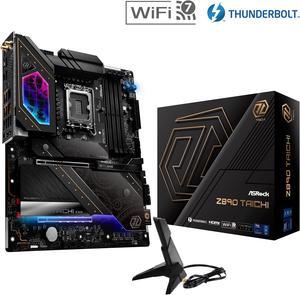
ASRock Z890 Taichi LGA 1851 ATX Motherboard
- Memory Standard: DDR5 4400 / DDR5 4800 / DDR5 5000 / DDR5 5200 / DDR5 5400 / DDR5 5600 / DDR5 5800 / DDR5 6000 / DDR5 6200 / DDR5 6400 / DDR5 6600 / DDR5 6800 / DDR5 7000 / DDR5 7200 / DDR5 7600 / DDR5 7900 / DDR5 7950 / DDR5 8000 / DDR5 8200 / DDR5 8266 / DDR5 8400 / DDR5 8600 / DDR5 8800 / DDR5 9000 / DDR5 9066 / DDR5 9200 / DDR5 9600
- Number of Memory Slots: 4x288pin (DDR5)
- Audio Chipset: Realtek ALC4082
- Brand: ASRock
- Model #: Z890 Taichi
- Item #: N82E16813162169
- Return Policy: 30-Day Return Policy
$329.99
$459.99
Free Shipping
Lots of PCIe drive slots (6) Using the PCIe Gen 5.0 drive slot does not impact the PCIe 1 slot speed as in Z790s Two high speed LAN connections WIFI 7 High end Audio DAC Top end Power Phase ATX form factor PCIe 5.0 spec on slot 1 to support new 5 series nVidia cards
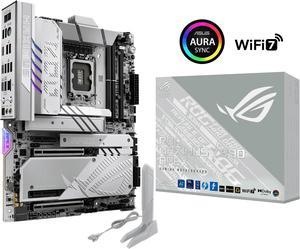
ASUS ROG MAXIMUS Z890 APEX Intel® Z890 LGA 1851 ATX motherboard, Advanced AI PC-ready, 22+2+1+2 stages, DDR5, WiFi 7, 5G LAN, 3x PCIe® 5.0 M.2, Thunderbolt™ 4, USB Type-C®, AI OC, Cooling & Networking
- Memory Standard: DDR5 4400 / DDR5 4800 / DDR5 5000 / DDR5 5200 / DDR5 5400 / DDR5 5600 / DDR5 5800 / DDR5 6000 / DDR5 6200 / DDR5 6400 / DDR5 6600 / DDR5 6800 / DDR5 7000 / DDR5 7200 / DDR5 7400 / DDR5 7600 / DDR5 7800 / DDR5 7900 / DDR5 7950 / DDR5 8000 / DDR5 8200 / DDR5 8266 / DDR5 8400 / DDR5 8600 / DDR5 8666 / DDR5 8800 / DDR5 8933 / DDR5 9000 / DDR5 9066 / DDR5 9200 / DDR5 9466 / DDR5 9500 / DDR5 9600
- Number of Memory Slots: 2x288pin (DDR5)
- Brand: ASUS
- CPU Socket Type: LGA 1851
- Model #: ROG MAXIMUS Z890 APEX
- Item #: N82E16813119690
- Return Policy: 30-Day Return Policy
$574.99
Free Shipping
similar to the z790, which I currently have. Great look and amazing options.
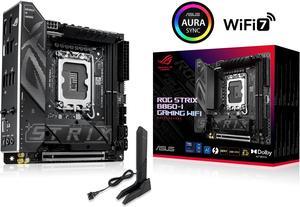
ASUS ROG STRIX B860-I GAMING WIFI B860 LGA 1851 mITX Mini-ITX motherboard, Intel Core Ultra Series 2 Ready, Advanced AI ready, 10+1+2+1 stage, DDR5, 2.5G LAN, WiFi7, M.2, Thunderbolt 4, USB Type-C
- Memory Standard: Up to 9066+MT/s (OC)
- Number of Memory Slots: 2x288pin (DDR5)
- Audio Chipset: Realtek ALC1220P
- Brand: ASUS
- Model #: ROG STRIX B860-I GAMING WIFI
- Item #: N82E16813119710
- Return Policy: 30-Day Return Policy
$208.99
$220.49
Free Shipping
Just what I am looking for in a motherboard that can be used in the future
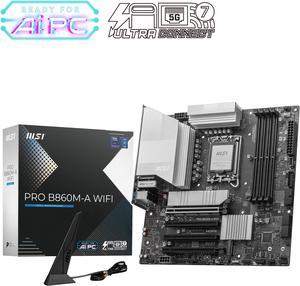
MSI PRO B860M-A WIFI LGA 1851 Intel B860 SATA 6Gb/s DDR5 PCI-E x16 slot M.2 Thunderbolt4 5Gbps LAN Wi-Fi 7 Micro ATX Motherboard
- Memory Standard: Up to DDR5 8600+ MT/s (OC)
- Number of Memory Slots: 4x288pin (DDR5)
- Audio Chipset: Realtek ALC897
- Brand: MSI
- Model #: PRO B860M-A WIFI
- Item #: N82E16813144695
- Return Policy: 30-Day Return Policy
$176.99
$189.99
$2.99 Shipping
Nice motherboard. No frills, no blingy RGB. Just what I needed to build a media server, paired up with an Intel Ultra 5 225. The build booted up first try, no problems with memory compatibility like other reviewers have reported. I'm using a Crucial Pro 2 × 16GB kit that ISN'T listed on the QVL, but it works great. Memory is Crucial part # CP2K16G64C32U5B (Newegg part $ N82E16820156450). I love the spring-loaded M.2 quick release pins. No need for a screwdriver or the pivot locking mechanism that MSI has on its other boards. Overall, I very pleased with the motherboard. It's reasonably priced and has a nice feature set. So far it's been rock solid stable being on 24/7.
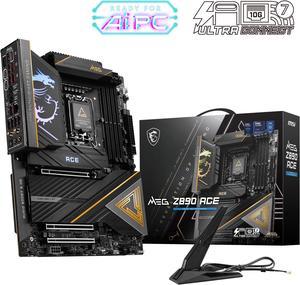
MSI MEG Z890 ACE LGA 1851 ATX Motherboard
- Memory Standard: DDR5 4800 / DDR5 5000 / DDR5 5200 / DDR5 5400 / DDR5 5600 / DDR5 5800 / DDR5 6000 / DDR5 6200 / DDR5 6400 / DDR5 6600 / DDR5 6800 / DDR5 7000 / DDR5 7200 / DDR5 7400 / DDR5 7600 / DDR5 7800 / DDR5 7900 / DDR5 7950 / DDR5 8000 / DDR5 8200 / DDR5 8266 / DDR5 8400 / DDR5 8600 / DDR5 8800 / DDR5 8933 / DDR5 9000 / DDR5 9066 / DDR5 9200
- Number of Memory Slots: 4x288pin (DDR5)
- Audio Chipset: Realtek ALC4082+ESS9219Q
- Brand: MSI
- Model #: MEG Z890 ACE
- Item #: N82E16813144673
- Return Policy: 30-Day Return Policy
$459.99
Free Shipping
- Aesthetically looks amazing - Plenty of M.2 slots - I love the heatsink on the M.2 drives - Easy to install - MSI has great BIOS control
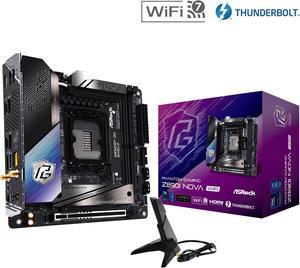
ASRock Z890I Nova WiFi LGA 1851 Mini ITX Motherboard
- Memory Standard: DDR5 6400 / DDR5 6600 / DDR5 6800 / DDR5 7000 / DDR5 7200 / DDR5 7400 / DDR5 7600 / DDR5 7800 / DDR5 7900 / DDR5 7950 / DDR5 8000 / DDR5 8200 / DDR5 8266 / DDR5 8400 / DDR5 8600 / DDR5 8666 / DDR5 8800 / DDR5 8933 / DDR5 9000 / DDR5 9066 / DDR5 9200 / DDR5 9466 / DDR5 9600 / DDR5 9866
- Number of Memory Slots: 2x288pin (DDR5)
- Audio Chipset: Realtek ALC4082
- Brand: ASRock
- Model #: Z890I Nova WiFi
- Item #: N82E16813162182
- Return Policy: 30-Day Return Policy
$249.99
$264.99
Free Shipping
- Sufficient power delivery to CPU. 105A is more than enough for Ultra 9 285K. - Reasonable price compared to competitors. Nowadays, the latest ITX motherboards are way more expensive than before. - A more conventional layout has better cooling solution compatibility.
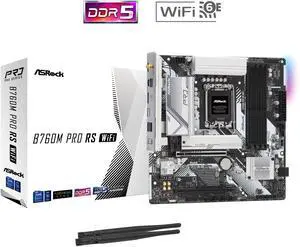
ASRock B760M PRO RS WiFi LGA 1700 Micro ATX Motherboard
- Memory Standard: Up to 7200+(OC)
- Number of Memory Slots: 4x288pin (DDR5)
- Audio Chipset: Realtek ALC897
- Brand: ASRock
- Model #: B760M Pro RS WiFi
- Item #: N82E16813162228
- Return Policy: 30-Day Return Policy
$132.99
Free Shipping

MSI MPG Z890I EDGE TI WIFI LGA 1851 Mini ITX Motherboard
- Memory Standard: DDR5 4800 / DDR5 5000 / DDR5 5200 / DDR5 5400 / DDR5 5600 / DDR5 5800 / DDR5 6000 / DDR5 6200 / DDR5 6400 / DDR5 6600 / DDR5 6800 / DDR5 7000 / DDR5 7200 / DDR5 7400 / DDR5 7600 / DDR5 7800 / DDR5 7900 / DDR5 7950 / DDR5 8000 / DDR5 8200 / DDR5 8266 / DDR5 8400 / DDR5 8600
- Number of Memory Slots: 2x288pin (DDR5)
- Audio Chipset: Realtek ALC4080
- Brand: MSI
- Model #: MPG Z890I EDGE TI WIFI
- Item #: N82E16813144681
- Return Policy: 30-Day Return Policy
$299.99
$307.99
Free Shipping
All the pro's you can expect with MSI in an ITX form factor
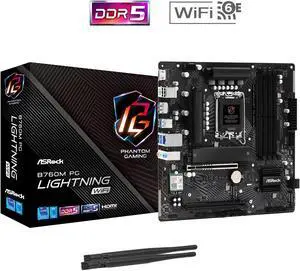
ASRock B760M PG Lightning WiFi LGA 1700 Micro ATX Motherboard
- Memory Standard: Supports DDR5 non-ECC, un-buffered memory up to 7200+(OC) 1DPC 1R Up to 7200+ MHz (OC), 4800 MHz Natively. 1DPC 2R Up to 6000+ MHz (OC), 4400 MHz Natively. 2DPC 1R Up to 5600+ MHz (OC), 4000 MHz Natively. 2DPC 2R Up to 4800+ MHz (OC), 3600 MHz Natively.
- Number of Memory Slots: 4x288pin (DDR5)
- Audio Chipset: 7.1 CH HD Audio (Realtek ALC897 Audio Codec) Nahimic Audio
- Brand: ASRock
- Model #: B760M PG Lightning WiFi
- Item #: N82E16813162145
- Return Policy: 30-Day Return Policy
$109.99
Free Shipping
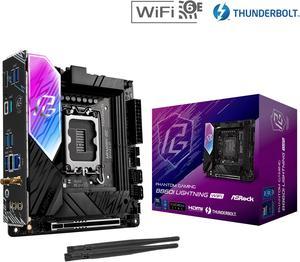
ASRock B860I Lightning WiFi LGA 1851 Intel B860 SATA 6Gb/s Intel Core Ultra DDR5 Mini ITX Motherboard
- Memory Standard: Up to DDR5 9333+(OC)
- Number of Memory Slots: 2x288pin (DDR5)
- Audio Chipset: Realtek ALC1220
- Brand: ASRock
- Model #: B860I Lightning WiFi
- Item #: N82E16813162219
- Return Policy: 30-Day Return Policy
$174.99
$219.99
Free Shipping
Wifi Built in