
Your Browsing History
BEST SELLERS


BEST SELLERS
In Intel Motherboards
Our most popular products, based on sales and updated frequently.Shop Department
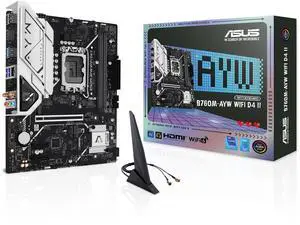
ASUS B760M-AYW WIFI D4 II Intel B760 (LGA 1700) microATX mATX motherboard, PCIe 5.0 x16 Support, two M.2 slots, DDR4, Realtek 2.5Gb Ethernet, Wi-Fi 6, HDMI, SATA 6 Gbps, front USB 5Gbps, Aura Sync
- Memory Standard: DDR4 2133 / DDR4 2400 / DDR4 2666 / DDR4 2667 / DDR4 2933 / DDR4 3200 / DDR4 3333 / DDR4 3400 / DDR4 3466 / DDR4 3600 / DDR4 3733 / DDR4 4000 / DDR4 4266 / DDR4 4400 / DDR4 4600 / DDR4 4800 / DDR4 5000 / DDR4 5066 / DDR4 5333
- Number of Memory Slots: 2x288pin (DDR4)
- Brand: ASUS
- CPU Socket Type: LGA 1700
- Model #: B760M-AYW WIFI D4 II
- Item #: N82E16813119744
- Return Policy: 30-Day Return Policy
$99.99
$119.99
Free Shipping
Solid build Simple install Easy bios set up
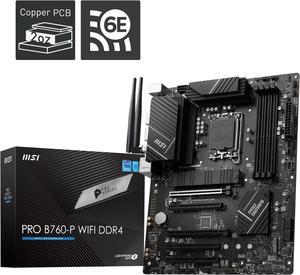
MSI PRO B760-P WIFI DDR4 LGA 1700 (l12th&13th Gen), SATA 6Gb/s motherboard, WiFi 6,Intel 2.5Gb LAN,2xM.2 Slots
- Memory Standard: Memory Support 5333(OC)/ 5200(OC)/ 5066(OC)/ 5000(OC)/ 4800(OC)/ 4600(OC)/ 4400(OC)/ 4266(OC)/ 4200(OC)/ 4000(OC)/ 3800(OC)/ 3733(OC)/ 3600(OC)/ 3466(OC)/ 3400(OC)/ 3333(OC)/ 3200(JEDEC)/ 2933(JEDEC)/ 2666(JEDEC)/ 2400(JEDEC)/ 2133(JEDEC)
- Number of Memory Slots: 4x288pin (DDR4)
- Brand: MSI
- CPU Socket Type: LGA 1700
- Model #: PRO B760-P WIFI DDR4
- Item #: N82E16813144587
- Return Policy: 30-Day Return Policy
$149.99
$158.99
Free Shipping
M.2 slot lga 1700 everything is great even has a c port slot which is nice idk what I would use it for
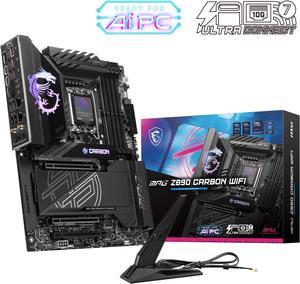
MSI MPG Z890 CARBON WIFI LGA 1851 ATX Motherboard
- Memory Standard: DDR5 4800 / DDR5 5000 / DDR5 5200 / DDR5 5400 / DDR5 5600 / DDR5 5800 / DDR5 6000 / DDR5 6200 / DDR5 6400 / DDR5 6600 / DDR5 6800 / DDR5 7000 / DDR5 7200 / DDR5 7400 / DDR5 7600 / DDR5 7800 / DDR5 7900 / DDR5 7950 / DDR5 8000 / DDR5 8200 / DDR5 8266 / DDR5 8400 / DDR5 8600 / DDR5 8800 / DDR5 8933 / DDR5 9000 / DDR5 9066 / DDR5 9200
- Number of Memory Slots: 4x288pin (DDR5)
- Audio Chipset: Realtek ALC1220
- Brand: MSI
- Model #: MPG Z890 CARBON WIFI
- Item #: N82E16813144674
- Return Policy: 30-Day Return Policy
$367.99
Free Shipping
The lighting, ease of installation and LOTS of USB in the back.
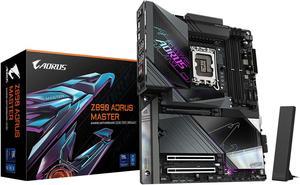
GIGABYTE Z890 AORUS MASTER Ultra Core (Series 2) LGA 1851, ATX, DDR5, 5x M.2, PCIe 5.0, Thunderbolt 4, WIFI7, 10GbE LAN, EZ-Latch
- Memory Standard: DDR5 5600 / DDR5 5800 / DDR5 6000 / DDR5 6200 / DDR5 6400 / DDR5 6600 / DDR5 6800 / DDR5 7000 / DDR5 7200 / DDR5 7400 / DDR5 7600 / DDR5 7800 / DDR5 7900 / DDR5 7950 / DDR5 8000 / DDR5 8200 / DDR5 8266 / DDR5 8400 / DDR5 8600 / DDR5 8800 / DDR5 8933 / DDR5 9066 / DDR5 9200 / DDR5 9466 / DDR5 9500
- Number of Memory Slots: 4x288pin (DDR5)
- Brand: GIGABYTE
- CPU Socket Type: LGA 1851
- Model #: Z890 AORUS MASTER
- Item #: N82E16813145523
- Return Policy: 30-Day Return Policy
OUT OF STOCK
Sold Price: $279.99
Free Shipping
Plenty of ports and options for any build. Alot of fan plugs and rbg plugs. I love how the pci express is reinforced for the heavy video cards. and the heatsinks are tool less with their own thermal pads. This board is made for cool temps. The led's are nice to. GCC software is excellent with the bios updates and the rgb. Very impressive that they now have GCC. Their software has come a long way from the older style control center.
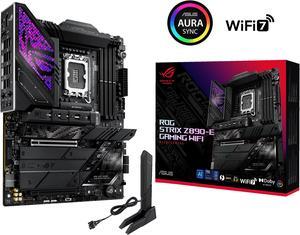
ASUS ROG STRIX Z890-E GAMING WIFI Intel® Z890 LGA 1851 ATX motherboard, Advanced AI PC-ready, 18+2+1+2 stages, DDR5, WiFi 7, 7x M.2, Thunderbolt™ 4, USB Type-C®, AI Overclocking, Cooling & Networking
- Memory Standard: DDR5 4400 / DDR5 4800 / DDR5 5000 / DDR5 5200 / DDR5 5400 / DDR5 5600 / DDR5 5800 / DDR5 6000 / DDR5 6200 / DDR5 6400 / DDR5 6600 / DDR5 6800 / DDR5 7000 / DDR5 7200 / DDR5 7400 / DDR5 7600 / DDR5 7800 / DDR5 7900 / DDR5 7950 / DDR5 8000 / DDR5 8200 / DDR5 8266 / DDR5 8400 / DDR5 8600 / DDR5 8666 / DDR5 8800
- Number of Memory Slots: 4x288pin (DDR5)
- Brand: ASUS
- CPU Socket Type: LGA 1851
- Model #: ROG STRIX Z890-E GAMING WIFI
- Item #: N82E16813119692
- Return Policy: 30-Day Return Policy
$381.99
$399.99
Free Shipping
Stunning White Aesthetic: The standout feature of this motherboard is its sleek and clean white design. It not only brings a fresh look to any build but also stands out in custom PC setups that focus on clean, modern aesthetics. If you're building a white-themed rig, this motherboard is a perfect match. Generous M.2 Slots: With 5 M.2 slots, the Z890-A ensures you'll have ample room for fast storage. What's even more impressive is that 2 of these slots are directly connected to the CPU, offering unparalleled speed and performance, especially for those who need lightning-fast SSD speeds for tasks like video editing or gaming. 6 SATA Slots: If you need even more storage options, the motherboard comes with 6 SATA slots, allowing you to connect multiple drives without worrying about running out of ports. Whether for additional storage or backups, the Z890-A has you covered. Memory Support up to 9066 MT/s: For memory enthusiasts, the ASUS ROG STRIX Z890-A supports memory speeds of up to 9066 MT/s, making it an ideal choice for high-performance applications like gaming, content creation, and heavy multitasking. This ensures the system runs smoothly even under heavy loads. 2x Thunderbolt Ports: The inclusion of 2 Thunderbolt ports is another excellent feature. Thunderbolt 4 provides high-speed data transfer and support for connecting external devices like storage, displays, and even eGPUs, offering impressive versatility for both professional and enthusiast users
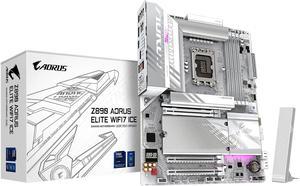
GIGABYTE Z890 AORUS ELITE WIFI7 ICE Ultra Core (Series 2) LGA 1851, ATX, DDR5, 4x M.2, PCIe 5.0, Thunderbolt 4, WIFI7, 2.5GbE LAN, EZ-Latch
- Memory Standard: DDR5 5600 / DDR5 5800 / DDR5 6000 / DDR5 6200 / DDR5 6400 / DDR5 6600 / DDR5 6800 / DDR5 7000 / DDR5 7200 / DDR5 7400 / DDR5 7600 / DDR5 7800 / DDR5 7900 / DDR5 7950 / DDR5 8000 / DDR5 8200 / DDR5 8266 / DDR5 8400 / DDR5 8600 / DDR5 8800 / DDR5 8933 / DDR5 9066 / DDR5 9200
- Number of Memory Slots: 4x288pin (DDR5)
- Brand: GIGABYTE
- CPU Socket Type: LGA 1851
- Model #: Z890 AORUS ELITE WIFI7 ICE
- Item #: N82E16813145526
- Return Policy: 30-Day Return Policy
$199.99
$289.99
Free Shipping
Best motherboard for the new intel ultra CPU. Easy to set up and clear instructions to connect different hardware.
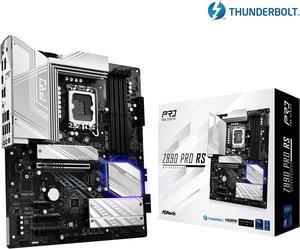
ASRock Z890 Pro RS LGA 1851 ATX Motherboard
- Memory Standard: DDR5 4400 / DDR5 4800 / DDR5 5000 / DDR5 5200 / DDR5 5400 / DDR5 5600 / DDR5 5800 / DDR5 6000 / DDR5 6200 / DDR5 6400 / DDR5 6600 / DDR5 6800 / DDR5 7000 / DDR5 7200 / DDR5 7400 / DDR5 7600 / DDR5 7800 / DDR5 7900 / DDR5 7950 / DDR5 8000 / DDR5 8200 / DDR5 8266 / DDR5 8400 / DDR5 8600 / DDR5 8666 / DDR5 8800 / DDR5 8933 / DDR5 9000 / DDR5 9066
- Number of Memory Slots: 4x288pin (DDR5)
- Audio Chipset: Realtek ALC897
- Brand: ASRock
- Model #: Z890 Pro RS
- Item #: N82E16813162176
- Return Policy: 30-Day Return Policy
$169.99
$219.99
Free Shipping
- Was easy to recover from a failed firmware upgrade due to bad RAM with BIOS flashback feature. - BIOS is easy to use and tune. - Can use EXPO settings for AMD DDR5 on Intel CPU's. - Runs cool. - Plenty of NVME and SATA ports. - Lots of fan headers and expansion options. - Looks good, not overly done with RGB, a little bit that glows from under the GPU is a nice touch.
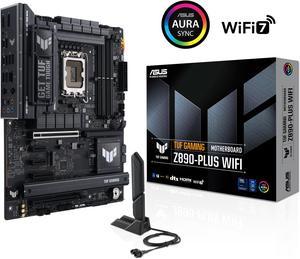
ASUS TUF GAMING Z890-PLUS WIFI Z890 LGA 1851 ATX motherboard, Intel® Core™ Ultra Series 2 Ready, Advanced AI PC-ready, 16+1+2+1 stages, DDR5, PCIe® 5.0, Thunderbolt™ 4 Type-C®, 4x M.2, Wi-Fi 7, 2.5Gb
- Memory Standard: DDR5 4400 / DDR5 4800 / DDR5 5000 / DDR5 5200 / DDR5 5400 / DDR5 5600 / DDR5 5800 / DDR5 6000 / DDR5 6200 / DDR5 6400 / DDR5 6600 / DDR5 6800 / DDR5 7000 / DDR5 7200 / DDR5 7400 / DDR5 7600 / DDR5 7800 / DDR5 7900 / DDR5 7950 / DDR5 8000 / DDR5 8200 / DDR5 8266 / DDR5 8400 / DDR5 8600 / DDR5 8666 / DDR5 8800 / DDR5 8933 / DDR5 9000 / DDR5 9066
- Number of Memory Slots: 4x288pin (DDR5)
- Brand: ASUS
- CPU Socket Type: LGA 1851
- Model #: TUF GAMING Z890-PLUS WIFI
- Item #: N82E16813119695
- Return Policy: 30-Day Return Policy
$260.99
$279.99
Free Shipping
Very well made and can handle anything you throw at it . A+ on the bios flashback to get the board to post!
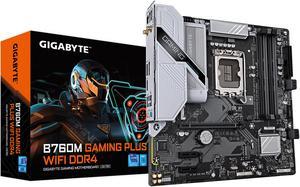
GIGABYTE B760M GAMING PLUS WIFI DDR4 LGA 1700 Intel B760 M-ATX Motherboard with DDR4, 2* M.2, PCIe 4.0, Front USB 3.2 Gen 1 Type-C, WiFi 6 GbE LAN, Q-Flash Plus, PCIe EZ-Latch
- Memory Standard: DDR4 3200
- Number of Memory Slots: 4x288pin (DDR4)
- Brand: GIGABYTE
- CPU Socket Type: LGA 1700
- Model #: B760M GAMING PLUS WIFI DDR4
- Item #: N82E16813145505
- Return Policy: 30-Day Return Policy
$139.99
$149.99
Est. Shipping Fee $0.99
Eligible for Free Shipping
Good build quality I've grown to expect after 30 years of buying Gigabyte boards Allows some tweaking of settings though not an OC board I like the NVMe mounting system Recognized my ram and applied the XMP setting without my having to do anything
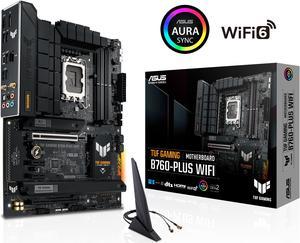
ASUS TUF GAMING B760-PLUS WIFI Intel B760 (14th, 13th and 12th Gen) LGA 1700 ATX motherboard with PCIe 5.0, three PCIe 4.0 M.2 slots, DDR5, Realtek 2.5Gb Ethernet, DisplayPort, HDMI, SATA 6 Gbps,
- Memory Standard: DDR5 7200(OC)/7000(OC)/6800(OC)/6600(OC)/ 6400(OC)/ 6200(OC)/ 6000(OC)/ 5800(OC)/ 5600/ 5400/5200/ 5000/ 4800 Non-ECC, Un-buffered Memory* * Supported memory types, data rate (speed), and number of DRAM modules vary depending on the CPU and memory configuration, for more information please refer to CPU/Memory Support under the Support tab or visit https://www.asus.com/support/ * Non-ECC, un-buffered DDR5 memory supports On-Die ECC function.
- Number of Memory Slots: 4x288pin (DDR5)
- Audio Chipset: Realtek 7.1 Surround Sound High Definition Audio CODEC - Supports: Jack-detection, Multi-streaming, Front Panel Jack-retasking - Supports up to 24-Bit/192 kHz playback Audio Features - Audio Shielding - Rear optical S/PDIF out port - Premium audio capacitors - Dedicated audio PCB layers - Audio cover
- Brand: ASUS...
- Model #: TUF GAMING B760-PLUS WIFI
- Item #: N82E16813119641
- Return Policy: 30-Day Return Policy
$139.99
$199.99
Free Shipping
- 3 M.2 slots - USB Gen 2x2 (20GB USB C) on back panel and Gen 2 (10GB USB C) for case front panel - Decent VRM heatsinks - 6 PWM fan headers - BIOS is easy to navigate and setup - Seems well built
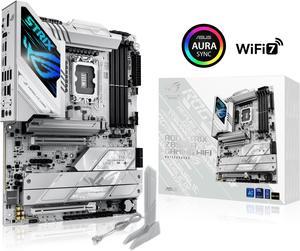
ASUS ROG STRIX Z890-A GAMING WIFI Z890 LGA 1851 ATX motherboard, Intel® Core™ Ultra Series 2 Ready, Advanced AI PC-ready, 16+2+1+2 stages, DDR5, WiFi 7, 2.5G, 5x M.2, Thunderbolt™ 4, USB Type-C, AI OC
- Memory Standard: DDR5 4400 / DDR5 4800 / DDR5 5000 / DDR5 5200 / DDR5 5400 / DDR5 5600 / DDR5 5800 / DDR5 6000 / DDR5 6200 / DDR5 6400 / DDR5 6600 / DDR5 6800 / DDR5 7000 / DDR5 7200 / DDR5 7400 / DDR5 7600 / DDR5 7800 / DDR5 7900 / DDR5 7950 / DDR5 8000 / DDR5 8200 / DDR5 8266 / DDR5 8400 / DDR5 8600 / DDR5 8666 / DDR5 8800 / DDR5 8933 / DDR5 9000 / DDR5 9066
- Number of Memory Slots: 4x288pin (DDR5)
- Brand: ASUS
- CPU Socket Type: LGA 1851
- Model #: ROG STRIX Z890-A GAMING WIFI
- Item #: N82E16813119693
- Return Policy: 30-Day Return Policy
$289.99
Free Shipping
Awesome motherboard that can handle extreme overclocks on my Intel 265K and DDR5.
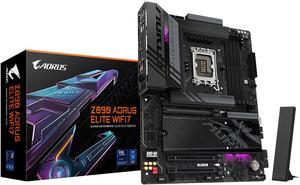
GIGABYTE Z890 AORUS ELITE WIFI7 Ultra Core (Series 2) LGA 1851, ATX, DDR5, 4x M.2, PCIe 5.0, Thunderbolt 4, WIFI7, 2.5GbE LAN, EZ-Latch
- Memory Standard: DDR5 5600 / DDR5 5800 / DDR5 6000 / DDR5 6200 / DDR5 6400 / DDR5 6600 / DDR5 6800 / DDR5 7000 / DDR5 7200 / DDR5 7400 / DDR5 7600 / DDR5 7800 / DDR5 7900 / DDR5 7950 / DDR5 8000 / DDR5 8200 / DDR5 8266 / DDR5 8400 / DDR5 8600 / DDR5 8800 / DDR5 8933 / DDR5 9066 / DDR5 9200
- Number of Memory Slots: 4x288pin (DDR5)
- Brand: GIGABYTE
- CPU Socket Type: LGA 1851
- Model #: Z890 AORUS ELITE WIFI7
- Item #: N82E16813145527
- Return Policy: 30-Day Return Policy
$199.99
$289.99
Free Shipping
z890 Aorus Elite WiFi7 w/Core Ultra 7 265k Both great I/O and internal connections, 1 USB-C/Thunderbolt, 5 USB 3.2 and 4 2.0 USB on the rear IO panel, not to mention however many extra you plug into the front connectors, built-in RGB LED's are nice, bright and add appeal even before in, I MUST be losing my mind because after doing BIOS updates HWInfo64 shows the motherboard is in the quad-channel memory setting, which I haven't heard anything about in the last 10 years or so and thought it was dead and gone. So a VERY pleasant surprise that not only am I upgrading from DDR4 3600Mhz ram to DDR5 6000 Mhz, but swapping from dual-channel to quad as soon as I get 2 additional sticks of DDR5 ram
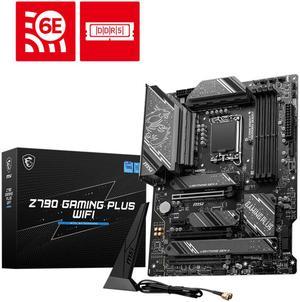
MSI Z790 GAMING PLUS WIFI LGA 1700 Intel Z790 SATA 6Gb/s ATX DDR5 PCI-E x16 slot Wi-Fi 6E 2.5Gbps LAN 4x M.2 EZ Debug LED Motherboard
- Memory Standard: DDR5 7200+(OC)/ 7000(OC)/ 6800(OC)/ 6600(OC)/ 6400(OC)/ 6200(OC)/ 6000(OC)/ 5800(OC)/ 5600(JEDEC)/ 5400(JEDEC)/ 5200(JEDEC)/ 5000(JEDEC)/ 4800(JEDEC)
- Number of Memory Slots: 4x288pin (DDR5)
- Audio Chipset: Realtek ALC897
- Brand: MSI
- Model #: Z790 GAMING PLUS WIFI
- Item #: N82E16813144637
- Return Policy: 30-Day Return Policy
$159.99
$220.99
Free Shipping
Pairs great with the 12th and 13th gen intel. Decent overclocking capabilities Good amount of ports It's sometimes hard to find a motherboard around this price range with a dedicated flash button. Fits pretty well in the Corsair 5000D Airflow case. There was one small hiccup with the CPU power connector on the motherboard being right next to the big heatsink at the top. It was hard to fit the cables in while also mounting the H150i Elite Capellix AIO. The CPU cables were blocking the AIO from being mounted properly at the top. Eventually I found a way by using a bit of force and pushing the cables to the left and towards the back of the case as much as possible and was then able to mount the AIO securely.
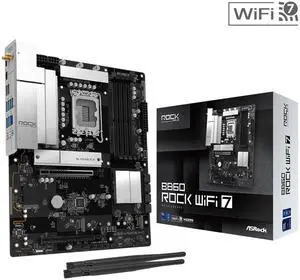
ASRock B860 Rock WiFi 7 LGA 1851 ATX Motherboard
- Memory Standard: Supports up to 8666+(OC)
- Number of Memory Slots: 4x288pin (DDR5)
- Brand: ASRock
- CPU Socket Type: LGA 1851
- Model #: B860 Rock WiFi 7
- Item #: N82E16813162246
- Return Policy: 30-Day Return Policy
$119.99
$139.99
Free Shipping
ASRock quality. Great price for home office solution. Running Core 5 Ultra 5 250K Plus with no problem.
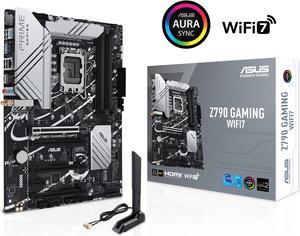
ASUS Z790 GAMING WIFI7 (LGA 1700) ATX motherboard with PCIe 5.0, three M.2 slots, 14+1 DrMOS, DDR5, WIFI 7, Realtek 1Gb LAN, HDMI TM, USB 3.2 Gen 2x2 Type-C, front USB 3.2 Gen 1 Type-C
- Memory Standard: DDR5 7200+(OC)/7000(OC)/6800(OC)/6600(OC)/ 6400(OC)/ 6200(OC)/ 6000(OC)/ 5800(OC)/ 5600/ 5400/ 5200/ 5000/ 4800 Non-ECC, Un-buffered Memory*
- Number of Memory Slots: 4x288pin (DDR5)
- PCI Express x16: 1 x PCIe 3.0 x1 slot * Please check the PCIe bifurcation table on the support site (https://www.asus.com/support/FAQ/ 1037507/). - To ensure compatibility of the device installed, please refer to https://www.asus.com/support/ for the list of supported peripherals.
- Brand: ASUS
- Model #: Z790 GAMING WIFI7
- Item #: 9SIAD6HKKM4245
- Return Policy: View Return Policy
OUT OF STOCK
Sold Price: $315.02
Free Shipping
Pros are the blue tooth and wireless built in. They board also allows flexibility in storge types
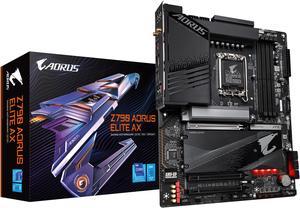
GIGABYTE Z790 AORUS ELITE AX LGA 1700 Intel Z790 ATX Motherboard with DDR5, Quad M.2, PCIe 5.0, USB 3.2 Gen2X2 Type-C, Intel WiFi 6E, 2.5GbE LAN, Q-Flash Plus, PCIe EZ-Latch
- Memory Standard: Support for DDR5 7600(O.C.) /7400(O.C.) /7200(O.C.) /7000(O.C.) /6800(O.C.) /6600(O.C.) / 6400(O.C.) / 6200(O.C.) / 6000(O.C.) / 5800(O.C.) / 5600(O.C.) / 5400(O.C.) / 5200(O.C.) / 4800 / 4000 memory modules Dual channel memory architecture Support for ECC Un-buffered DIMM 1Rx8/2Rx8 memory modules (operate in non-ECC mode) Support for non-ECC Un-buffered DIMM 1Rx8/2Rx8/1Rx16 memory modules Support for Extreme Memory Profile (XMP) memory modules
- Number of Memory Slots: 4x288pin (DDR5)
- Audio Chipset: Realtek Audio CODEC High Definition Audio
- Brand: GIGABYTE
- Model #: Z790 AORUS ELITE AX
- Item #: N82E16813145417
- Return Policy: 30-Day Return Policy
$189.99
$239.99
Free Shipping
- Cooling for four m.2 pcie4 ssd - many mounting screws, which makes for solid video card mounting. - 128G ddr5 - wifi is handy
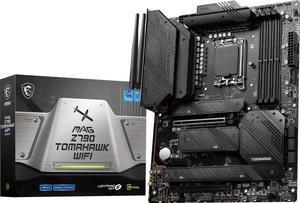
MSI MAG Z790 TOMAHAWK WIFI LGA 1700 Intel Z790 SATA 6Gb/s DDR5 ATX Motherboard
- Memory Standard: Supports 1R 5600 MHz (by JEDEC & POR) - 1DPC 1R Max speed up to 6800+ MHz - 1DPC 2R Max speed up to 6400+ MHz - 2DPC 1R Max speed up to 6400+ MHz - 2DPC 2R Max speed up to 5600+ MHz Supports Intel XMP3.0 OC Supports Dual-Controller Dual-Channel mode Supports non-ECC, un-buffered memory
- Number of Memory Slots: 4x288pin (DDR5)
- Audio Chipset: Realtek ALC4080
- Brand: MSI
- Model #: MAG Z790 TOMAHAWK WIFI
- Item #: N82E16813144567
- Return Policy: 30-Day Return Policy
$199.99
$229.99
Free Shipping
-bios easy to setup -price point -good heat sinks -debug LED
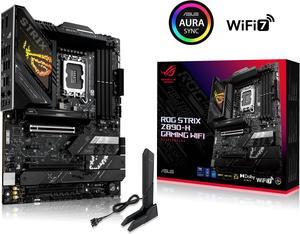
ASUS ROG STRIX Z890-H GAMING WIFI Z890 LGA 1851 ATX motherboard, Intel Core Ultra Series 2 Ready, Advanced AI PC-ready, 16+2+1+2 stages, DDR5, 5Gb LAN, WiFi 7, 4x M.2, PCIe 5.0, USB Type-C, AI OC
- Memory Standard: 4 x DIMM slots, max. 192GB, DDR5 Support up to 8800+MT/s (OC), Non-ECC, Un-buffered, Clocked Unbuffered DIMM (CUDIMM)* Dual channel memory architecture Supports Intel® Extreme Memory Profile (XMP) memory module Supports DIMM Flex NitroPath DRAM Technology DIMM FIT ASUS Enhanced Memory Profile III (AEMP III) * Supported memory types, data rate (speed), and number of DRAM modules vary depending on the CPU and memory configuration, for more information please refer to CPU/Memory Support list under the Support tab of product information site or visit https://www.asus.com/support/ download-center/. * Non-ECC, un-buffered DDR5 memory supports On-Die ECC function.
- Number of Memory Slots: 4x288pin (DDR5)
- Brand: ASUS
- CPU Socket Type: LGA 1851
- Model #: ROG STRIX Z890-H GAMING WIFI
- Item #: N82E16813119728
- Return Policy: 30-Day Return Policy
$286.99
$329.99
Free Shipping
- easy to set up lots of space
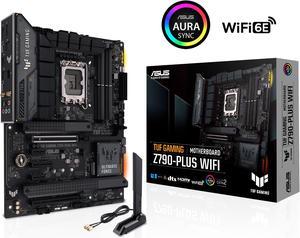
ASUS TUF Gaming Z790-Plus WiFi LGA 1700(Intel14th & 13th & 12th Gen) ATX gaming motherboard(PCIe 5.0, DDR5,4xM.2 Slots,16+1 DrMOS,WiFi 6,Intel 2.5Gb LAN,front USB 3.2 Gen 2 Type-C,Thunderbolt 4(USB4)
- Memory Standard: DDR5 7200(OC)/7000(OC)/6800(OC)/6600(OC)/ 6400(OC)/ 6200(OC)/ 6000(OC)/ 5800(OC)/ 5600/ 5400/ 5200/ 5000/ 4800 Non-ECC, Un-buffered Memory* Dual Channel Memory Architecture Supports Intel® Extreme Memory Profile (XMP) OptiMem II * Supported memory types, data rate (speed), and number of DRAM modules vary depending on the CPU and memory configuration, for more information please refer to CPU/Memory Support under the Support tab or visit https://www.asus.com/support/ * Non-ECC, un-buffered DDR5 memory supports On-Die ECC function.
- Number of Memory Slots: 4x288pin (DDR5)
- Brand: ASUS
- CPU Socket Type: LGA 1700
- Model #: TUF GAMING Z790-PLUS WIFI 6E
- Item #: 9SIA36ZKT82570
- Return Policy: View Return Policy
$214.99
Free Shipping
Awesome board I love it runs my i7 13700 so good no high temperature underload it's also good for overclocking
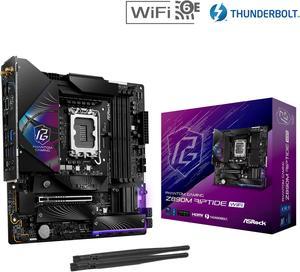
ASRock Z890M Riptide WiFi LGA 1851 Micro ATX Motherboard
- Memory Standard: DDR5 4400 / DDR5 4800 / DDR5 5000 / DDR5 5200 / DDR5 5400 / DDR5 5600 / DDR5 5800 / DDR5 6000 / DDR5 6200 / DDR5 6400 / DDR5 6600 / DDR5 6800 / DDR5 7000 / DDR5 7200 / DDR5 7400 / DDR5 7600 / DDR5 7800 / DDR5 7900 / DDR5 7950 / DDR5 8000 / DDR5 8200 / DDR5 8266 / DDR5 8400 / DDR5 8600 / DDR5 8666 / DDR5 8800 / DDR5 8933 / DDR5 9000 / DDR5 9066 / DDR5 9200 / DDR5 9466
- Number of Memory Slots: 4x288pin (DDR5)
- Audio Chipset: Realtek ALC897
- Brand: ASRock
- Model #: Z890M Riptide WiFi
- Item #: 9SIA0ZXKS84294
- Return Policy: View Return Policy
$245.63