
Your Browsing History
BEST SELLERS


BEST SELLERS
In Fans & PC Cooling
Our most popular products, based on sales and updated frequently.Shop Department
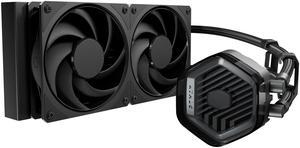
Cooler Master Atmos Stealth AIO CPU Liquid Cooler - 240mm Radiator with 2x Mobius PWM Fans, Dual-Chamber Pump, Low Noise, AMD AM5/AM4 & Intel LGA 1851/1700, Black
- Brand: COOLER MASTER
- Part Number: MLX-D24M-A24PK-R1
- Type: Liquid Cooling System
- Block Compatibility: AMD Socket AM4 / AMD Socket AM5 / Intel LGA 1150 / Intel LGA 1151 / Intel LGA 1155 / Intel LGA 1156 / Intel LGA 1200 / Intel LGA 1700 / Intel LGA 1851
- Model #: MLX-D24M-A24PK-R1
- Item #: N82E16835103372
- Return Policy: 30-Day Return Policy
$109.99
Free Shipping
- It's an attractive AIO - It's easy to assemble - It has clean instructions and extra thermal paste - The fans that come with it are quiet and effecient
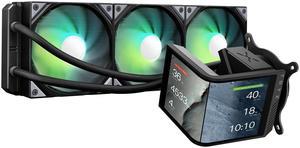
TRYX Panorama SE 360 ARGB 360mm AIO Rotatable 6.67'' AMOLED Curved Screen 3D Anamorphic Effect Customizable AIO Cooler 360mm Asetek Adela 280w TDP ARGB Fan Intel LGA 1851/1700/1200/115X AMD AM5/AM4
- Brand: TRYX
- Series: PANORAMA SE ARGB
- Part Number: L-P360L-AM3M-G0K
- Type: AIO
- Model #: L-P360L-AM3M-G0K
- Item #: 9SIBWC8KCY3780
- Return Policy: View Return Policy
$279.99
Free Shipping
Quick and easy to install with good and simple instructions. Took me approximately 20 minutes to remove an existing AIO and install this AIO. The 2K screen is BEAUTIFUL with its AMOLED screen. The fans are quiet and have rubber corners to minimize rattle noise. The KANALI software to control the screen is user-friendly and works well. Thought and time was spent on the application unlike other barebone controllers. You can do a 2:1 screen or two 1:1 screens on the 2K display. Displayable Date & Time, Motherboard temperature, and CPU/GPU/Memory temperature, frequency, usage, voltage, , Branding is not over the top! I can appreciate that there logo is not blaring in my build and taking attention away from the display.
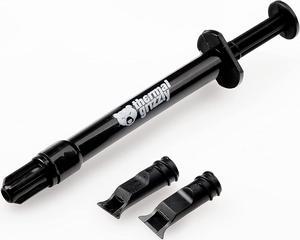
Thermal Grizzly Kryonaut Extreme The High Performance Thermal Paste for Cooling All Processors, Graphics Cards and Heat Sinks in Computers and Consoles (2 Gram)
- Thermal Conductivity: 14.2 W/mK
- Long Term Operating Temperature: -250 °C / +350 °C
- Model #: TG-KE-002 R
- Item #: 9SIAB7GHYG2122
- Return Policy: View Return Policy
$21.95
Free Shipping
Fantastic heat transfer. Easy to apply. None conductive. Some of the absolute best on the market to date.

MSI MAG Coreliquid A13 360 White - AIO ARGB Liquid Cooling - 360mm Radiator - Triple 120mm ARGB PWM Fans - EZ Connect - LGA 1700/1851/AM5/AM4 Compatible
- Brand: MSI
- Type: AIO
- Block Compatibility: Intel Socket LGA 1700 / 1851 AMD Socket AM5/AM4
- Block Compatibility - AMD: AMD Socket AM5/AM4
- Model #: MAG Coreliquid A13 360 White
- Item #: N82E16835846070
- Return Policy: 30-Day Return Policy
$89.99
$109.99
$79.99 after $10.00 rebate card
Free Shipping
Installation was easy and it worked on the first try
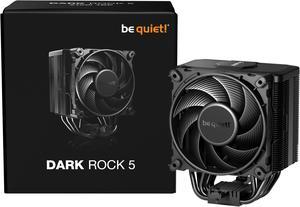
be quiet! DARK ROCK 5 Intel: 1851/ 1700 / 1200 / 1150 / 1151 / 1155 AMD: AM5 / AM4, Silent Wings 4 120mm PWM, Fluid Dynamic Bearing CPU Cooling BK035
- Brand: be quiet!
- Fan Size: 120mm
- Bearing Type: Fluid Dynamic bearing
- Type: Fan & Heatsinks
- Model #: BK035
- Item #: N82E16835269007
- Return Policy: 30-Day Return Policy
$69.90
$109.90
$5.99 Shipping
Wanted to keep things simple and stick to air cooling. It is indeed quiet as the name suggests and no issues with keeping my 9900X CPU temperatures under control. The price was right.
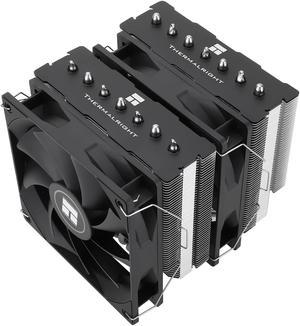
Thermalright Phantom Spirit 120 SE CPU Air Cooler, 7 Heat Pipes Aluminium Heatsink Cover, for Intel 1700/115X/1200, AMD AM4/AM5
- Series: PS120SE
- Type: Fan & Heatsinks
- Model #: 814256015561
- Item #: 9SIBVHXK917043
- Return Policy: View Return Policy
$49.90
Free Shipping
Excellent Air Cooler A+ build quality Versatile, supports LGA 1700, AM4, AM5 My i5 never goes past 64c full load.
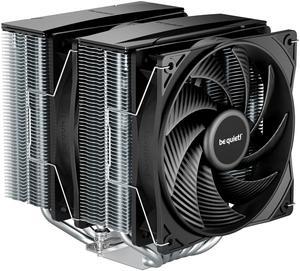
be quiet! Pure Rock Pro 3 120mm Rifle CPU Cooler Socket compatibility Intel 1851 / 1700 / 1200 / 1150 / 1151 / 1155 and AMD AM5 / AM4 - BK041
- Brand: be quiet!
- Fan Size: 120mm
- Bearing Type: Rifle
- RPM: 2000 RPM max
- Model #: BK041
- Item #: N82E16835269026
- Return Policy: 30-Day Return Policy
$58.99
Free Shipping
EXCELLENT AIR COOLER ITS A BIT LARGE TAKES PART ON TOP OF THE RAMS BUT THE COOLING ITS AWESOME INCLUDES 2 FANS AND A VERY LARGE AIRSINK AND ALSO HAS PREAPPLIED THERMAL PASTE RIGHT OUT THE BOX.
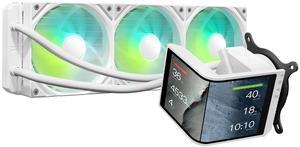
TRYX Panorama SE 360 ARGB White 360mm AIO Rotatable 6.67'' AMOLED Curved Screen 3D Anamorphic Effect Customizable AIO Cooler 360mm White Asetek Adela 280w TDP Intel LGA 1851/1700/1200/115X AMD AM5/AM4
- Brand: TRYX
- Series: PANORAMA SE ARGB
- Part Number: L-P360L-AM3M-G0W
- Type: AIO
- Model #: L-P360L-AM3M-G0W
- Item #: 9SIBWC8KCY3824
- Return Policy: View Return Policy
$279.99
Free Shipping
The TRYX 360 MM Panorama SE AIO is a great choice for a custom computer build. The overall build quality is very good, better than the first version, and the pump and heat block unit seems much more robust and is much smaller. The screen is not too noticeably different than the first version but is on a different bracket and allows for a vertical mode. It comes with all the necessary hardware, the unboxing is once again a treat, and all the documentation is easy to understand. On top of it being another great addition to the lineup of one of the most unique coolers on the market, there are other pros: The ARGB and non-led versions of the fans are very sturdy and well-built. They look great as well. The screen is easy to install and magnetically clicks onto the pump base, and uses forks. It has a very high resolution and is crisp and easy to understand. It is also built off of Android, as I recognized after it rebooted for a firmware update. All the cables are of high quality and the tubes are inside braided covers that look professional. They are also long enough for the big cases needed for a large cooler like this, and bend easily, and you can rotate the pump block now to fit your case, as the old one was one way only. The software for the cooler is easy to use and provides a way to upload custom backgrounds from screen capture, preferably a 1440p MP4 video, similar to animated desktop backgrounds. The inbuilt library is small but has some excellent animated backgrounds for the cooler. There is an option to show many settings, including Temp and % Usage for GPU, CPU, and RAM, as well as other voltages and temps, and date and time. You can also show the GPU and CPU model, and orient these settings on the left, middle, or right of the screen. The new SE model features waterfall mode, and a METAL mounting bracket rather than a plastic one in the first edition. It also allows for a rotatable pump base. The new SE unit is built better, and doesn't have a fan anymore.

CORSAIR RS120 ARGB PWM 120mm Fans Triple Pack - White - Simplified Control - Daisy-Chain 4-Pin PWM and +5V ARGB Connections - Concentrated AirGuide Cooling - Magnetic Dome Bearing
- Brand: Corsair
- Fan Size: 120mm
- LED: ARGB
- Type: Case Fan
- Model #: CO-9050185-WW
- Item #: N82E16835181442
- Return Policy: 30-Day Return Policy
$34.99
$37.98
Free Shipping
Huge fan of corsair, used their products for almost 10 years now. These fans are just legit the best fans you can get for the $.The daisy chain cables makes for super straight forward installation and paired with a Nautilus AIO it makes for a great money saving build. I use these fans on my Am4 PC i currently use and i love everything about them. Im also currently building a Am5 setup with these fans as well with a corsair 4000D case and its amazing to work with. Pairing the fans with a Corsair Commander Core XT makes for super easy fan rpm control. lots of other fans gave me trouble with RGB or the fans going out in less than 2 months, i rarely have problems with fans from corsair.
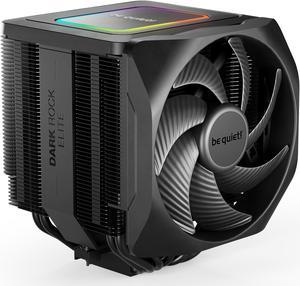
be quiet! Dark Rock Elite - TDP 280W CPU Cooler - Air Cooler - Intel LGA 1851,1700,1200,1150,1151,1155 - AMD AM5, AM4 (BK037)
- Brand: be quiet!
- Fan Size: 135mm
- Bearing Type: Fluid Dynamic
- Type: CPU Cooler
- Model #: BK037
- Item #: 13C-001F-00071
- Return Policy: 30-Day Return Policy
$84.90
$149.90
Free Shipping
- Probably the best air cooler you can buy. - Very Quiet - Just about reaches the glass of my case which is a compact ATX. Be Quiet! is certainly pushing the bounds of tolerances on this one.
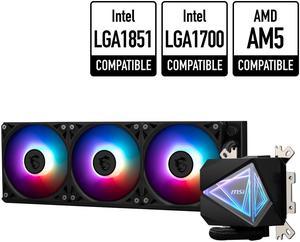
MSI MAG CoreLiquid I360 Black - AIO ARGB CPU Liquid Cooler - Infinity Mirror Design - UNI Bracket - 360mm Radiator - Triple 120mm ARGB PWM Fans - LGA 1700/1851 / AM5/AM4 Compatible
- Type: Liquid Cooling System
- Block Dim.: 69.35 x 74 x 62.3 mm
- Pump Noise: 20 dBA (avg.)
- Radiator Size: 394 x 119.2 x 27mm
- Model #: MAG CORELIQUID I360
- Item #: N82E16835846063
- Return Policy: 30-Day Return Policy
$124.99
Free Shipping
-High quality. -Easy install. -Perfect fit. -Comes with everything needed.
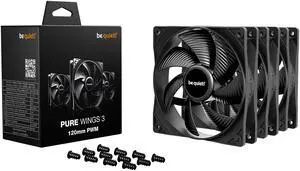
be quiet! Pure Wings 3 120mm Quiet PWM High-Speed Case Fan | Speed-regulating Closed Loop Motor| Extraordinary Air Pressure | BL141 3-pack
- Brand: be quiet!
- Fan Size: 120mm
- Type: Case Fan
- Air Flow: 45-50 CFM
- Model #: BL141
- Item #: N82E16835269045
- Return Policy: 30-Day Return Policy
$32.50
$34.50
Free Shipping
- I think they're pretty quiet and they run up and down pretty good. - I configured them to run between 85% to 100% on a sloped curve. - I needed for both back and front case fans and to help move air. - They're nice looking yet they're in sealed cases, yet nice looking. - They also came with the new (case) fan screws, and thank you.
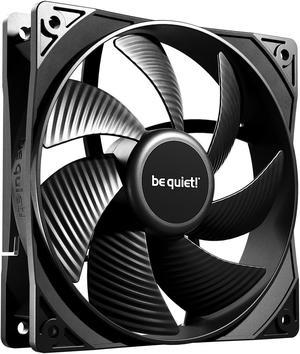
Pure Wings 3 | 120mm PWM Case Fan | High Performance Cooling Fan | Compatible with Desktop | Low minimum rpm | Low Noise | Black | BL105
- Brand: be quiet!
- Fan Size: 120mm
- LED: Non-LED
- Type: Case Fan
- Model #: BL105
- Item #: 1YF-001D-000R4
- Return Policy: 30-Day Return Policy
$11.90
$12.99
$0.99 Shipping
Good cooling, super easy install, easy for cable management.
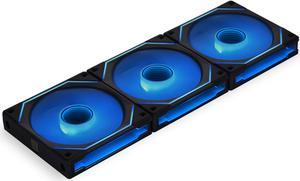
LIAN LI UNI FAN SL INFINITY 120 RGB BLACK 3 PCS PACK ---UF-SLIN120-3B ( L Connect 3.0 Controller included)
- Brand: Lian li
- Fan Size: 120mm
- LED: ARGB
- Type: Case Fan
- Model #: UF-SLIN120-3B
- Item #: 9SIA4REKEU7149
- Return Policy: View Return Policy
$99.89
$19.99 Shipping
Rgb, connection method, sound during quiet operation, speed at max rpm, design.

KRAKEN ELITE RGB 360 WHITE AIO LIQUID COOLER WITH IPS LCD & STATIC PRESSURE FANS Intel Socket LGA 1851, 1700 & 1200/115X AMD Socket AM5, AM4
- Brand: NZXT
- Series: Kraken Elite
- Part Number: RL-KR36E-W2
- Type: AIO
- Model #: RL-KR36E-W2
- Item #: 9SIAG1PKDX2946
- Return Policy: View Return Policy
$249.99
Good cooling and screen is big and crisp along with the light ring
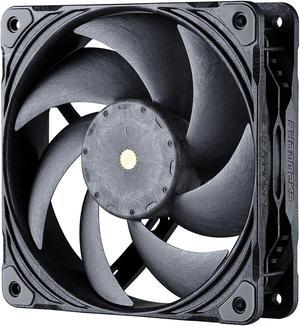
Phanteks T30-120 fan, premium high-performance fan, PWM, Black/Grey
- Brand: Phanteks
- Fan Size: 120mm
- LED: No DRGB
- Type: Case Fan
- Model #: PH-F120T30_BG
- Item #: 9SIBTVCKR85515
- Return Policy: View Return Policy
$36.98
$41.90
Free Shipping
- Extremely quiet and high airflow - built in daisy chaining makes cable management a breeze - 3 modes fan operation modes
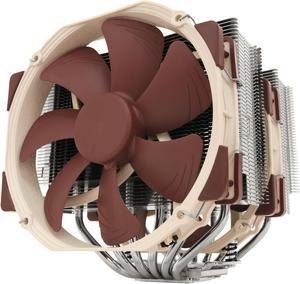
Noctua NH-D15, Premium CPU Cooler with 2x NF-A15 PWM 140mm Fans (Brown)
- Brand: Noctua
- Fan Size: 140mm
- Bearing Type: SSO2
- Type: Fan & Heatsinks
- Model #: NH-D15
- Item #: 9SIAADY44C6006
- Return Policy: View Return Policy
$119.95
$129.95
$11.62 Shipping
- Comes in a very professionally packed box. - A relatively easy installation and it comes with its own thermal paste that is highly rated. - Definitely a viable alternative to more expensive water cooling - 6 yr warranty I initially bought this to see if this highly rated air cooler could compete with my existing water cooler. My setup at that time was a 4 year old MSI Z97-GD65 Motherboard with an i7-4790 CPU clocked at 4.8Ghz with a top mounted Cooler Master Nepton 240mm AIO in a push/pull setup with two 200mm fans above installed in a Thermaltake Core V71 case that also has two 200mm fans in the front pulling air in. Before installing the Noctua I ran an OCCT Linpack AVX enabled test which resulted in the max temperature reached on any one core of 86C. After installing the Noctua with both fans installed I ran the same OCCT test which resulted in a max temperature of 87C. I then removed the Noctua fan closest to the DRAM, which won't fit is some smaller cases, and ran another test which resulted in a max temperature of 90C. After completing these tests I replaced the motherboard with a new MSI MPG Z390 Gaming Plus Motherboard and a new de-lidded i7-9700 CPU clocked at 5.0Ghz and a ring ratio of 47 and two G-Skill 16Gb DDR4 sticks in slots 2 and 4 running at 3200Mhz with timings at 14,14,14,34. I reversed the two top mounted 200mm fans so they are now pulling air down into the case above and in front of the Noctua cooler. Coupled with two front mounted fans it should be creating positive pressure in the case which can escape out the back through the rear fan and the other open spaces in the rear. Running the same OCCT test as above the average package temperatures on all 8 cores was around 84C with a few spikes at 87C. However, in the BIOS I had set the AVX offset to a -2 as was recommended for this de-lidded 9700 CPU. Thus under a heavy AVX load it would throttle down to 4.8Ghz. This computer is used exclusively for flight simulation (x-Plane 11 and Prepar3Dv4). It runs both at a steady 5.04Ghz with average temperatures around 50C with both fans installed on the Noctua.

bequiet! PURE LOOP 3 280mm Black CPU liquid cooler for heavily overclocked systems, 2x Pure Wings 3 PWM high-speed fans, Daisy chained PWM fans, PWM pump features 6-pole motor with 3 phases BW028
- Brand: be quiet!
- Series: PURE LOOP 3
- Part Number: BW028
- Type: AIO
- Model #: BW028US
- Item #: N82E16835269038
- Return Policy: 30-Day Return Policy
$94.90
$95.99
Free Shipping
I have used bequiet! AIOs for several builds now and they are in my opinion some of the best. Quiet fans and pumps at normal loads. Decent price to performance ratio. Easy installs. Bot RGB and all black choices.
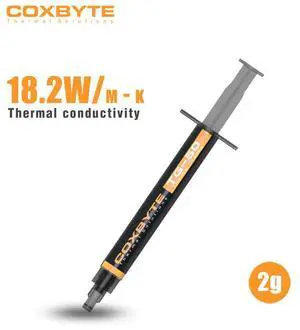
Coxbyte TG-50 thermal paste, 18.2W/mK ultra-high thermal conductivity suitable for CPU/server/GPU thermal conductivity, non corrosive,2g
- Volume / Net Weight: 2.0g
- Thermal Conductivity: 18.2 W/mK
- Long Term Operating Temperature: -50 to 250 C
- Specifications: TG-50 adopts a composite formula of nano carbon tubes and liquid metal, with a thermal conductivity exceeding 18.2W/mK (measured value), which can quickly reduce the temperature difference between CPU/GPU cores by more than 25 ℃,. Its non-conductive properties eliminate the risk of short circuits, with good viscosity optimization. Single point/nine
- Model #: coxbyte004
- Item #: 9SIBZ9VKEE5998
- Return Policy: View Return Policy
$10.99
$15.99
Free Shipping
Cool my units quick, easy to use, cheap
be quiet! SILENT LOOP 3 360mm All-in-One Water Cooling I Intel LGA 1851 / 1700 / 1200 / 1150 / 1151 / 1155 I AMD Socket AM5 / AM4 / TR5 / TR4 - BW025
- Brand: be quiet!
- Part Number: BW025
- Type: Liquid Cooling System
- Block Compatibility: AMD Socket AM4 / AMD Socket AM5 / AMD Socket sTR4 / AMD Socket sTR5 / Intel LGA 1150 / Intel LGA 1151 / Intel LGA 1155 / Intel LGA 1200 / Intel LGA 1700 / Intel LGA 1851
- Model #: BW025
- Item #: N82E16835269031
- Return Policy: 30-Day Return Policy
$139.90
Free Shipping