
Your Browsing History
BEST SELLERS


BEST SELLERS
In Computer Accessories
Our most popular products, based on sales and updated frequently.Shop Department

KRAKEN ELITE RGB 360 WHITE AIO LIQUID COOLER WITH IPS LCD & STATIC PRESSURE FANS Intel Socket LGA 1851, 1700 & 1200/115X AMD Socket AM5, AM4
- Brand: NZXT
- Series: Kraken Elite
- Part Number: RL-KR36E-W2
- Type: AIO
- Model #: RL-KR36E-W2
- Item #: 9SIAG1PKDX2946
- Return Policy: View Return Policy
$249.99
Performs well, temps have been good while gaming. It was easy to install. Looks very nice in my case.
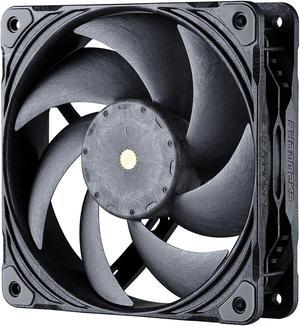
Phanteks T30-120 fan, premium high-performance fan, PWM, Black/Grey
- Brand: Phanteks
- Fan Size: 120mm
- LED: No DRGB
- Type: Case Fan
- Model #: PH-F120T30_BG
- Item #: 9SIBTVCKR85515
- Return Policy: View Return Policy
$36.98
$41.90
Free Shipping
- Moves a lot of air and is quiet. - Excellent Static pressure - Can be loud and move a godly amount of air if you want it to. I run mine at 900rpm and they slap. I have 14 of them in a corsair 7000d and might put a 15th in as exhaust. They have similar performance per volume as the legendary Noctua NF-A-25. - Daisychainable. - MTTF: 150000 hours - 6 year Warranty
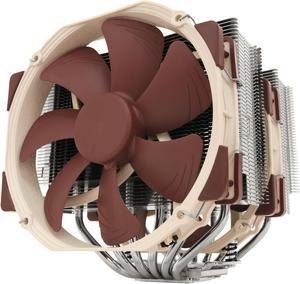
Noctua NH-D15, Premium CPU Cooler with 2x NF-A15 PWM 140mm Fans (Brown)
- Brand: Noctua
- Fan Size: 140mm
- Bearing Type: SSO2
- Type: Fan & Heatsinks
- Model #: NH-D15
- Item #: 9SIAADY44C6006
- Return Policy: View Return Policy
$119.95
$129.95
$11.62 Shipping
I was using the Cooler Master Nepton 120XL RL-N12X-24PK-R1 120mm CPU Liquid Cooling System in my build. At system idle and with the house at 71 degrees fahrenheit the computer CPU temperature warning would always come up and would read at 141 degrees fahrenheit! Thats super hot! Then i got this bad boy from Noctua and the system at idle runs at 87 degrees fahrenheit!! Very cool and a big difference. i can now play cpu heavy games and stream without having to have the system in front of a window a/c unit. Installation was super easy and great to follow the included manual.

bequiet! PURE LOOP 3 280mm Black CPU liquid cooler for heavily overclocked systems, 2x Pure Wings 3 PWM high-speed fans, Daisy chained PWM fans, PWM pump features 6-pole motor with 3 phases BW028
- Brand: be quiet!
- Series: PURE LOOP 3
- Part Number: BW028
- Type: AIO
- Model #: BW028US
- Item #: N82E16835269038
- Return Policy: 30-Day Return Policy
$94.90
$95.99
Free Shipping
I bought this aio for my 7 7800x3d in my nzxt h5 flow works great pretty quiet super easy install product manual clear and easy to understand
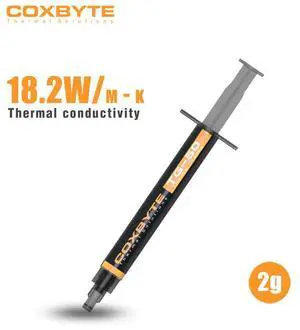
Coxbyte TG-50 thermal paste, 18.2W/mK ultra-high thermal conductivity suitable for CPU/server/GPU thermal conductivity, non corrosive,2g
- Volume / Net Weight: 2.0g
- Thermal Conductivity: 18.2 W/mK
- Long Term Operating Temperature: -50 to 250 C
- Specifications: TG-50 adopts a composite formula of nano carbon tubes and liquid metal, with a thermal conductivity exceeding 18.2W/mK (measured value), which can quickly reduce the temperature difference between CPU/GPU cores by more than 25 ℃,. Its non-conductive properties eliminate the risk of short circuits, with good viscosity optimization. Single point/nine
- Model #: coxbyte004
- Item #: 9SIBZ9VKEE5998
- Return Policy: View Return Policy
$10.99
$15.99
Free Shipping
-Fast to apply -mess free -cools quickly and efficiently
be quiet! SILENT LOOP 3 360mm All-in-One Water Cooling I Intel LGA 1851 / 1700 / 1200 / 1150 / 1151 / 1155 I AMD Socket AM5 / AM4 / TR5 / TR4 - BW025
- Brand: be quiet!
- Part Number: BW025
- Type: Liquid Cooling System
- Block Compatibility: AMD Socket AM4 / AMD Socket AM5 / AMD Socket sTR4 / AMD Socket sTR5 / Intel LGA 1150 / Intel LGA 1151 / Intel LGA 1155 / Intel LGA 1200 / Intel LGA 1700 / Intel LGA 1851
- Model #: BW025
- Item #: N82E16835269031
- Return Policy: 30-Day Return Policy
$139.90
Free Shipping
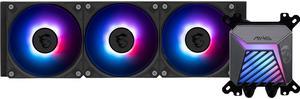
MSI MAG Coreliquid A15 360 Black- AIO ARGB Liquid Cooling - 360mm Radiator - Triple 120mm ARGB PWM Fans - EZ Connect - Uni Bracket - LGA 1700/1851/AM5/AM4 Compatible
- Brand: MSI
- Part Number: MAG CORELIQUID A15 360
- Type: AIO
- Block Compatibility: AMD Socket AM4 / AMD Socket AM5 / Intel LGA 1700 / Intel LGA 1851
- Model #: MAG CORELIQUID A15 360
- Item #: N82E16835846072
- Return Policy: 30-Day Return Policy
$119.99
Free Shipping
This product works as expected, providing more than enough cooling for a 9800X3D. Fans stay very quiet even when the CPU is fully maxed out stress testing on Prime95. Setup and mounting was easy due to radiator and fan assembly pre-attached to pump and mounting kit. The RGB lighting looks nice on this AIO and customization is easy with MSI Center software.
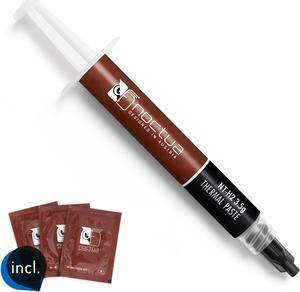
Noctua NT-H2 3.5g, Thermal Computer Paste incl. 3 Cleaning Wipes (3.5g)
- Specifications: Premium-grade thermal compound for optimal heat-transfer from the CPU or GPU to the heatsink
- Model #: NT-H2 3.5g
- Item #: 9SIAADY8R70239
- Return Policy: View Return Policy
$14.95
$6.81 Shipping
-Kept my temps lower than stock Thermal paste included in four different coolers, and ran cooler than another popular brands thermal paste, verified multiple times. -Will only use this Thermal paste on all my other builds in the future. -Comes with cleaning wipes that makes it easier than other traditional methods of removing Thermal paste on CPUs
ARCTIC MX-4 (4 g) - Premium Performance Thermal Paste for all processors (CPU, GPU - PC, PS4, XBOX), very high thermal conductivity, long durability, safe application, non-conductive, non-capacitive
- Volume / Net Weight: 4.0g
- Thermal Conductivity: 8.5 W/mK
- Specifications: Thermal Conductivity (W/mk): 8.5 Viscosity (poise): 870 Density (g/cm3): 2.5 Net Weight: 4g The ARCTIC MX-4 is a premium-grade thermal paste with exceptional performance and ease of application. It is an electrically non-conductive paste that is applied between CPU / GPU and designated coolers to transfer the dissipated heat from the components to the heat sink. Since the ARCTIC MX-4 is a metal-free compound, it eliminates the risks of causing short circuit and in turn adding more protection to your computer. The new formula in the ARCTIC MX-4 features optimal thermal conductivity and low thermal resistance. These characteristics effectively dissipate the emitted heat from the core components. The consistency of the ARCTIC MX-4 is designed for simple application. Its text...
- Model #: ACTCP00002B
- Item #: 9SIC6C2KVC6299
- Return Policy: View Return Policy
$7.19
Free Shipping
- Quality - Effective - Cost
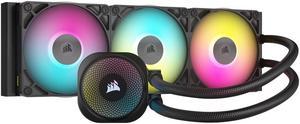
CORSAIR iCUE LINK TITAN 360 RX RGB Liquid CPU Cooler - RX120 RGB Fans - Fits Intel LGA 1851/1700, AMD AM5/AM4 - iCUE LINK System Hub Included
- Brand: Alphacool
- Part Number: CW-9061018-WW
- Type: AIO
- Block Compatibility: AMD Socket AM4 / AMD Socket AM5 / Intel LGA 1700 / Intel LGA 1851
- Model #: CW-9061018-WW
- Item #: 0EZ-00MD-00003
- Return Policy: 30-Day Return Policy
$159.99
$199.99
Free Shipping
It turns on.
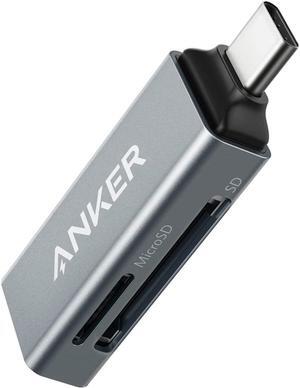
Anker SD Card Reader, 2-in-1 USB C Memory Card Reader for SDXC, SDHC, SD, MMC, RS-MMC, Micro SDXC, Micro SD, Micro SDHC Card, and UHS-I Cards
- Installation Type: External
- Support - SD: Yes
- Slots: 2
- Labor: 18 Months
- Model #: A83700A2
- Item #: 9SIACCUBUZ6710
- Return Policy: View Return Policy
$17.99
Free Shipping
The sale price was pretty good.
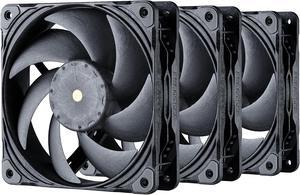
Phanteks T30-120 Fan Triple-Pack, premium high-performance fan, excellent sound quality, 4-pin PWM, multiple fan RPM modes, Black/Grey
- Brand: Phanteks
- Fan Size: 120mm
- LED: No DRGB
- Type: Case Fan
- Model #: PH-F120T30_BG_3P
- Item #: 9SIC3DRKN72264
- Return Policy: View Return Policy
$102.11
$111.51
Free Shipping
- Great cooling - Nice and Quiet - Not Tan and Brown - Daisy Chain Connectors
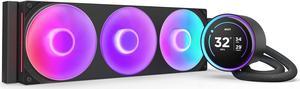
KRAKEN ELITE RGB 360 BLACK AIO LIQUID COOLER WITH IPS LCD & STATIC PRESSURE FANS Intel Socket LGA 1851, 1700 & 1200/115X AMD Socket AM5, AM4
- Brand: NZXT
- Series: Kraken Elite
- Part Number: RL-KR36E-B2
- Type: AIO
- Model #: RL-KR36E-B2
- Item #: N82E16835146164
- Return Policy: 30-Day Return Policy
$259.99
Free Shipping
The LCD screen is 2.73 HUGE and looks fantasticgreat build quality and easy-to-read instructions. Able to add GIFs"s to the screen is super dope. Everything works as it's supposed to. Upgraded from the older version and I just love it, the single frame fan system is sexy.
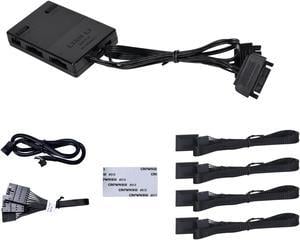
Lian Li SL INFINITY Fan Controller Black Color---- 12SLIN-CONT3B
- Type: Case Fan Accessory
- Color: Black
- Model #: 12SLIN-CONT3B
- Item #: 9SIAFSTK7W7406
- Return Policy: View Return Policy
$27.00
Free Shipping
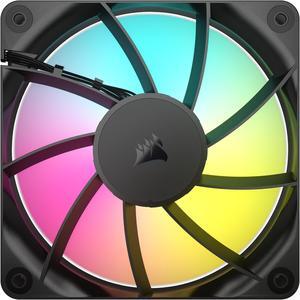
CORSAIR RS120 ARGB PWM 120mm Fan - Simplified Control - Daisy-Chain 4-Pin PWM and +5V ARGB Connections - Concentrated AirGuide Cooling - Magnetic Dome Bearing
- Brand: Corsair
- Fan Size: 120mm
- LED: ARGB
- Type: Case Fan
- Model #: CO-9050180-WW
- Item #: N82E16835181445
- Return Policy: 30-Day Return Policy
$17.99
$19.99
$1.99 Shipping
Looks good and priced just right.

Noctua NH-D15 G2 chromax.black Premium Dual Tower CPU Cooler for AMD AM5/AM4 and Intel LGA1851/LGA1700/LGA1200 (Black)
- Brand: Noctua
- Fan Size: 140mm
- Type: Fan & Heatsinks
- RPM: 1500 RPM
- Model #: NH-D15 G2 chromax.black
- Item #: 9SIAADYKMX4374
- Return Policy: View Return Policy
$179.95
$189.95
$11.62 Shipping
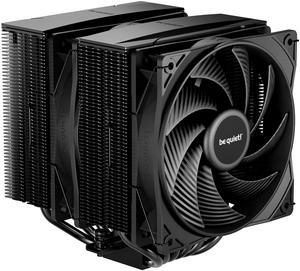
be quiet! Pure Rock Pro 3 Black 120mm Rifle CPU Cooler Socket compatibility Intel 1851 / 1700 / 1200 / 1150 / 1151 / 1155 and AMD AM5 / AM4 (BK042)
- Brand: be quiet!
- Fan Size: 120mm
- Bearing Type: Rifle
- RPM: 2000 RPM max
- Model #: BK042
- Item #: N82E16835269027
- Return Policy: 30-Day Return Policy
$54.90
$64.90
Free Shipping
Great, it has a 270 watt tdp and it looks cool
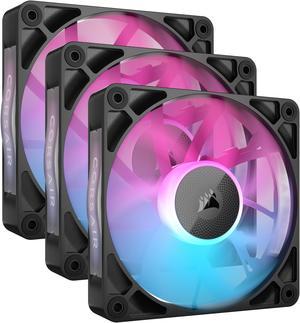
CORSAIR iCUE Link RX120 RGB 120mm PWM Fans with iCUE Link System Hub - Magnetic Dome Bearing - Triple Pack - Black
- Brand: Corsair
- Series: iCUE LINK
- Fan Size: 120mm
- LED: RGB
- Model #: CO-9051018-WW
- Item #: N82E16835181410
- Return Policy: 30-Day Return Policy
$83.10
$104.99
Free Shipping
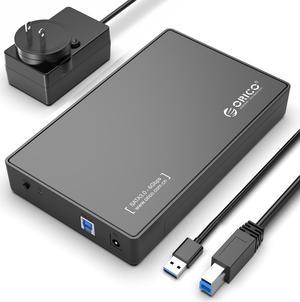
ORICO USB 3.0 External Hard Drive Enclosure for 3.5/2.5 Inch SATA Hard Drives/SSD Up to 20 TB, 3.5'' Tool-Free HDD Enclosure with 12V/2A Power Supply and UASP Acceleration (3588US3)
- Brand: ORICO
- Size: 3.5"
- Color: Black
- External Interface: USB 3.0
- Model #: 3588US3-V1-US-BK-BP
- Item #: 9SIA1DS14F8916
- Return Policy: View Return Policy
$25.99
$11.20 Shipping
Good transfer speed
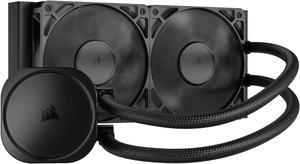
CORSAIR NAUTILUS 240 RS Liquid CPU Cooler – RS120 Fans – Fits Intel® LGA 1851/1700, AMD® AM5/AM4 – Simple Daisy-Chain - Direct Motherboard Connection
- Brand: CORSAIR
- Series: Nautilus Series
- Type: AIO
- Block Compatibility: Intel® LGA 1851/1700, AMD® AM5/AM4
- Model #: CW-9060088-WW
- Item #: N82E16835181473
- Return Policy: 30-Day Return Policy
$89.99
Free Shipping
-NO RGB -Does really well on intel current CPUs -easy installation
Versatile computer accessories are products that help you build laptops and computers to perform functions you need at optimal levels, whether it is for the home or office. Inside the computer case, you'll find the system unit, which organizes many of the accessories that are essential internal components. They provide access to sockets for connecting to internal parts and external peripherals. Accessories can assist in raising the performance of the system, introduce new elements to your computer, keep the operating system cooled down and make sure you have trouble-free installation. Some standard accessories are desktop cooling fans, plug connectors, and a HDD mounting kit.
Understanding How CPU Accessories Streamline Upgrading the Computer
The motherboard is the central component of the computer, and holds all the CPU accessories within the computer case so they can communicate and work together. The computer accessories can range from what powers the processors to the hard drive. In between, you have RAM, network cards, graphics processing units, patch panels and other hardware that help you connect all these components so they work as one unit. The motherboard includes distinct functionalities, and your computer must have a motherboard that is compatible with the processor. Upgrading your computer requires interchanging desktop accessories, and you need to make sure your upgrades are consistent with the rest of the computer components. For instance, upgrading your processor will give you faster processing, but take into account the power requirements of the other parts, like the graphics processing unit and motherboard.
The Difference Between HDD and SSD Is Speed
Storage devices are key for determining how much you can download onto your computer. A solid-state drive (SSD) and a hard disk drive (HDD) are computer accessories that simply store data. Think of the HDD as a mechanical platter that drives the computer as it reads information. The SSD is a newer and faster type of drive that stores bits of information like a flash drive for quick access. The HDD, which is like a vinyl album, has to search for the data. Whichever you choose, there are SSD and HDD accessories needed for the build. Both need mounting kits and brackets to install them in their empty bays. Some computers may require bay adapters for the drives if they are too small for the slot. Other desktop accessories you might also want to consider are disk storage cases that protect drives when you transport them.
Computer Accessories Include Wired Components Like Connectors and Jacks
Upgrading your computer may require different wired accessories. For instance, if you need to change your desktop cooling fan, you might need to consider wired accessories from DC connectors to rack mounts. Furthermore, understanding which adaptor to use to convert connections smoothly is essential. Some common wired accessories to consider for upgrading are power cables, shielded jacks and keystone jacks. Some of these desktop accessories come in different colors to help you organize and group or match them by color.