
Your Browsing History
BEST SELLERS


BEST SELLERS
In Motherboard
Our most popular products, based on sales and updated frequently.Shop Department
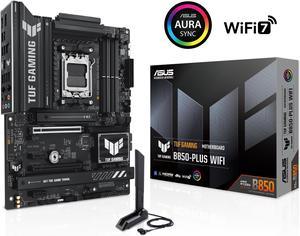
ASUS TUF GAMING B850-PLUS WIFI AMD AM5 B850 ATX motherboard, 14+2+1 80A stages, AI Ready, DDR5, PCIe 5.0 , 3x M.2, Wi-Fi 7, 2.5Gb LAN, DisplayPort, HDMI, USB 10Gbps & 20Gbps Type-C, BIOS FlashBack
- Brand: ASUS
- CPU Socket Type: AM5
- Chipset: AMD B850
- Serial ATA (SATA): 4 x SATA 6Gb/s
- Model #: TUF GAMING B850-PLUS WIFI
- Item #: 9SIA36ZKPZ2236
- Return Policy: View Return Policy
$199.99
Free Shipping
Easy to connect, looks great in my first PC build.
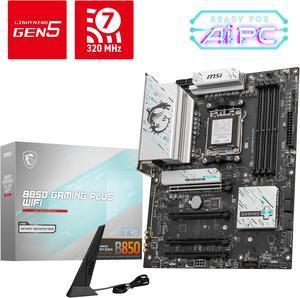
MSI B850 GAMING PLUS WIFI AM5 AMD B850 SATA 6Gb/s 5G Network DDR5 Wi-Fi 7 ATX Motherboard
- Brand: MSI
- CPU Socket Type: AM5
- Chipset: AMD B850
- Serial ATA (SATA): 4 x SATA 6Gb/s
- Model #: B850 GAMING PLUS WIFI
- Item #: 9SIA24GKF28513
- Return Policy: View Return Policy
$182.64
$209.99
Free Shipping
- Probably the best B850 Board - Plenty of connection. 2x Gen5 NVME Supper. Minimal Lane sharing ( Only with 3rd M.2) - Ez-Conn Switch add extra ports. Saved the day for rear fans. - Plenty of fan headers and really good VRMs.
ASRock B860 Rock WiFi 7 LGA 1851 ATX Motherboard
- Memory Standard: Supports up to 8666+(OC)
- Number of Memory Slots: 4x288pin (DDR5)
- Brand: ASRock
- CPU Socket Type: LGA 1851
- Model #: B860 Rock WiFi 7
- Item #: N82E16813162246
- Return Policy: 30-Day Return Policy
$119.99
$139.99
Free Shipping
ASRock quality. Great price for home office solution. Running Core 5 Ultra 5 250K Plus with no problem.
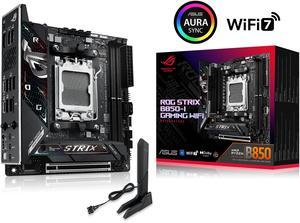
ASUS ROG STRIX B850-I GAMING WIFI AMD AM5 B850 Mini-ITX mITX motherboard 10+2+1 stages, DDR5, 2.5G LAN, WiFi 7, 2x M.2, PCIe 5.0 x16, USB 20Gbps Type-C, AI Overclocking, AI Networking II, Aura Sync
- Brand: ASUS
- CPU Socket Type: AM5
- Chipset: AMD B850
- Serial ATA (SATA): 2 x SATA 6Gb/s
- Model #: ROG STRIX B850-I GAMING WIFI
- Item #: 9SIC62VKWE9613
- Return Policy: View Return Policy
$309.80
Free Shipping
easy install lots of options
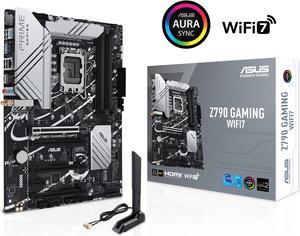
ASUS Z790 GAMING WIFI7 (LGA 1700) ATX motherboard with PCIe 5.0, three M.2 slots, 14+1 DrMOS, DDR5, WIFI 7, Realtek 1Gb LAN, HDMI TM, USB 3.2 Gen 2x2 Type-C, front USB 3.2 Gen 1 Type-C
- Memory Standard: DDR5 7200+(OC)/7000(OC)/6800(OC)/6600(OC)/ 6400(OC)/ 6200(OC)/ 6000(OC)/ 5800(OC)/ 5600/ 5400/ 5200/ 5000/ 4800 Non-ECC, Un-buffered Memory*
- Number of Memory Slots: 4x288pin (DDR5)
- PCI Express x16: 1 x PCIe 3.0 x1 slot * Please check the PCIe bifurcation table on the support site (https://www.asus.com/support/FAQ/ 1037507/). - To ensure compatibility of the device installed, please refer to https://www.asus.com/support/ for the list of supported peripherals.
- Brand: ASUS
- Model #: Z790 GAMING WIFI7
- Item #: 9SIAD6HKKM4245
- Return Policy: View Return Policy
OUT OF STOCK
Sold Price: $315.02
Free Shipping
- works great - has rgb controllers (that I don't use) - software gives control on desktop - wifi antenna has magnetic base so you can slap it anywhere on the case
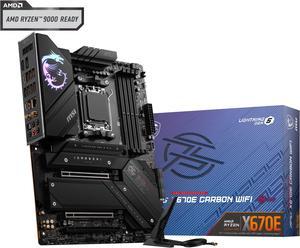
MSI MPG X670E CARBON WIFI DDR5 AM5 AMD Ryzen™ 7000 Series SATA 6Gb/s ATX Motherboards, Wi-Fi 6E, 2.5G Network Solution.
- Brand: MSI
- CPU Socket Type: AM5
- Chipset: AMD X670E
- Serial ATA (SATA): 6x SATA 6G port
- Model #: MPG X670E CARBON WIFI
- Item #: N82E16813144550
- Return Policy: 30-Day Return Policy
$329.99
$479.99
Free Shipping
PCIE 5.0 Powerful VRM with great Thermal Design 4 m.2 sockets (2 gen 5) Audio Boost 5 with Line outs Wifi/Bluetooth USB ports
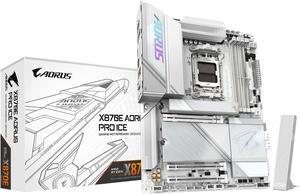
GIGABYTE X870E AORUS PRO ICE AM5 LGA 1718, ATX, DDR5, 4x M.2, PCIe 5.0, USB4, Wi-Fi 7, 2.5GbE LAN, EZ-Latch, 5-Year Warranty
- Brand: GIGABYTE
- CPU Socket Type: AM5
- Chipset: AMD X870E
- Serial ATA (SATA): 4 x SATA 6Gb/s
- Model #: X870E AORUS PRO ICE
- Item #: 9SIA6ZPKFM1288
- Return Policy: View Return Policy
$349.71
The aesthetic of the motherboard looks amazing. The picture I uploaded shows the PC mid-build so you can really see the motherboard. I appreciate the subtle built-in RGB lighting around the logos. The board also has a great mix of white and silver throughout that really adds to that "Ice" moniker. The easy latch system makes removing the GPU really simple. A big positive note is that I was able to POST the system on the first try. I used DDR5 6000CL28 from G.Skill with an AMD Ryzen 7 9800X3D and encountered no issues. The BIOS has all the main features right up front with no need to dig through additional hidden menus. The motherboard has a built-in HDMI port on the inside for you to hook up a sensor panel screen. Note that your CPU will need to have integrated graphics of some sort and you'll have to download the AM5 graphics drivers from the AMD website.
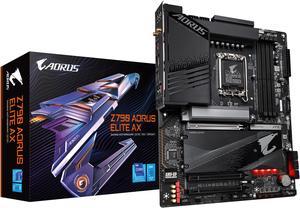
GIGABYTE Z790 AORUS ELITE AX LGA 1700 Intel Z790 ATX Motherboard with DDR5, Quad M.2, PCIe 5.0, USB 3.2 Gen2X2 Type-C, Intel WiFi 6E, 2.5GbE LAN, Q-Flash Plus, PCIe EZ-Latch
- Memory Standard: Support for DDR5 7600(O.C.) /7400(O.C.) /7200(O.C.) /7000(O.C.) /6800(O.C.) /6600(O.C.) / 6400(O.C.) / 6200(O.C.) / 6000(O.C.) / 5800(O.C.) / 5600(O.C.) / 5400(O.C.) / 5200(O.C.) / 4800 / 4000 memory modules Dual channel memory architecture Support for ECC Un-buffered DIMM 1Rx8/2Rx8 memory modules (operate in non-ECC mode) Support for non-ECC Un-buffered DIMM 1Rx8/2Rx8/1Rx16 memory modules Support for Extreme Memory Profile (XMP) memory modules
- Number of Memory Slots: 4x288pin (DDR5)
- Audio Chipset: Realtek Audio CODEC High Definition Audio
- Brand: GIGABYTE
- Model #: Z790 AORUS ELITE AX
- Item #: N82E16813145417
- Return Policy: 30-Day Return Policy
$189.99
$239.99
Free Shipping
It came with the F3 bios, which is what I was hoping for, so no need to flash this bios. Everything worked out of the box with no issues, for example, the WiFi, the LAN, the audio (which is a very modest audio setup but it works well; more to that later). Bluetooth works very well, and NOTE, the antenna they include is not just for WiFi, but for Bluetooth as well. Gigabyte says little about the antenna, but it does affect Bluetooth performance for distant devices. All external connections work fine, as do internal connections. There are 3 screws built into the plate that covers the M2 drives, this is a nice feature (the built-in screws), makes it easy to remove and replace. The little connectors that hold the end of M2 drives in place is a really nice feature. Nice touch. This mobo says it is compatible with 6000Mt 16G x 2 sticks of Corsair Vengeance, Indeed, with XMP set, I am running two such sticks at 6000 (40-40-40-77-117) with Cmd Rate of 1T. That's a little fast for the i5-13600k chip, but is holding steady under stress testing at stock settings. So I''m pleased. With faster memory settings under stress, ,however, the system crashes but that is without any tweaking of the memory settings. I will be exploring more. The bios is pretty straightforward, though I wish Gigabyte had more documentation. There are so many settings, it is a bit overwhelming. There are some good "how-to" guides on YT, such as the following: https://www.youtube.com/watch?v=mPxosArjVVw&t=548s Overall, working with this motherboard has been pretty painless; it's well built and of high quality.
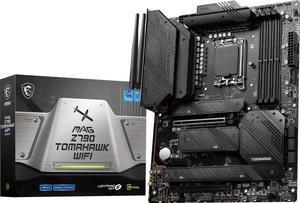
MSI MAG Z790 TOMAHAWK WIFI LGA 1700 Intel Z790 SATA 6Gb/s DDR5 ATX Motherboard
- Memory Standard: Supports 1R 5600 MHz (by JEDEC & POR) - 1DPC 1R Max speed up to 6800+ MHz - 1DPC 2R Max speed up to 6400+ MHz - 2DPC 1R Max speed up to 6400+ MHz - 2DPC 2R Max speed up to 5600+ MHz Supports Intel XMP3.0 OC Supports Dual-Controller Dual-Channel mode Supports non-ECC, un-buffered memory
- Number of Memory Slots: 4x288pin (DDR5)
- Audio Chipset: Realtek ALC4080
- Brand: MSI
- Model #: MAG Z790 TOMAHAWK WIFI
- Item #: N82E16813144567
- Return Policy: 30-Day Return Policy
$199.99
$229.99
Free Shipping
-Extensive Bios features with Ez and advanced screens. -Still have access to most of the m2 slots with large video card installed. -Detected DDR5 corsair memory and suggested the correct xmp profile and speed with 1 click. -Very sturdy board.
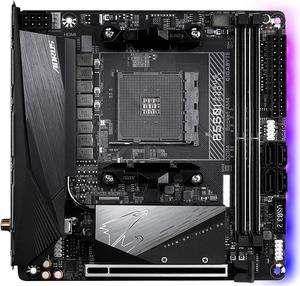
GIGABYTE B550I AORUS PRO AX AM4 AMD B550 Mini-ITX Motherboard with Dual M.2, SATA 6Gb/s, USB 3.2 Gen 1, WIFI 6, 2.5 GbE LAN, PCIe 4.0
- Brand: GIGABYTE
- CPU Socket Type: AM4
- Chipset: AMD B550
- Serial ATA (SATA): 4 x SATA 6Gb/s
- Model #: B550I AORUS PRO AX
- Item #: N82E16813145222
- Return Policy: 30-Day Return Policy
SOLD OUT
Sold Price: $189.99
this is my first itx and back with AMD - worked perfect - no issues so far - booted up fine with F12 bios - updated to F13 - all good - AMD all the way
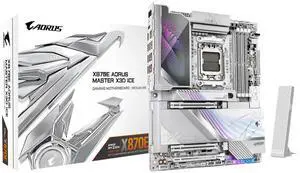
GIGABYTE X870E AORUS MASTER X3D ICE AMD AM5 LGA 1718 ATX Motherboard, Supports AMD Ryzen 9000/8000/7000 Series Processors, DDR5, 18+2+2 Power Phase, 5x M.2, PCIe 5.0, USB4 Type-C, WIFI7, 10GbE
- Brand: GIGABYTE
- CPU Socket Type: AM5
- Chipset: AMD X870E
- Form Factor: ATX
- Model #: X870E AORUS MASTER X3D ICE
- Item #: N82E16813145593
- Return Policy: 30-Day Return Policy
$584.99
$620.49
Free Shipping
Workability, Usability, esthetics, was very easy to install and set up. It lets my components breathe and work to the nine without any issues. Set it up with dual boot of windows and a specially made kali linux version they did for me.
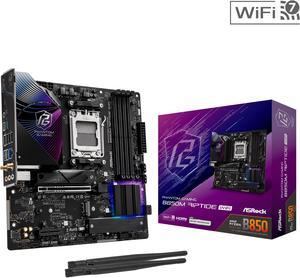
ASRock B850M Riptide WiFi AM5 Micro ATX Motherboard
- Brand: ASRock
- CPU Socket Type: AM5
- Chipset: AMD B850
- Serial ATA (SATA): 4 x SATA 6Gb/s
- Model #: B850M Riptide WiFi
- Item #: N82E16813162193
- Return Policy: 30-Day Return Policy
$149.99
$189.99
Free Shipping
It has a lot of features for the price. Under stress testing this board performs flawless. It's 100% stable using t-force memory.
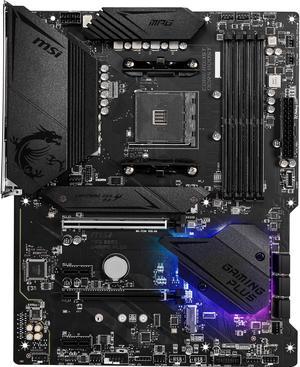
MSI MPG B550 GAMING PLUS AM4 ATX AMD Motherboard
- Brand: MSI
- CPU Socket Type: AM4
- Chipset: AMD B550
- Serial ATA (SATA): 6 x SATA 6Gb/s
- Model #: MPG B550 GAMING PLUS
- Item #: N82E16813144325
- Return Policy: 30-Day Return Policy
$139.99
Est. Shipping Fee $2.99
Eligible for Free Shipping
it’s good motherboard because it has RGB which obviously gives you 400+ more frames, also has more than 1 m.2 slots
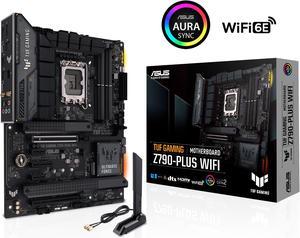
ASUS TUF Gaming Z790-Plus WiFi LGA 1700(Intel14th & 13th & 12th Gen) ATX gaming motherboard(PCIe 5.0, DDR5,4xM.2 Slots,16+1 DrMOS,WiFi 6,Intel 2.5Gb LAN,front USB 3.2 Gen 2 Type-C,Thunderbolt 4(USB4)
- Memory Standard: DDR5 7200(OC)/7000(OC)/6800(OC)/6600(OC)/ 6400(OC)/ 6200(OC)/ 6000(OC)/ 5800(OC)/ 5600/ 5400/ 5200/ 5000/ 4800 Non-ECC, Un-buffered Memory* Dual Channel Memory Architecture Supports Intel® Extreme Memory Profile (XMP) OptiMem II * Supported memory types, data rate (speed), and number of DRAM modules vary depending on the CPU and memory configuration, for more information please refer to CPU/Memory Support under the Support tab or visit https://www.asus.com/support/ * Non-ECC, un-buffered DDR5 memory supports On-Die ECC function.
- Number of Memory Slots: 4x288pin (DDR5)
- Brand: ASUS
- CPU Socket Type: LGA 1700
- Model #: TUF GAMING Z790-PLUS WIFI 6E
- Item #: 9SIA36ZKT82570
- Return Policy: View Return Policy
$214.99
Free Shipping
Awesome board I love it runs my i7 13700 so good no high temperature underload it's also good for overclocking
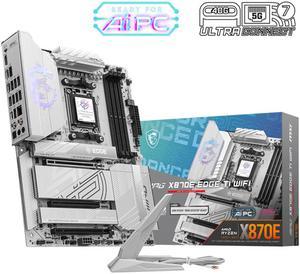
MSI MPG MPG X870E EDGE TI WIFI AM5 AMD X870E SATA 6Gb/s 5G LAN DDR5 M.2 Wi-Fi 7 ATX Motherboards
- Brand: MSI
- CPU Socket Type: AM5
- Chipset: AMD X870E
- Serial ATA (SATA): 4 x SATA 6Gb/s
- Model #: MPG X870E EDGE TI WIFI
- Item #: N82E16813144698
- Return Policy: 30-Day Return Policy
$289.99
$307.49
Free Shipping
Everything is perfect!
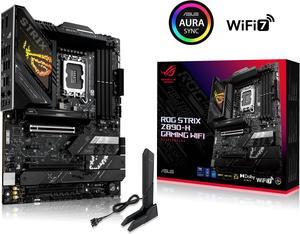
ASUS ROG STRIX Z890-H GAMING WIFI Z890 LGA 1851 ATX motherboard, Intel Core Ultra Series 2 Ready, Advanced AI PC-ready, 16+2+1+2 stages, DDR5, 5Gb LAN, WiFi 7, 4x M.2, PCIe 5.0, USB Type-C, AI OC
- Memory Standard: 4 x DIMM slots, max. 192GB, DDR5 Support up to 8800+MT/s (OC), Non-ECC, Un-buffered, Clocked Unbuffered DIMM (CUDIMM)* Dual channel memory architecture Supports Intel® Extreme Memory Profile (XMP) memory module Supports DIMM Flex NitroPath DRAM Technology DIMM FIT ASUS Enhanced Memory Profile III (AEMP III) * Supported memory types, data rate (speed), and number of DRAM modules vary depending on the CPU and memory configuration, for more information please refer to CPU/Memory Support list under the Support tab of product information site or visit https://www.asus.com/support/ download-center/. * Non-ECC, un-buffered DDR5 memory supports On-Die ECC function.
- Number of Memory Slots: 4x288pin (DDR5)
- Brand: ASUS
- CPU Socket Type: LGA 1851
- Model #: ROG STRIX Z890-H GAMING WIFI
- Item #: N82E16813119728
- Return Policy: 30-Day Return Policy
$286.99
$329.99
Free Shipping
- easy to set up lots of space
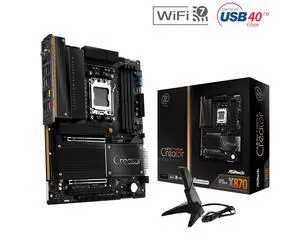
ASRock X870 TAICHI CREATOR AM5 ATX Motherboard
- Brand: ASRock
- CPU Socket Type: AM5
- Chipset: AMD X870
- Serial ATA (SATA): 4 x SATA 6Gb/s
- Model #: X870 TAICHI CREATOR
- Item #: N82E16813162237
- Return Policy: 30-Day Return Policy
$319.99
Free Shipping
Works with and USES ECC memory, as confirmed in Ubuntu 24.04 (Kingston KSM48E40BD8KI-32HA). I didn't have to fiddle with the bios at all - either to get full performance in Passmark versus existing baselines, or to get ECC memory to be recognized and to work in Linux. This was great, as I "upgraded" early from my (not old) Gigabyte B760M with the borked 13900K.
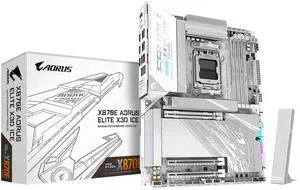
GIGABYTE X870E AORUS ELITE X3D ICE AMD AM5 LGA 1718 ATX Motherboard, Supports AMD Ryzen 9000/8000/7000 Series Processors, DDR5, 16+2+2 Power Phase, 4x M.2, PCIe 5.0, USB4 Type-C, WIFI 7, 5 GbE
- Brand: GIGABYTE
- CPU Socket Type: AM5
- Chipset: AMD X870E
- Form Factor: ATX
- Model #: X870E AORUS ELITE X3D ICE
- Item #: N82E16813145595
- Return Policy: 30-Day Return Policy
$369.99
$392.49
Free Shipping
I haven't built a PC since 2017 so this one is a huge upgrade from that era. It's also my first Gigabyte/Aorus product and have had no issues getting it up and running with a 9800x3d and 64gb Corsair RAM with expo enabled. I haven't really tinkered with it nor needed to. Stable, cool, and quiet in all stress-testing and gaming. -Tons of connectivity -Fan headers all over -Solid, well-built, and has massive heatsinks -Classy and subtle RGB -Great looking board for a white/cold looking build, though my air cooler blocks half the view
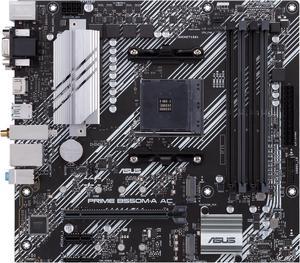
ASUS PRIME B550M-A AC AMD AM4 mATX motherboard with impressive features, including PCIe 4.0, dual M.2 slots, WiFi, HDMI, D-Sub, DVI, SATA 6 Gbps, USB 3.2 Gen 2 ports, and Aura Sync RGB lighting
- Brand: ASUS
- CPU Socket Type: AM4
- Chipset: AMD B550
- Serial ATA (SATA): 4 x SATA 6Gb/s
- Model #: PRIME B550M-A AC
- Item #: N82E16813119492
- Return Policy: 30-Day Return Policy
$99.99
$109.99
Free Shipping
- Stable with no crashes in 6 weeks of use - it has enough features with 4 ram slots, rgb headers, bluethooth and wifi built in to make it feel better than the cheapest options - Great price - XMP/DOCP worked on second attempt with G. Skill RGB 3600 Mhz Ram
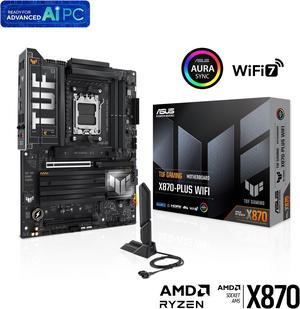
ASUS TUF GAMING X870-PLUS WIFI AMD AM5 X870 ATX motherboard, 16+2+1, 80A SPS power stages, DDR5, PCIe 5.0 Ready, four M.2 slots, Wi-Fi 7, 2.5Gb LAN, HDMI, USB4 40Gbps, SATA 6 Gbps, USB 20Gbps Type-C
- Brand: ASUS
- CPU Socket Type: AM5
- Chipset: AMD X870
- Serial ATA (SATA): 2 x SATA 6Gb/s
- Model #: TUF GAMING X870-PLUS WIFI
- Item #: 9SIC610KWD9128
- Return Policy: View Return Policy
$201.29
$9.99 Shipping
It works great in combination with the AMD Ryzen 7 9800X3D CPU, 64 gb Kingston CL30 RAM, 4 TB Crucial T500 M.2 hard drive in the first slot above the GPU slot and topped off with an Asus TUF RTX 5080 graphics card. This system is amazing, and my in game from rates have increased 4 times from my prior system.