
Your Browsing History
BEST SELLERS


BEST SELLERS
In Computer Accessories
Our most popular products, based on sales and updated frequently.Shop Department
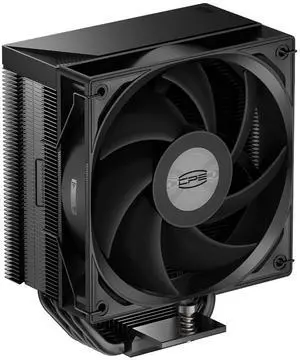
PCCOOLER CPS RT500 TC CPU Air Cooler, 5 Direct Contact Heat Pipes, 245W TDP, 152mm Tall, 120mm PWM Slient Fan, for Intel LGA1851/1700/1200/115X & AMD AM5/AM4, Black
- Series: RT
- Part Number: RT500TC-BKNWYX-GL
- Color: Black
- Type: Air Cooler
- Model #: RT500TC-BKNWYX-GL
- Item #: 9SIAHCTKKH8296
- Return Policy: View Return Policy
$16.79
$28.78
Free Shipping
- great price on special - good quality - good looking - 5 cooling pipes - slim design - amazing packaging
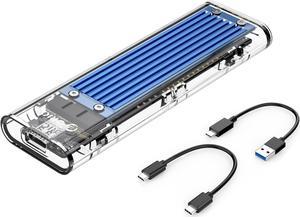
ORICO M.2 NVMe SSD Enclosure, USB 3.2 Gen 2 (10 Gbps), Transparent External Solid State Drive Adapter Enclosure for 2280 2260 2242 2230 PCI-E M2 M-Key SSD, USB Type C Converter Case-TCM2 Blue
- Brand: ORICO
- Series: TCM2
- Model: TCM2
- Color: Blue
- Model #: TCM2-C3-BL-BP
- Item #: 9SIA1DS93D6882
- Return Policy: View Return Policy
Convenient, fast and sleek
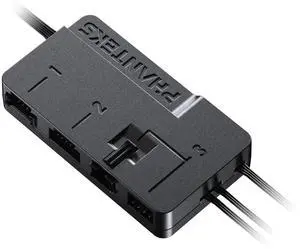
Phanteks Nexlinq Hub V2, Fan & Lighting control Windows App, Multiple channel output, Black.
- Brand: Phanteks
- Type: Case Fan Accessory
- Power Connector: Port 1&2: Linq6 connector, Port 3: 4-PIN PWM + DRGB 3-PIN JST
- Color: Black
- Model #: PH-NLHUB_02
- Item #: N82E16835709317
- Return Policy: 30-Day Return Policy
$29.99
$1.99 Shipping
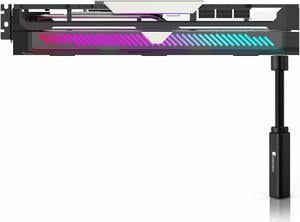
JONSBO VC20 Graphics card GPU Brace , Graphics card holder , Adjustable height Support Jack Stand design ,Stronger Magnet along with Silicone Pad, Anodized Aluminum , Telescopic Screw Design, Black
- Option: Normal
- Model #: VC20
- Item #: 9SIAY3SESB0288
- Return Policy: View Return Policy
$9.99
$16.99
Free Shipping
Not much to say about such a simple thing, but its metal construction is solid, even when unscrewed, and the padding sufficient. If you're going to get a GPU support, get this and then never have to get another one ever again.
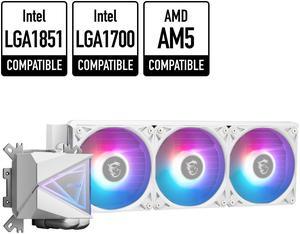
MSI MAG CoreLiquid I360 White - AIO ARGB CPU Liquid Cooler - Infinity Mirror Design - UNI Bracket - 360mm Radiator - Triple 120mm ARGB PWM Fans - LGA 1700/1851 / AM5/AM4 Compatible
- Brand: MSI
- Series: MAG Series
- Type: Liquid Cooling System
- Block Compatibility: Intel: LGA1150/1151/1155/1156/1200/1700/ 1851 AMD: AM5/AM4
- Model #: MAG CORELIQUID I360 WHITE
- Item #: 9SIAD6HKKM1495
- Return Policy: View Return Policy
$245.49
Free Shipping
Really happy with my purchase of this AIO, incredibly great value for a 360 rad. Installation was very easy and I love the plastic white panel they include to cover up the side of the fans. Performance is great and keeping my 9950X3D cool! If you're considering a great looking AIO and not trying to break the bank give this one a go!
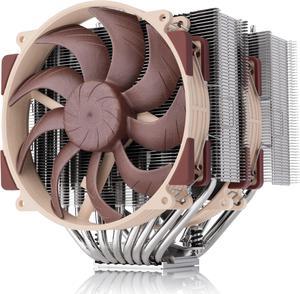
Noctua NH-D15 G2 LBC, Dual Tower CPU Cooler, Specialised Low Base Convexity Version for AMD AM5/AM4 (Brown)
- Brand: Noctua
- Fan Size: 140mm
- Type: Heatsinks only
- RPM: 0 - 1500 RPM
- Model #: NH-D15 G2 LBC
- Item #: 9SIAADYKB59138
- Return Policy: View Return Policy
$169.95
$179.95
$11.62 Shipping
Very quiet and keeps temps low
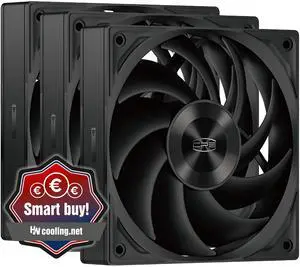
PCCOOLER CPS F5 R120 3IN1 High-Performance 120mm Case Fans, 4-Pin PWM Silent PC Fans w/ 3 Modes up to 2200RPM, Daisy Chain Computer Fans with FDB, Vibration-Damping Mounting Pads, Black - 3in1 Pack
- Brand: PCCOOLER
- Fan Size: 120mm
- LED: Non-LED
- Type: Case Fan
- Model #: F5R120-BKNT3-GL
- Item #: 9SIAHCTKC55157
- Return Policy: View Return Policy
$29.69
$39.58
Free Shipping
Very easy to install, sturdy, quiet, nice daisy chain setup with the fan cables. I was pleasantly surprised.
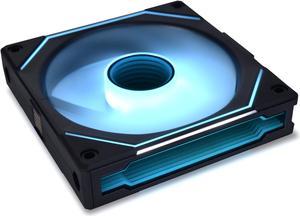
LIAN LI UNI FAN SL INFINITY 120 RGB BLACK ---UF-SLIN120-1B (No controller included)
- Brand: Lian li
- Fan Size: 120mm
- LED: ARGB
- Type: Case Fan
- Model #: UF-SLIN120-1B
- Item #: 9SIA4REK986378
- Return Policy: View Return Policy
$30.95
Free Shipping
-Genius connect system.. Basically, instead of having a a cable for each fan ( sometimes two one for RGB and one for fan power) you can have a set of three fans and the fans interlock with each other. So really there's just the fan cable going to the hub, two power connections, and a USB header cable for RGB cable if you just want to use your motherboard RGB lighting. -Looks better than any RGB fans I've ever seen. The infinity mirror effects are great. - usually when you buy RGB fans it seems companies like to focus on the RGB and not about the actual performance. Well these fans perform excellent. They blew a lot of air and not only that are very quiet for how much air output they have. - the software. Usually there's always issues with these companies and their RGB and fan control software. So far I've had no issues with it and it doesn't take up system resources like crazy. Also if you don't want to use the software at all you can just use your motherboard RGB header. You don't get the same lighting effects but a good option for people that don't care about it - comes with extra cables and everything you need.

PTM7950 40x40x0.2mm Phase Change GPU Thermal Pad, High Conductive Silicone Grease 8.5W/mK CPU Thermal Paste for PS5 Steam Deck CPU GPU SSD M.2 Laptop
- Model #: Honeywell PTM7950-40*40mm-A
- Item #: 9SIA4REK200450
- Return Policy: View Return Policy
$12.99
Free Shipping
Why did I pick this? I was intrigued by this so I bought it. Sure, its pricier than most pastes. There is a thick plastic side and a thin plastic side. I cut the piece to size and used a sharp utility knife to pre-peal the thin plastic side and fold the corner. I wiped the die with the enclosed alcohol pad, pealed the thick plastic side, centered the pad, used the spatula to press it down and then grabbed the pre-folded edge of the thin plastic to remove. It wasnt too bad. I dont know if it works better as I have not compared it to regular thermal paste but I am satisfied that I got an appropriate amount between the CPU and the cooler.
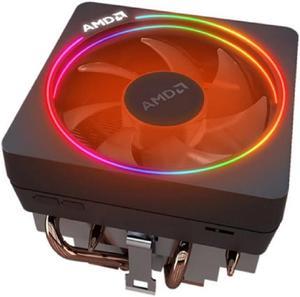
AMD Wraith Prism RGB LED Lighting Socket AM4 4-Pin Connector CPU Cooler with Copper Core Base & Aluminum Heatsink & 4.13-Inch Fan
- Brand: AMD
- Fan Size: 100mm
- Series: Air Cooler Series
- Type: Fan & Heatsinks
- Model #: Wraith-Prism
- Item #: 9SIA4RE9V33837
- Return Policy: View Return Policy
$35.98
Free Shipping
Nice rgb It works
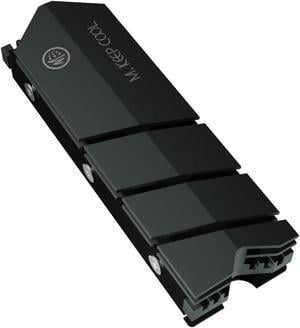
Thick 12mm M.2 2280 SSD Heatsink Cooler, Double Sided Heat Sink with Thermal Silicone Pads, Support Single and Double Sided M2. Cooling for Computer PC M.2 NVMe SSD or M.2 SATA SSD, Gray.
- Model #: M2 SSD HS aluminum 12mm gray
- Item #: 9SIBD8BHY42248
- Return Policy: View Return Policy
$8.99
Free Shipping
was easy to install no problems and good price
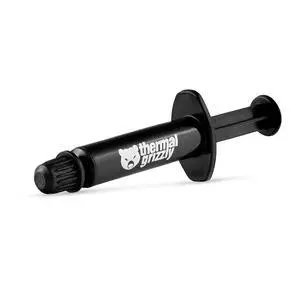
Thermal Grizzly Kryonaut - 1 Gram - Extremly High Performance Thermal Paste - for Demanding Applications and Overclocking CPU/GPU/PS4/PS5/Xbox
- Model #: Kryonaut 1g - TG-K-001-RS
- Item #: 9SIAB7GFSY0683
- Return Policy: View Return Policy
$11.99
Free Shipping
- easy to apply - the included quantity is enough for more than one application - tube is "resealable" so it can be used again without having to worry about drying out - the plunger is very user friendly. moves forward and back easily
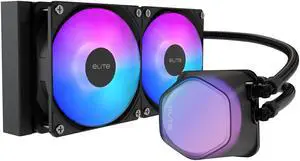
Cooler Master Elite Liquid 240 CPU AIO Cooler - 240mm Radiator, 2x ARGB PWM Fans, Dual-Chamber Pump Design, Ultra-Quiet High-Performance Cooling, AMD AM5/AM4 & Intel LGA 1851/1700, Black
- Brand: COOLER MASTER
- Type: AIO
- Block Compatibility: Intel® LGA 1851/1700 / 1200 / 1151 / 1150 / 1155 / 1156 AMD® AM5 / AM4
- Pump Speed: 3200±10% RPM
- Model #: ELW-D24M-A21DA-R1
- Item #: N82E16835103324
- Return Policy: 30-Day Return Policy
$79.99
Free Shipping
The pump heads translucent fog like dome is extremely cool looking. The halo fans are also really cool with the 24 leds on each fan. I have this cooling a ryzen 9 5950x and it keeps it at great temps idle and good temps under gaming load. When rendering or benchmarking the temps get a bit high but I suppose that's to be expected with the ryzen 9 5950x.
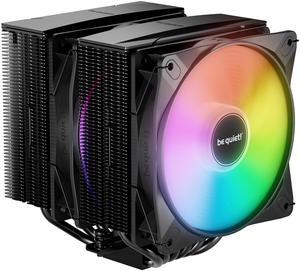
be quiet! Pure Rock Pro 3 LX 120mm Rifle CPU Cooler ARGB fans Socket compatibility Intel 1851 / 1700 / 1200 / 1150 / 1151 / 1155 and AMD AM5 / AM4 (BK043)
- Brand: be quiet!
- Fan Size: 120mm
- Bearing Type: Rifle
- RPM: 2000 RPM max
- Model #: BK043
- Item #: N82E16835269028
- Return Policy: 30-Day Return Policy
$49.90
$74.90
$4.99 Shipping
Easy install Nice large and quiet cooling fans Like the addressable option
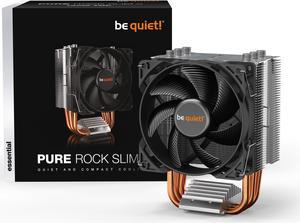
be quiet! Pure Rock Slim 2 CPU Air Cooler | Socket Support for Intel LGA 1851,1200,1150,1151,1155 - and AMD AM4,AM5 Support - Low Noise Cooler - Compact Air Cooler - Silver/Black (BK030)
- Brand: be quiet!
- Fan Size: 92mm
- Bearing Type: Rifle
- Type: Fan & Heatsinks
- Model #: BK030
- Item #: 13C-001F-00061
- Return Policy: 30-Day Return Policy
$32.90
$3.99 Shipping
Keeps my cpu overclocked and cool
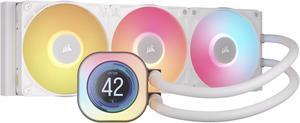
CORSAIR iCUE LINK TITAN 360 RX LCD Liquid CPU Cooler – White – RX120 RGB Fans – Fits Intel® LGA 1851/1700, AMD® AM5/AM4 – iCUE LINK System Hub Included
- Brand: CORSAIR
- Part Number: CW-9061026-WW
- Type: AIO
- Block Compatibility: AMD: AM5, AM4 | Intel: 1851, 1700
- Model #: CW-9061026-WW
- Item #: N82E16835181482
- Return Policy: 30-Day Return Policy
$219.99
Free Shipping
Only 2 wires going to the pump unlike my last corsair h150 that had 4 The daisy chain fans are great Magnets on the controller box are nice so no messing with tape.
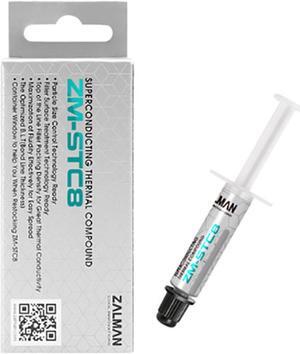
Zalman STC8 (1.5 g) Performance Thermal Grease Compound Paste, Heatsink Paste for All Coolers, CPU & GPU, Superconducting Micro-Filler Density Technology (8.3 W/m-k, 350-480 Pa.s)
- Model #: STC 8
- Item #: 9SIABW9BFE5088
- Return Policy: View Return Policy
$7.90
Free Shipping
kept my i7 12700k under 100 Fahrenheit (cold) while under 100% load, after a week of use, it cooled down to 70-85 Fahrenheit IDLE!
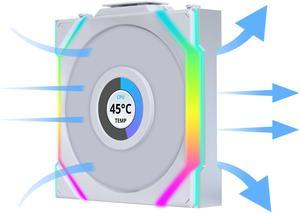
Lian Li UNI Fan SL LCD Wireless 120mm ARGB Fan - Single Pack - 1.6" LCD Display - 2.4 GHz Wireless Signal for RGB & Fan Control - Controller NOT Included & Required - White (12SLLCD1W1W)
- Brand: Lian li
- Fan Size: 120mm
- LED: ARGB
- Type: Case Fan
- Model #: 12SLLCD1W1W
- Item #: 9SIAFSTKCU4759
- Return Policy: View Return Policy
$34.99
Free Shipping
Fans look wonderful and ties the whole build together
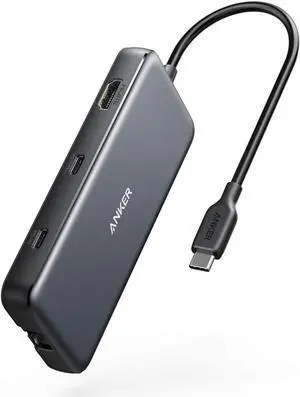
Anker USB C Hub, PowerExpand 8-in-1 USB C Adapter, with 100W Power Delivery, 4K 60Hz HDMI Port, 10Gbps USB C and 2 USB A Data Ports, Ethernet Port, microSD and SD Card Reader, for MacBook Pro and More
- Type: USB
- Standards: USB 3.1
- Dimensions: 4.76 x 2.17 x 0.6 inches
- Weight: 4.5 ounces
- Model #: A83830A2
- Item #: 9SIACCUEJA3787
- Return Policy: View Return Policy
$49.99
Free Shipping
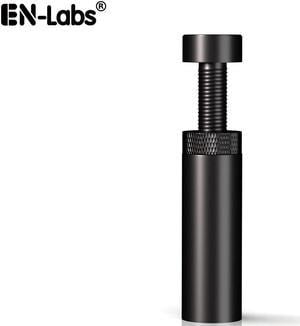
Graphics Card GPU Holder, Anti Sag Stand Bracket Video Card Anti-Bending Magnetic Mount Brace for ATX/M-ATX/Mini-ATX Iron Case ,1.9"-3.1" Height Adjustable, Black
- Color: Black
- Changer Type: Other
- Model #: 11-001-057x4
- Item #: 9SIACJF56J5878
- Return Policy: View Return Policy
$8.49
Free Shipping
she grips good
Versatile computer accessories are products that help you build laptops and computers to perform functions you need at optimal levels, whether it is for the home or office. Inside the computer case, you'll find the system unit, which organizes many of the accessories that are essential internal components. They provide access to sockets for connecting to internal parts and external peripherals. Accessories can assist in raising the performance of the system, introduce new elements to your computer, keep the operating system cooled down and make sure you have trouble-free installation. Some standard accessories are desktop cooling fans, plug connectors, and a HDD mounting kit.
Understanding How CPU Accessories Streamline Upgrading the Computer
The motherboard is the central component of the computer, and holds all the CPU accessories within the computer case so they can communicate and work together. The computer accessories can range from what powers the processors to the hard drive. In between, you have RAM, network cards, graphics processing units, patch panels and other hardware that help you connect all these components so they work as one unit. The motherboard includes distinct functionalities, and your computer must have a motherboard that is compatible with the processor. Upgrading your computer requires interchanging desktop accessories, and you need to make sure your upgrades are consistent with the rest of the computer components. For instance, upgrading your processor will give you faster processing, but take into account the power requirements of the other parts, like the graphics processing unit and motherboard.
The Difference Between HDD and SSD Is Speed
Storage devices are key for determining how much you can download onto your computer. A solid-state drive (SSD) and a hard disk drive (HDD) are computer accessories that simply store data. Think of the HDD as a mechanical platter that drives the computer as it reads information. The SSD is a newer and faster type of drive that stores bits of information like a flash drive for quick access. The HDD, which is like a vinyl album, has to search for the data. Whichever you choose, there are SSD and HDD accessories needed for the build. Both need mounting kits and brackets to install them in their empty bays. Some computers may require bay adapters for the drives if they are too small for the slot. Other desktop accessories you might also want to consider are disk storage cases that protect drives when you transport them.
Computer Accessories Include Wired Components Like Connectors and Jacks
Upgrading your computer may require different wired accessories. For instance, if you need to change your desktop cooling fan, you might need to consider wired accessories from DC connectors to rack mounts. Furthermore, understanding which adaptor to use to convert connections smoothly is essential. Some common wired accessories to consider for upgrading are power cables, shielded jacks and keystone jacks. Some of these desktop accessories come in different colors to help you organize and group or match them by color.