
Your Browsing History
BEST SELLERS


BEST SELLERS
In AMD Motherboards
Our most popular products, based on sales and updated frequently.Shop Department
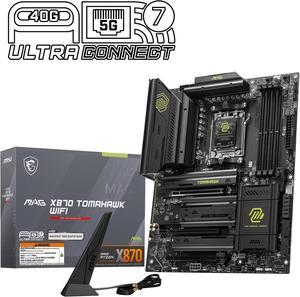
MSI MAG X870 TOMAHAWK WIFI AM5 ATX Gaming Motherboard, 4x SATA 6Gb/s, AMD Wi-Fi 7,USB 4.0
- Brand: MSI
- CPU Socket Type: AM5
- Chipset: AMD X870
- Serial ATA (SATA): 4 x SATA 6Gb/s
- Model #: MAG X870 TOMAHAWK WIFI
- Item #: N82E16813144667
- Return Policy: 30-Day Return Policy
$229.99
$239.99
Free Shipping
Hardware: - Works as advertised when drivers available (this is new hardware and only recent software does! But that is not a hardware issue - hardware works great) - The EZ Digi-Debug LED is awesome to have on a motherboard at this price point and is really needed/appreciated. However, one downside covered in con section. - The Flash BIOS and Clear CMOS buttons are also really needed for new hardware like this (used more often due to this being new hardware - see discussion below) - Plugging in the M2_1 and M2_4 slots is easy (really like the EZ M.2 install feature) - 4 M2 slots available where no slot is taking lanes from GPU. This is an advantage over other motherboards where populating 4 M2 slots will steal lanes from GPU. - If you intend to populate up to to 2 M2 slots then choose M2_1 and M2_4 and leave M2_2 and M2_3 empty. - If you intend on populating 3 M2 slots then be sure to understand that M2_2 slot should be a PCIe 5.0x2 lane device (such as Samsung 990 Evo Pro) if you intend on using the USB-C 40 Gbps ports on the motherboard panel. For most users they will want to keep the functionality of having those USB-C 40 Gbps ports such that having an M2 device that supports PCIe 5.0x2 operation is recommended. - If you intend on populating 4 M2 slots then be sure to understand that M2_3 slot is limited to PCIe 4.0x2 lane device which limits bandwidth/speed to that slot. Also it takes 2 lanes from the PCIE_3 slot which is not the GPU slot but is a tertiary PCIE slot. For most users that is not an issue. - An alternative approach for populating 4 M2 slots is to not populate the M2_3 slot at all but rather get a PCIE riser card that supports a single 4 lane M2 device and plug that into PCIE_3. If you do that then you get the advantage of 4 lanes to your 4th M2 device but you lose the PCIE_3 slot for other purposes. So there are tradeoffs. Software: - Frequent driver updates (much needed when using new hardware that is lacking proper driver support) - Frequent BIOS updates (this is where more advanced users will check often to benefit from these updates and have patience but new users might become frustrated and forget to update BIOS - need to stay on top of BIOS changes to be happy with the motherboard)
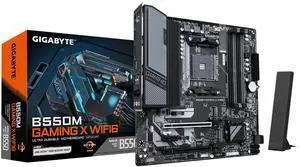
GIGABYTE B550M GAMING X WIFI6 AM4 Micro ATX Motherboard
- Brand: GIGABYTE
- CPU Socket Type: AM4
- Chipset: AMD B550
- Serial ATA (SATA): 4 x SATA 6Gb/s
- Model #: B550M GAMING X WIFI6
- Item #: 9SIC6GHKX79167
- Return Policy: View Return Policy
$125.35
$154.99
$9.99 Shipping
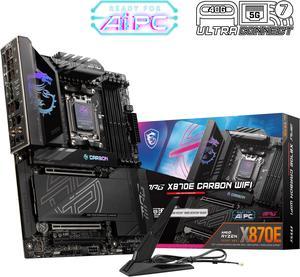
MSI MPG X870E CARBON AM5 ATX Gaming Motherboard, 4x SATA 6Gb/s, AMD Wi-Fi 7,USB 4.0
- Brand: MSI
- CPU Socket Type: AM5
- Chipset: AMD X870E
- Serial ATA (SATA): 4 x SATA 6Gb/s
- Model #: MPG X870E CARBON WIFI
- Item #: N82E16813144666
- Return Policy: 30-Day Return Policy
$359.99
$429.99
Free Shipping
-Ease of build -Great capabilities -Good amount of ports -QoL features that will make upgrading the rig a breeze in the future
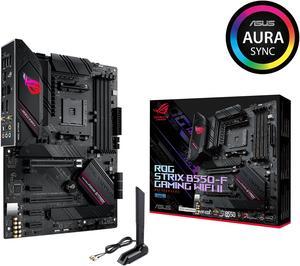
Asus ROG Strix B550-F Gaming WiFi II AMD AM4 (3rd Gen Ryzen) ATX Gaming Motherboard (PCIe 4.0,WiFi 6E, 2.5Gb LAN, BIOS Flashback, HDMI 2.1, Addressable Gen 2 RGB Header and Aura Sync)
- Brand: ASUS
- CPU Socket Type: AM4
- Chipset: AMD B550
- Serial ATA (SATA): 6 x SATA 6Gb/s
- Model #: ROG STRIX B550-F GAMING WIFI II
- Item #: N82E16813119500
- Return Policy: 30-Day Return Policy
$149.99
$179.99
Free Shipping
Out of the box was able to post 5000 series G unlike the msi nightmare customer service I had.
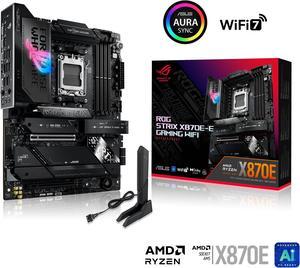
ASUS ROG STRIX X870E-E GAMING WIFI AMD AM5 X870 ATX motherboard 18+2+2 power stages, Dynamic OC Switcher, Core Flex, DDR5 AEMP, WiFi 7, 5x M.2, PCIe 5.0, Q-Release Slim, USB4, AI OCing & Networking
- Brand: ASUS
- CPU Socket Type: AM5
- Chipset: AMD X870E
- Serial ATA (SATA): 4 x SATA 6Gb/s
- Model #: ROG STRIX X870E-E GAMING WIFI
- Item #: N82E16813119682
- Return Policy: 30-Day Return Policy
$409.99
$443.99
Free Shipping
Small and works good Bios flashback was a nice Its a motherboard
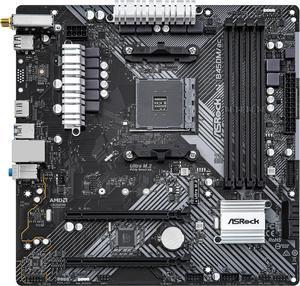
ASRock B450M/AC R2.0 AM4 Micro ATX AMD Motherboard
- Brand: ASRock
- CPU Socket Type: AM4
- Chipset: AMD Promontory B450
- Serial ATA (SATA): 4 x SATA3 6.0Gb/s Connectors, support RAID, NCQ, AHCI and Hot Plug
- Model #: B450M/AC R2.0
- Item #: N82E16813157974
- Return Policy: 30-Day Return Policy
$79.99
$89.99
Free Shipping
Actually good motherboard with features at 65 dollars!
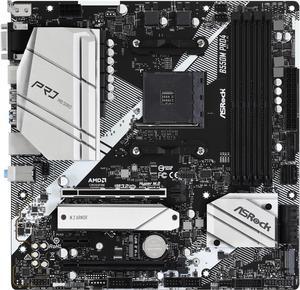
ASRock B550M PRO4 AM4 Micro ATX AMD Motherboard
- Brand: ASRock
- Model: B550M PRO4
- CPU Socket Type: AM4
- Chipset: AMD B550
- Model #: B550M PRO4
- Item #: N82E16813157939
- Return Policy: 30-Day Return Policy
$99.99
$114.99
Free Shipping
Works well, is B550, is cheap
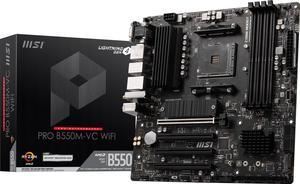
MSI PRO PRO B550M-VC WIFI AM4 MATX AMD Motherboard
- Brand: MSI
- CPU Socket Type: AM4
- Chipset: AMD B550
- Serial ATA (SATA): 4x SATA 6Gb/s ports
- Model #: PRO B550M-VC WIFI
- Item #: 9SIC6GHKW40662
- Return Policy: View Return Policy
$87.99
$9.99 Shipping
I like WIFI on the motherboard. The PCI-e slots are not one 16x and the others 1x but all long type same as 16x. There are 4 RAM memory slots allowing the installation of a second set of RAM sticks if need be. There are 2 M.2 SSD locations and 8 SSD SATA available. It is a well tought of motherboard by MSI. Most recent computer cases will be well suited for this motherboard and solid state hard drives.
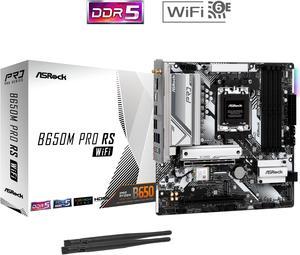
ASRock B650M Pro RS WiFi AM5 Micro ATX Motherboard
- Brand: ASRock
- CPU Socket Type: AM5
- Chipset: AMD B650
- Serial ATA (SATA): 4 x SATA 6Gb/s
- Model #: B650M Pro RS WiFi
- Item #: N82E16813162131
- Return Policy: 30-Day Return Policy
$129.99
$149.99
Free Shipping
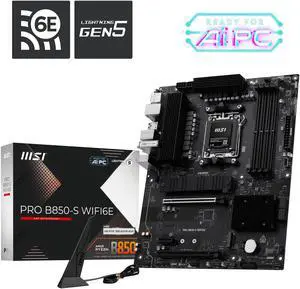
MSI PRO B850-S WIFI6E AM5 AMD B850 SATA 6Gb/s 5G Network Wi-Fi6E DDR5 Motherboard
- Brand: MSI
- CPU Socket Type: AM5
- Chipset: AMD B850
- Serial ATA (SATA): 4 x SATA 6Gb/s
- Model #: PRO B850-S WIFI6E
- Item #: N82E16813144727
- Return Policy: 30-Day Return Policy
$149.99
$169.99
Free Shipping
MSI products have always worked well for me and this motherboard is great just like the others I have used for my builds in the past.
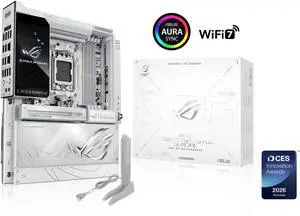
ASUS ROG Crosshair X870E Glacial, AMD E-ATX motherboard, 24+2+2 power stages, DDR5 slots, two PCIe 5.0 x16 SafeSlots, seven M.2 slots, Dual Realtek 10G Ethernet, AI Cache Boost, Full -color 5" LCD
- Brand: ASUS
- CPU Socket Type: AM5
- Chipset: AMD X870E
- Serial ATA (SATA): 4 x SATA 6Gb/s
- Model #: ROG CROSSHAIR X870E GLACIAL
- Item #: N82E16813119769
- Return Policy: 30-Day Return Policy
$1,179.99
$1,199.99
Free Shipping
Beautiful mobo, everything has been thought of to make building east and beautiful at the same time
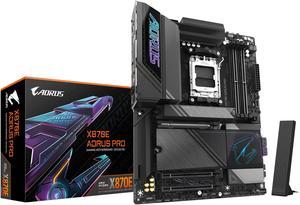
GIGABYTE X870E AORUS PRO AM5 LGA 1718, ATX, DDR5, 4x M.2, PCIe 5.0, USB4, Wi-Fi 7, 2.5GbE LAN, EZ-Latch, 5-Year Warranty
- Brand: GIGABYTE
- CPU Socket Type: AM5
- Chipset: AMD X870E
- Serial ATA (SATA): 4 x SATA 6Gb/s
- Model #: X870E AORUS PRO
- Item #: 9SIA0ZXKC69729
- Return Policy: View Return Policy
$340.87
Free Shipping
-Love the minimal and stylized design -EZ Latches make for fast installation -Q-Flash made it very simple to get the 9800X3D up and running -Excellent thermals (per reviewers) and heatsinks across the motherboard -Wifi-7 and PCIe 5.0 to help future proofing (if that is even possible anymore)
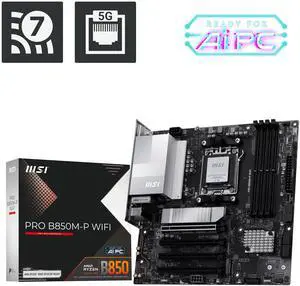
MSI PRO B850M-P WIFI AM5 AMD B850 support PCIe 5.0 SATA 6Gb/s Displayport1.4 HDMI Wi-Fi 7 5G LAN, Bluetooth 5.4,Micro ATX ,AMD Motherboards
- Brand: MSI
- CPU Socket Type: AM5
- Chipset: AMD B850
- Serial ATA (SATA): 4 x SATA 6Gb/s
- Model #: PRO B850M-P WIFI
- Item #: N82E16813144705
- Return Policy: 30-Day Return Policy
$169.99
$179.99
Free Shipping
- PCIe 5.0 x16 for the latest generation of GPUs - M2 Heatsink "Frozr II" - Wifi 7
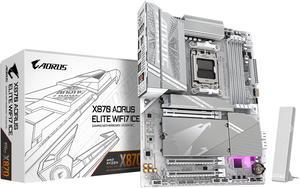
GIGABYTE X870 AORUS ELITE WIFI7 ICE AM5 LGA 1718, ATX, DDR5, 4x M.2, PCIe 5.0, USB4, Wi-Fi 7, 2.5GbE LAN, EZ-Latch, 5-Year Warranty
- Brand: GIGABYTE
- CPU Socket Type: AM5
- Chipset: AMD X870
- Serial ATA (SATA): 4 x SATA 6Gb/s
- Model #: X870 AORUS ELITE WIFI7 ICE
- Item #: N82E16813145518
- Return Policy: 30-Day Return Policy
$239.99
$319.99
Free Shipping
Wifi 7 and BT Great number of expansion slots Plenty of USB ports
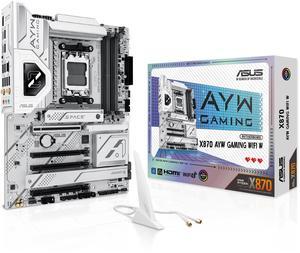
ASUS X870 AYW GAMING WIFI W AMD X870 AM5 ATX motherboard, 12+2+1 80A DrMOS power stages, DDR5, PCIe 5.0 Ready, PCIe 5.0 x16, 3x M.2, Wi-Fi 6, 2.5Gb LAN, HDMI, USB4, USB 20Gbps Type-C, Aura Sync
- Brand: ASUS
- CPU Socket Type: AM5
- Chipset: AMD X870
- Serial ATA (SATA): 4 x SATA 6Gb/s
- Model #: X870 AYW GAMING WIFI W
- Item #: N82E16813119737
- Return Policy: 30-Day Return Policy
$239.99
Free Shipping
very little RGB Great features Easy to use
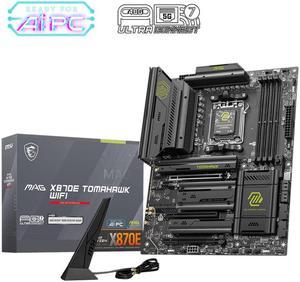
MSI MAG MAG X870E TOMAHAWK WIFI AM5 AMD X870E SATA 6Gb/s M.2 DDR5 Wi-Fi 7 5G LAN ATX Motherboards
- Brand: MSI
- CPU Socket Type: AM5
- Chipset: AMD X870E
- Serial ATA (SATA): 4 x SATA 6Gb/s
- Model #: MAG X870E TOMAHAWK WIFI
- Item #: N82E16813144699
- Return Policy: 30-Day Return Policy
$322.99
Free Shipping
Chose this motherboard, compared to others, for the SSD and PCIE port layout. It has lots of USB/USB-C ports and has 5G LAN vs 2.5G. Good board layout and everything was simple to install even when using a large air cooler. Paired it with a 9900X CPU and it was a nice operational improvement over my old AM4 5800X system.
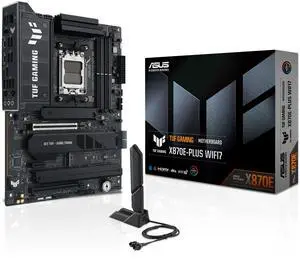
ASUS TUF GAMING X870E-PLUS WIFI7 AMD X870E ATX Motherboard with 16+2+1 80A Power Stages, DDR5 Support with AEMP, PCIe 5.0 x16 with PCIe Slot Q-Release Slim, Four M.2 Slots, WiFi 7 with ASUS Q-Antenna
- Brand: ASUS
- CPU Socket Type: AM5
- Chipset: AMD X870E
- Serial ATA (SATA): 4 x SATA 6Gb/s
- Model #: TUF GAMING X870E-PLUS WIFI7
- Item #: 9SIAKBWKK65909
- Return Policy: View Return Policy
$269.99
Free Shipping
The board itself is a very nice board. The memory that came with it was very nice memory too. The two together work.
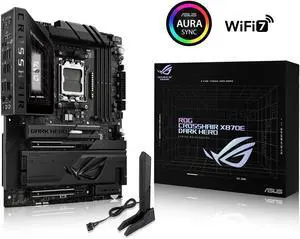
ASUS ROG Crosshair X870E Dark Hero ATX motherboard, 20+2+2 power stages, DDR5 slots, PCIe 5.0, five M.2 slots, 3D VC M.2 heatsink, USB4, AI Cache Boost, PCIe Slot Q-Release, AIO Q-Connector
- Brand: ASUS
- CPU Socket Type: AM5
- Chipset: AMD X870E
- Serial ATA (SATA): 4 x SATA 6Gb/s
- Model #: ROG CROSSHAIR X870E DARK HERO
- Item #: 9SIBP4YKSF5820
- Return Policy: View Return Policy
$899.99
Free Shipping
Board gives me everything I needed and then some. It is on the expensive side, but the power and easy connections made it great to assemble in. I originally was going to get the Crosshair Extreme, which is it's big brother, then decided against it. I picked up this MB, the Ram, and a AMD Ryzen 7 9850X3D, as a Newegg combo (gave the 9850X3D to my dad as a birthday present), which was pricey. The NVMe thing. My lord it's a godsend, I have 2 4TB Gen4 SSDs in here, and I don't lose any speed on either of them. I don't use the USB 4 slots, so I was happy to give those up.
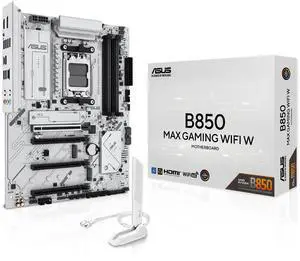
ASUS B850 MAX GAMING WIFI W - AMD AM5 ATX Motherboard, White PCB, DDR5, PCIe 5.0 Ready, 3x M.2, Wi-Fi 6E, 2.5Gb LAN, USB 10Gbps Type-C, DisplayPort, HDMI, BIOS FlashBack, Aura Sync, ASUS AI Advisor
- Brand: ASUS
- CPU Socket Type: AM5
- Chipset: AMD B850
- Serial ATA (SATA): 4 x SATA 6Gb/s
- Model #: B850 MAX GAMING WIFI W
- Item #: N82E16813119742
- Return Policy: 30-Day Return Policy
$169.99
$199.99
Free Shipping
I been looking for other MBs but couldnt bring myself to buy another brand. I have been using Asus MB ever since and it never disappoints. It really works with an AMD 9800x3d as well as advertised compared with Asus tuf gaming 5070ti. Very impressed with the quality.
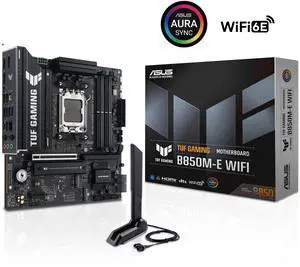
ASUS TUF GAMING B850M-E WIFI AMD B850 mATX motherboard, 8+2+1 80A DrMOS power stages, DDR5, PCIe 5.0, 3 M.2 slots, WiFi 6E, 2.5Gb Ethernet, DisplayPort, HDMI, rear USB-C 10Gbps and front USB-C 5Gbps
- Brand: ASUS
- CPU Socket Type: AM5
- Chipset: AMD B850
- Serial ATA (SATA): 4 x SATA 6Gb/s
- Model #: TUF GAMING B850M-E WIFI
- Item #: N82E16813119758
- Return Policy: 30-Day Return Policy
$179.99
$219.99
Free Shipping
Came with UEFI and Secure Boot enabled, which was a pleasant surprise. The BIOS was only a few months old so I haven't even bothered to consider updating. Everything worked first time as expected