





We've always believed in the power of sound. In 1989, we changed how people experienced audio with sound blaster. For the first time, computers had a voice.
Today, we carry that legacy forward. Our headphones, speakers, and sound cards are designed for how people live, work, and create. Whether it's a quiet moment alone or a shared experience that matters, we build audio that inspires.
Audio that becomes part of your story.
Pebble Series
Soundbars & Speakers
Headphones
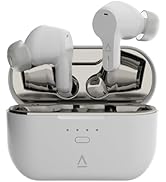
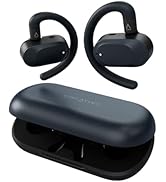
True Wireless
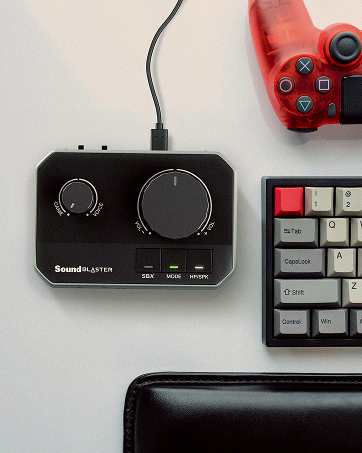
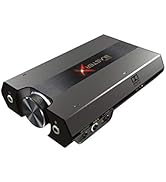
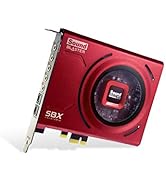
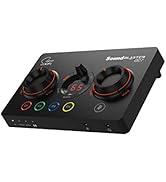
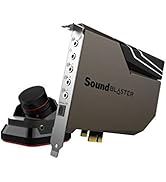
Sound Blasters
Improve your chat experience with Creative Chat USB

On-ear USB-C Headset with Swivel-to-mute Noise-cancelling Mic and SmartComms Kit
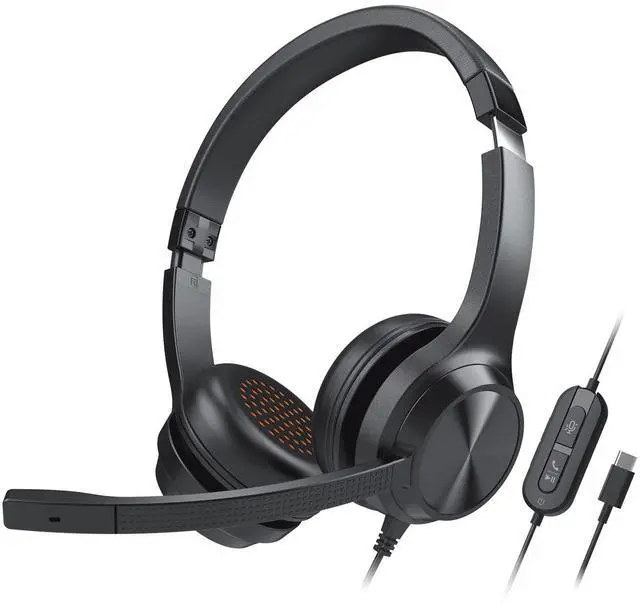
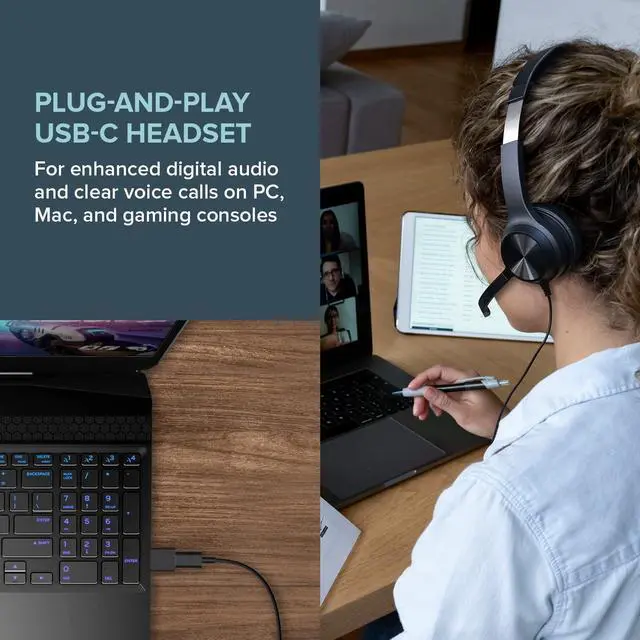
Get ready in seconds with Creative Chat USB, a dedicated USB-C on-ear headset for any calls. It works with various platforms ranging from PC, Mac, to gaming consoles, and is compatible with most of the popular conference apps like Zoom and Microsoft Teams.
From webinar presentations to conference calls, the headset delivers high-definition digital audio as well as a noise-cancelling condenser microphone with the ability to effectively prioritize voice pickup over background noises. When you need to go hands-free during the call, SmartComms Kit's auto mute and two-way noise cancellation features double up as nifty tools as you navigate through your business pitch.
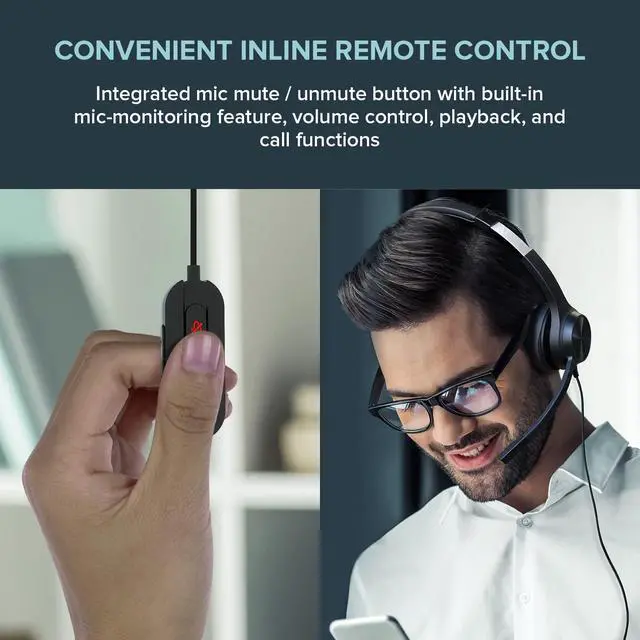
Focus on what matters and enjoy the added convenience for any online chat with Creative Chat USB’s simple plug-and play interface, accessible swivel-to-mute microphone, and a built-in remote control.
COMMUNICATIONS

CONVERSE CLEARLY
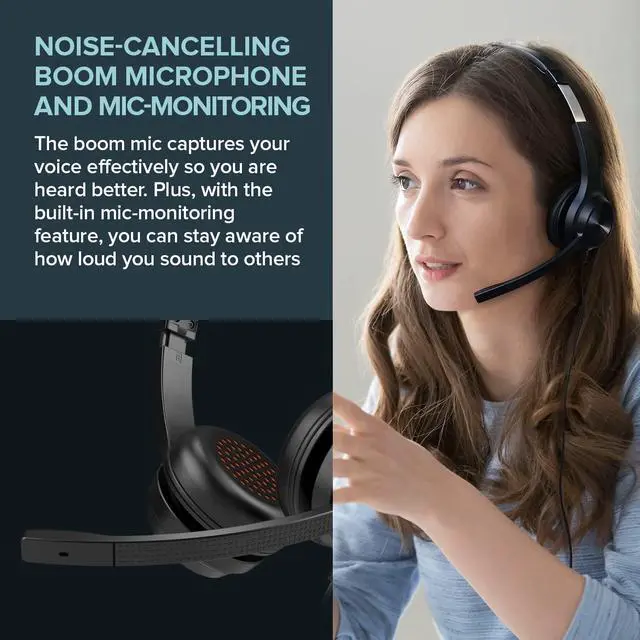
Equipped with a noise-cancelling boom microphone that has the ability to filter out unwanted ambient noise in loud environments, allowing you to focus better during calls.

MUTE?AND UNMUTE WITH EASE?
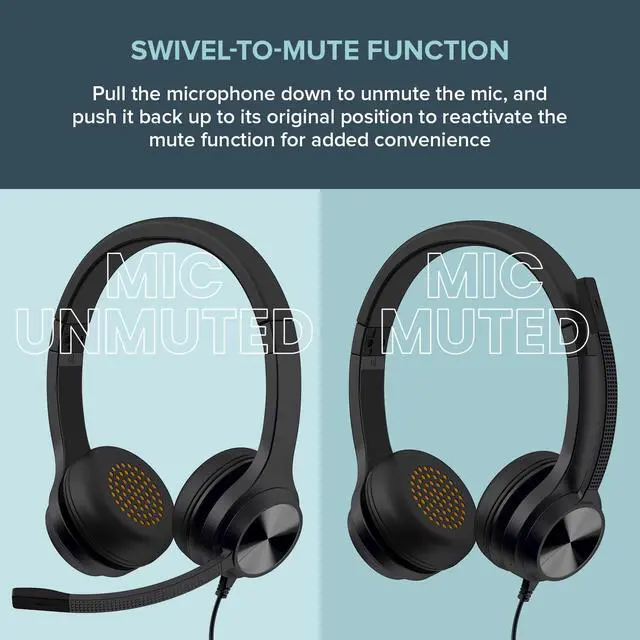
For added convenience, simply pull the microphone down to unmute, and push it back up to its original position to mute.

HEAR YOURSELF ACCURATELY
With the built-in mic-monitoring feature, hear yourself clearly and accurately, without the constant need to raise your voice.
SETTING UP IS A BREEZE

USB-C PLUG-AND-PLAY HEADSET
Enjoy enhanced digital audio quality without any distortion at a higher power output! For those with USB-A devices, we have also included a USB-C to USB-A converter to get you started.
Creative Chat USB will be automatically detected by your device, so no additional setup is required to get started. However, if you are using your PC and this doesn't happen, go to Windows Settings > System > Sound. Under Input and Output, manually choose "Headphones (Creative Chat USB)". For Mac users, go to System Preferences > Sound. Under both Output and Input tab, select Creative Chat USB Audio, and you're done!

INTUITIVE CONTROLS??
Easily access volume and mic adjustments, pause and play media with a press of a button, and answer calls without fumbling around with any settings.

COMMUNICATE SMARTER

SPEAK FREELY WITH AUTO MUTE

NOISE CANCELLATION

SETTING UP SMARTCOMMS KIT

PERSONALIZE?YOUR MUSIC?

CREATIVE APP
Access and control our all-new SmartComms Kit, EQ setting, and more with the Creative app, available on Windows PC.
PERSONALIZE?YOUR MUSIC?
Customize and edit EQ settings on the fly with graphic EQ customization, playback, and more with our all-in-one Creative app!
 Creative Chat USB |  Creative Chat |  Creative HS-720 V2 |  Sound Blaster JAM V2 |  Aurvana Trio Wireless | |
|---|---|---|---|---|---|
| Customer Reviews | — | — | — | — | — |
| Price | — | — no data | — | — | — no data |
| Wearing Style | On-ear Wired Headphones | On-ear Wired Headphones | On-ear Wired Headphones | On-ear Wireless Headphones | In-ear Wireless Neckband |
| Connectivity Options | USB-C | 3.5 mm AUX-in | USB-A | Bluetooth 5.0, USB-C audio | Bluetooth 5.0 |
| Microphone | Noise-cancelling Condenser | Noise-cancelling Condenser | Noise-cancelling Condenser | Dual built-in, with Qualcomm cVc 8.0 Noise Cancellation | Built-in, with Qualcomm cVc 8.0 Noise Cancellation |
| Physical Mic Mute Feature | Swivel-to-mute | Via inline remote button | Via inline remote button | x | x |
| Battery Life | N/A | N/A | N/A | Up to 22 Hours | Up to 20 Hours |
| Audio Quality | 40 mm Neodymium drivers | 40 mm Neodymium drivers | 30 mm Neodymium drivers | aptX HD, aptX LL, AAC codecs with 32 mm Neodymium drivers | aptX HD, aptX LL, AAC codecs with triple-drivers (2 x Balance Armature and 1 x Bio-cellulose) |
| Software | Creative app with SmartComms Kit and Customizable Graphic EQ | x | x | Creative app with SmartComms Kit and Customizable Graphic EQ | x |
| Cable Length (end-to-end) | 2.1m (for power and audio) | 2.1m (for power and audio) | 2m (for power and audio) | 1.2m (for USB-C audio and charging) | 55 cm (for charging only) |
| Weight | 206g | 192g | 135g | 100g | 40g |
| Other Features | Mic-monitoring (hear yourself in a call) | x | Mic-monitoring (hear yourself in a call) | Bass Boost Button, Multipoint (connects 2 devices at once) | Multipoint (connects 2 devices at once), Super X-Fi READY |
Improve your chat experience with Creative Chat USB
On-ear USB-C Headset with Swivel-to-mute Noise-cancelling Mic and SmartComms Kit
Get ready in seconds with Creative Chat USB, a dedicated USB-C on-ear headset for any calls. It works with various platforms ranging from PC, Mac, to gaming consoles, and is compatible with most of the popular conference apps like Zoom and Microsoft Teams.
From webinar presentations to conference calls, the headset delivers high-definition digital audio as well as a noise-cancelling condenser microphone with the ability to effectively prioritize voice pickup over background noises. When you need to go hands-free during the call, SmartComms Kit's auto mute and two-way noise cancellation features double up as nifty tools as you navigate through your business pitch.
Focus on what matters and enjoy the added convenience for any online chat with Creative Chat USB’s simple plug-and play interface, accessible swivel-to-mute microphone, and a built-in remote control.
COMMUNICATIONS
CONVERSE CLEARLY
Equipped with a noise-cancelling boom microphone that has the ability to filter out unwanted ambient noise in loud environments, allowing you to focus better during calls.
MUTE?AND UNMUTE WITH EASE?
For added convenience, simply pull the microphone down to unmute, and push it back up to its original position to mute.
HEAR YOURSELF ACCURATELY
With the built-in mic-monitoring feature, hear yourself clearly and accurately, without the constant need to raise your voice.
SETTING UP IS A BREEZE
USB-C PLUG-AND-PLAY HEADSET
Enjoy enhanced digital audio quality without any distortion at a higher power output! For those with USB-A devices, we have also included a USB-C to USB-A converter to get you started.
Creative Chat USB will be automatically detected by your device, so no additional setup is required to get started. However, if you are using your PC and this doesn't happen, go to Windows Settings > System > Sound. Under Input and Output, manually choose "Headphones (Creative Chat USB)". For Mac users, go to System Preferences > Sound. Under both Output and Input tab, select Creative Chat USB Audio, and you're done!
INTUITIVE CONTROLS??
Easily access volume and mic adjustments, pause and play media with a press of a button, and answer calls without fumbling around with any settings.
COMMUNICATE SMARTER
As we settle into the new normal, our time spent on video calls has increased tremendously, and it’s not without its set of woes. And really, shouldn’t we be focusing on our online meetings instead of fumbling over mic mute control or worrying about our background noise?
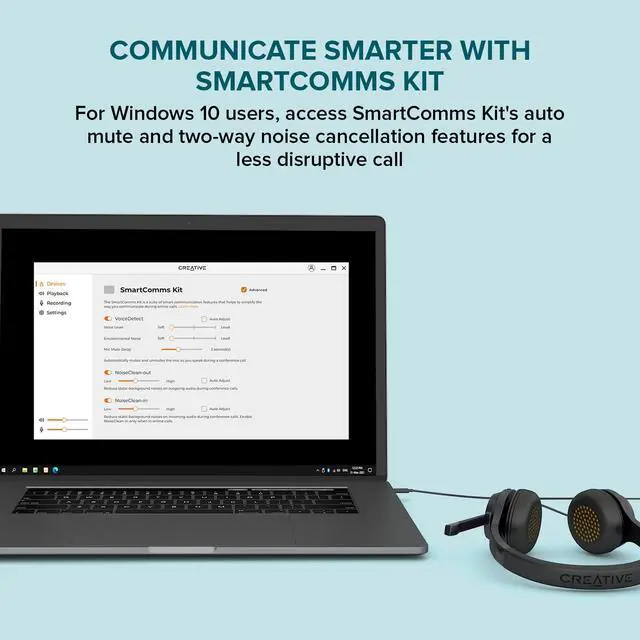
Our SmartComms Kit was developed to fix these WFH woes for Windows 10 users—by simplifying the way we communicate online via a suite of smart communication features, including VoiceDetect that automatically unmutes you as you speak, and the NoiseClean which cancels static background noise during a call.
SPEAK FREELY WITH AUTO MUTE
Our VoiceDetect feature controls your mute status by voice detection as you speak—the Creative Chat USB’s microphone gets muted automatically after you’ve stopped speaking, and unmutes you instantly as you start to talk. There is absolutely no need to fiddle with any buttons whether physical or in-app, so you look professional and well prepared throughout the entire meeting, and keeps you focused on your train of thought.
BE HEARD CLEARLY WITH TWO-WAY NOISE CANCELLATION
NoiseClean-in analyzes your incoming audio (imagine a colleague with a noisy background in your video call), detecting and suppressing the unwanted noises, before sending just your colleague's clean voice to you through your headphones. NoiseClean-out does the same—but for your own background noise.
*The NoiseClean feature work best for static background noises such as fans, air conditioning, air purifier, humidifiers, vacuum cleaners, hair dryers, electric shavers, and even lawn mowers.
HOW TO SET UP SMARTCOMMS KIT ON YOUR WINDOWS 10 PC
- To access the SmartComms Kit, download and install the Creative app from our support page onto your Windows PC.
- Go to the SmartComms Kit module and switch on the features. To make further adjustments or control each feature individually, access the Advanced settings inside the SmartComms Kit module.
PERSONALIZE?YOUR MUSIC?
CREATIVE APP
Access and control our all-new SmartComms Kit, EQ setting, and more with the Creative app, available on Windows PC.
PERSONALIZE?YOUR MUSIC?
Customize and edit EQ settings on the fly with graphic EQ customization, playback, and more with our all-in-one Creative app!
Creative Chat USB | Creative Chat | Creative HS-720 V2 | Sound Blaster JAM V2 | Aurvana Trio Wireless | |
|---|---|---|---|---|---|
| Customer Reviews | — | — | — | — | — |
| Price | — | — no data | — | — | — no data |
| Wearing Style | On-ear Wired Headphones | On-ear Wired Headphones | On-ear Wired Headphones | On-ear Wireless Headphones | In-ear Wireless Neckband |
| Connectivity Options | USB-C | 3.5 mm AUX-in | USB-A | Bluetooth 5.0, USB-C audio | Bluetooth 5.0 |
| Microphone | Noise-cancelling Condenser | Noise-cancelling Condenser | Noise-cancelling Condenser | Dual built-in, with Qualcomm cVc 8.0 Noise Cancellation | Built-in, with Qualcomm cVc 8.0 Noise Cancellation |
| Physical Mic Mute Feature | Swivel-to-mute | Via inline remote button | Via inline remote button | x | x |
| Battery Life | N/A | N/A | N/A | Up to 22 Hours | Up to 20 Hours |
| Audio Quality | 40 mm Neodymium drivers | 40 mm Neodymium drivers | 30 mm Neodymium drivers | aptX HD, aptX LL, AAC codecs with 32 mm Neodymium drivers | aptX HD, aptX LL, AAC codecs with triple-drivers (2 x Balance Armature and 1 x Bio-cellulose) |
| Software | Creative app with SmartComms Kit and Customizable Graphic EQ | x | x | Creative app with SmartComms Kit and Customizable Graphic EQ | x |
| Cable Length (end-to-end) | 2.1m (for power and audio) | 2.1m (for power and audio) | 2m (for power and audio) | 1.2m (for USB-C audio and charging) | 55 cm (for charging only) |
| Weight | 206g | 192g | 135g | 100g | 40g |
| Other Features | Mic-monitoring (hear yourself in a call) | x | Mic-monitoring (hear yourself in a call) | Bass Boost Button, Multipoint (connects 2 devices at once) | Multipoint (connects 2 devices at once), Super X-Fi READY |
We've always believed in the power of sound. In 1989, we changed how people experienced audio with sound blaster. For the first time, computers had a voice.
Today, we carry that legacy forward. Our headphones, speakers, and sound cards are designed for how people live, work, and create. Whether it's a quiet moment alone or a shared experience that matters, we build audio that inspires.
Audio that becomes part of your story.
Pebble Series
Soundbars & Speakers
Headphones
True Wireless
Sound Blasters