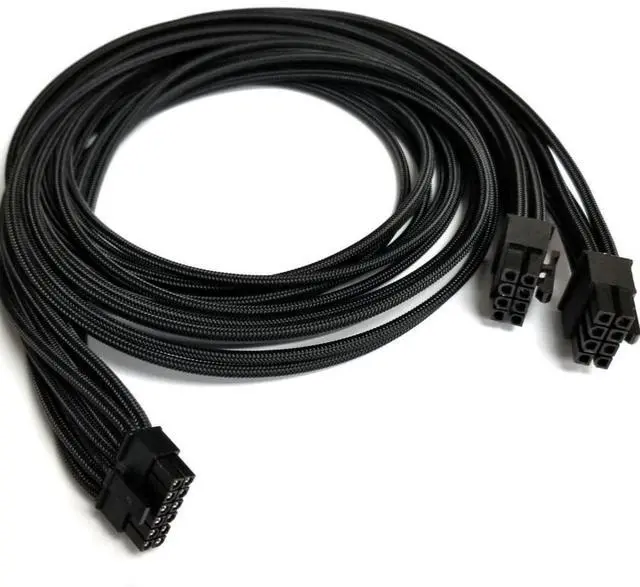
About this item- UNIQUE CPU 8-PIN TO 12VHPWR CONVERSION UTILIZE SPARE PSU PORTS Convert two CPU/EPS12V 8-pin outputs from your power supply into a single, powerful 12VHPWR 16-pin (12+4) connector for your GPU. Most high-end motherboards only require a single 8-pin CPU connector, leaving the second CPU 8-pin port on your PSU unused. This innovative cable puts that spare CPU 8-pin port on your PSU to work, providing an alternative power delivery channel for even the most demanding graphics cards. Perfect for power-hungry RTX 4090 GPUs without requiring a PSU upgrade or sacrificing your existing PCIe ports.
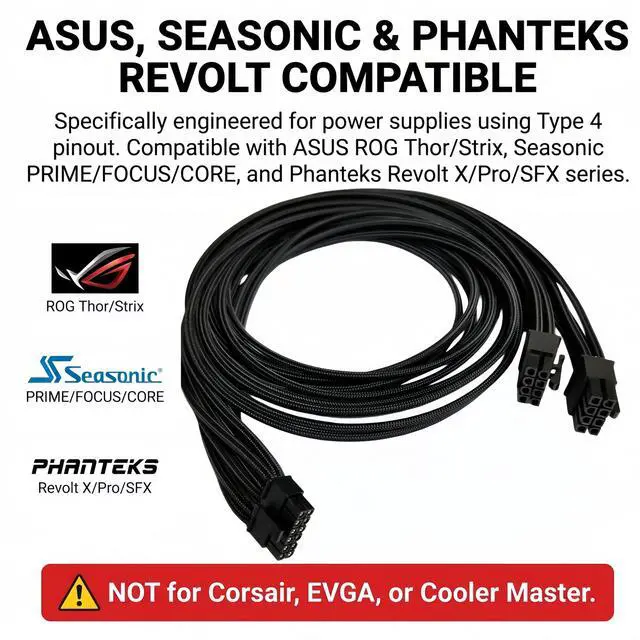
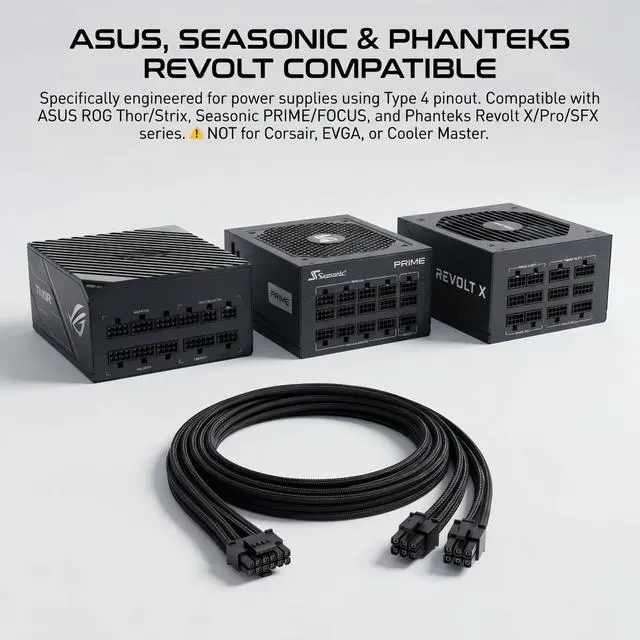
- EXACT COMPATIBILITY ASUS, SEASONIC & PHANTEKS REVOLT PSUs ONLY This cable is specifically engineered for power supplies that use the Type 4 pinout on their modular CPU/PCIe 8-pin ports, which includes many ASUS, Seasonic, and Phanteks Revolt models. ASUS Series: ROG Thor, ROG Strix, TUF Gaming, ProArt, Prime (with 8-pin CPU ports) Seasonic Series: PRIME (TX/PX/GX), FOCUS (GX/PX/Plus), CONNECT, Core Phanteks Revolt Series: Revolt X, Revolt Pro, Revolt SFX CRITICAL: This cable DOES NOT fit Corsair, EVGA, or other brands due to different pinouts using an incompatible cable WILL cause immediate and permanent damage.
- 600W POWER DELIVERY PCIe 5.0 & 12V-2x6 READY Built to power the most demanding GPUs. This cable delivers up to 600W of stable power through two CPU/EPS12V 8-pin inputs on your PSU. With the release of the new ATX 3.1 spec, the 12V-2x6 connector is the updated, safer version of 12VHPWR. This cable is fully compliant with this new industry standard and is backward compatible, giving you peace of mind. Fully compatible with NVIDIA GeForce RTX 4090, 4080, 4070 Ti, and 3090 Ti.
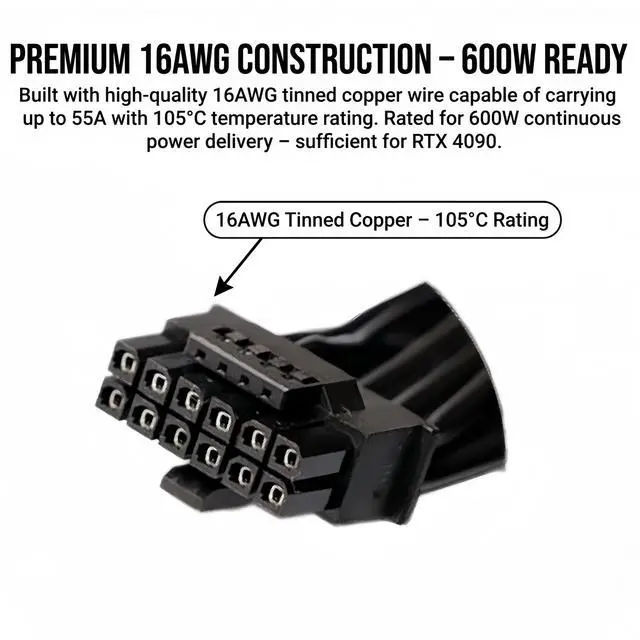
- PREMIUM 16AWG CONSTRUCTION HIGH THERMAL ENDURANCE Built with high-quality 16AWG tinned copper wire, capable of carrying up to 55A of current with 105°C temperature rating. The internal wire and connector terminals are verified to handle 600W continuous, making it safe for even the most demanding GPU models. Each cable is factory-tested for safety and performance.
- OPTIMAL 24-INCH (60CM) CABLE LENGTH Total length of 24 inches (60cm) provides ample reach for routing behind the motherboard tray or through cable management channels in full-tower, mid-tower, and compact cases. This length eliminates too short to route clean frustrations while avoiding the too much slack to tuck away clutter.
- CRITICAL INSTALLATION SAFETY WARNINGS The #1 cause of 12VHPWR connector failure is incomplete insertion. When connecting to your GPU: Push the connector straight and firmly into the GPU port until you hear a CLICK Verify that no gap exists between the connector housing and GPU socket Do not bend the cable within 35mm (1.4 inches) of the connector maintain a straight approach as required by PCI-SIG specifications Regularly inspect the connector for signs of melting or discoloration, especially with high-power GPUs like RTX 4090
Product descriptionDoes your ASUS, Seasonic, or Phanteks Revolt power supply have an unused CPU 8-pin port, but no spare PCIe ports for your new RTX 4090 or 4080? The CPU 8 Pin to 12VHPWR (16-pin) Cable is the innovative solution youve been looking for.
Instead of buying a new PSU or using messy adapters, simply connect this cable to your spare CPU/EPS12V ports and power your next-gen GPU with confidence. This is a game-changer for multi-GPU setups, older PSU upgrades, or when your PSUs native PCIe ports are already occupied.
How It Works
[PSU CPU 8-pin Port #1]
[12VHPWR 16-pin] [GPU]
[PSU CPU 8-pin Port #2]
The cable takes two standard CPU/EPS12V 8-pin outputs from your PSU and combines them into a single 12VHPWR 16-pin connector for your graphics card. This provides up to 600W of stable power more than enough for even the most demanding GPUs.
CRITICAL Compatible PSUs ONLY
When Should You Use This Cable?| Multi-GPU Setup | (e.g., RTX 4080 + RTX 3060) When your PSUs PCIe ports are already used by the first GPU, use spare CPU port to power the second |
| Update Older High-Quality PSU | Breathe new life into a robust older PSU that lacks native 12VHPWR ports, avoiding a costly PSU upgrade |
| PCIe Ports Already Exhausted | When youve already connected multiple devices to all PCIe ports, the CPU port offers an alternative power source |
| Clean Cable Management | Single cable from PSU to GPU instead of a messy octopus adapter |
Installation Checklist:
- Verify PSU brand: Confirm your PSU is ASUS, Seasonic, or Phanteks Revolt.
- Locate CPU (EPS12V) ports: Identify the two 8-pin CPU power ports on your modular PSU.
- Connect to the PSU: Plug the two CPU 8-pin connectors firmly into these PSU ports.
- Connect to GPU: Push the 12VHPWR connector straight and firmly into your GPUs power port until you hear a CLICK and verify NO GAP remains.
Technical Specifications:| Connector A (PSU Side) | 2x CPU 8-pin Male (EPS12V, Type 4 pinout) |
<Learn more about the Detailed SpecificationsAdditional Information| First Listed on Newegg | October 08, 2025 |
|---|
Warranty & ReturnsWarranty, Returns, And Additional InformationWarranty- Please contact the Seller directly for warranty information. Warranty information may also be found on the Manufacturer's website.
- CONTACT
Manufacturer Contact Info |