• $77.98
  • Free 30-day Returns
  • Price alert
    Shop it at NeweggBusiness.

    Meet Your Seller

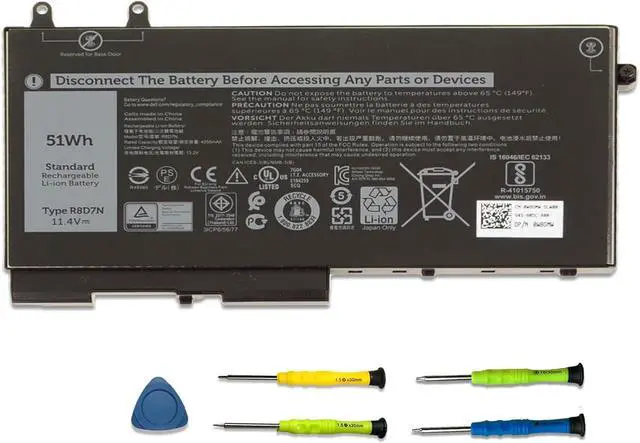
    3-Cell 51Wh R8D7N Laptop Battery Replacement for Dell Inspiron 7590/7591/7791 2-in-1 Latitude 5400 5500 Precision 3540 3550 Series 1V1XF 4GVMP W8GMW 0R8D7N H82T6 0C5GV2 0W8GMW

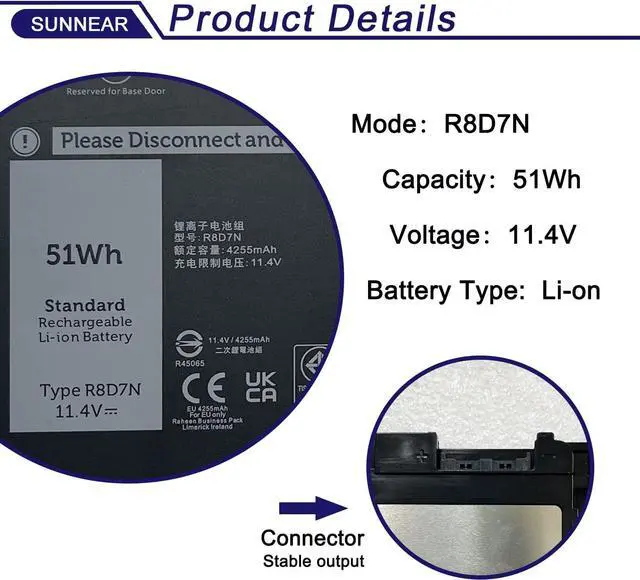
    • SpecificationsModel: R8D7N Voltage: 11.4V Capacity: 51Wh/4255mAh Battery type: Li-ion. Also comes with installation tools
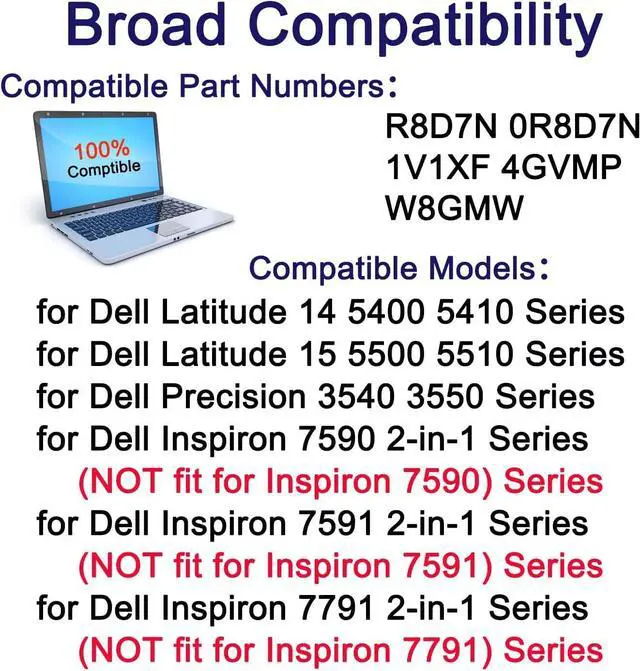
    • Compatible Laptop/Notebook Models for Dell Precision 3540 3550 M3540 M3550 Latitude 5400 5500 Ins 7590/7591/7791 2-in-1 Series Laptop
    • Compatible Part NumberR8D7N 0R8D7N 4GVMP 1V1XF 04GVMP RF7WM 0RF7WM 9JRYT 09JRYT X77XY 0X77XY C5GV2 0C5GV2 W8GMW H82T6 0C5GV2 0W8GMW 1V1XF 4GVMP P84F001 P84F P42E P98G001
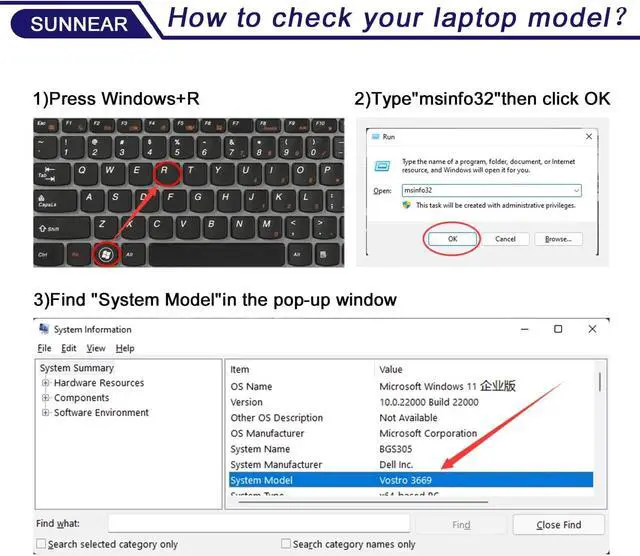
    • Purchasing Note: Due to the complexity of laptop battery models, you may not be able to accurately determine the model you need to purchase,Please open the back cover of the laptop to confirm the original battery model number
    • TipsIf the new battery is not recognized during the initial installation, please reinstall and check if the interface is fully connected. Discharge the new battery to 5% (not 0%), then charge and cycle 3-4 times to wake up the new battery
    • Customer Service 24 x 7 email support. If you have any problem with battery, please Conta
    +
    +
    Overview
    Specs
    Reviews
    avatar

    Any questions? Our AI beta will help you find out quickly.

    SpecificationsModel: R8D7N
    Voltage: 11.4V
    Capacity: 51Wh/4255mAh
    Battery type: Li-ion. Also comes with installation tools
    Compatible Laptop/Notebook Models for Dell Precision 3540 3550 M3540 M3550 Latitude 5400 5500 Ins 7590/7591/7791 2-in-1 Series Laptop
    Compatible Part NumberR8D7N 0R8D7N 4GVMP 1V1XF 04GVMP RF7WM 0RF7WM 9JRYT 09JRYT X77XY 0X77XY C5GV2 0C5GV2 W8GMW H82T6 0C5GV2 0W8GMW 1V1XF 4GVMP P84F001 P84F P42E P98G001
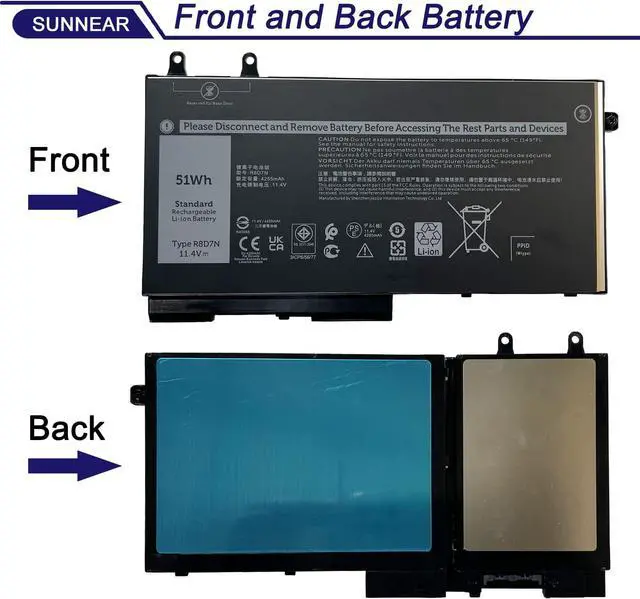
    Purchasing Note: Due to the complexity of laptop battery models, you may not be able to accurately determine the model you need to purchase, Please open the back cover of the laptop to confirm the original battery model number
    TipsIf the new battery is not recognized during the initial installation, please reinstall and check if the interface is fully connected. Discharge the new battery to 5% (not 0%), then charge and cycle 3-4 times to wake up the new battery
    Customer Service 24 x 7 email support. If you have any problem with battery, please Contact us - in YOUR ORDER options click the contact seller

    Warranty & Returns

    Warranty, Returns, And Additional Information

    Warranty

    • Please contact the Seller directly for warranty information. Warranty information may also be found on the Manufacturer's website.
    • CONTACT

    Return Policies

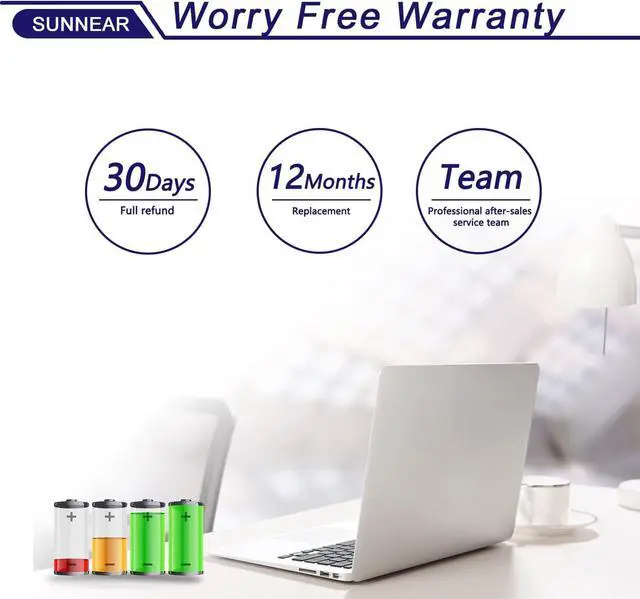
    • Return for refund within: 30 days
    • Return for replacement within: 30 days
    • This item is covered by Weixu Return Policy

    Manufacturer Contact Info

    LOADING...