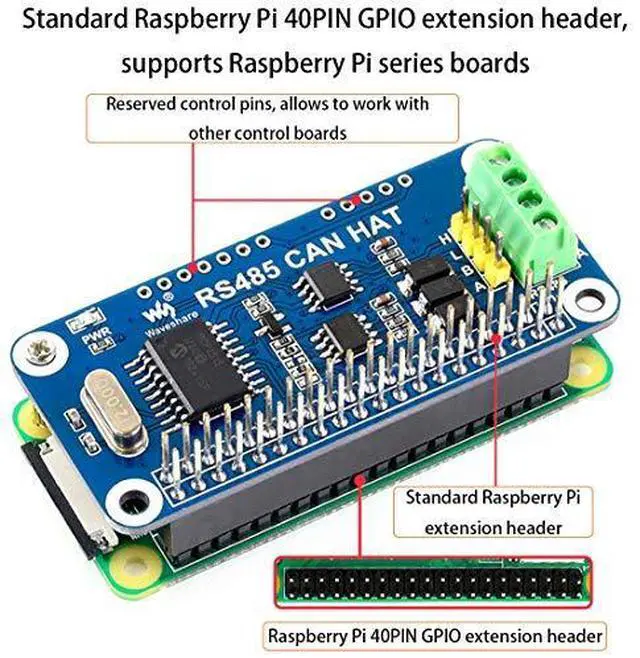
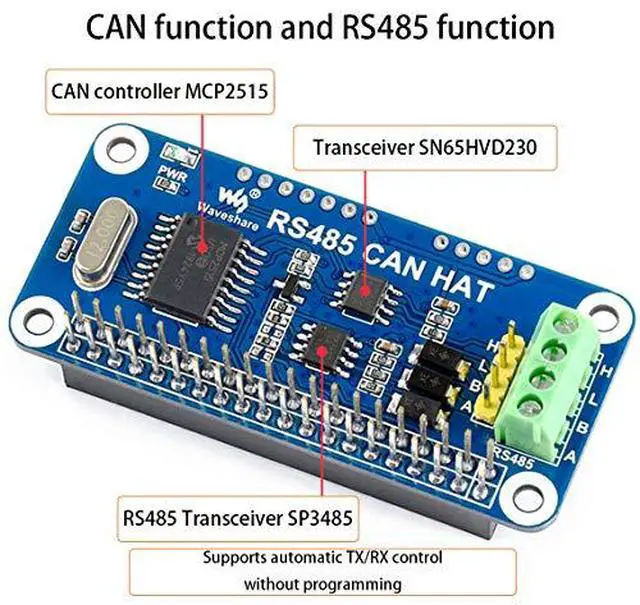
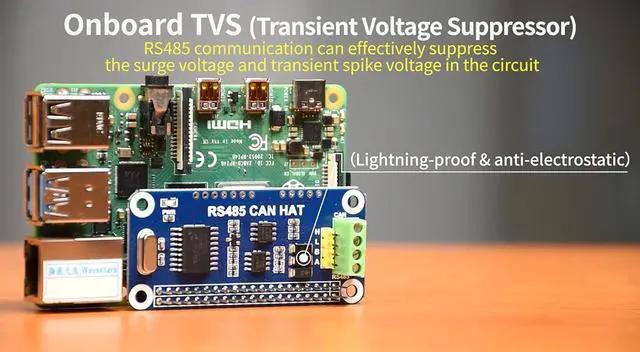
The RS485 CAN HAT will enables your Pi to communicate with other devices stably in long-distance via RS485/CAN functions. Features Standard Raspberry Pi 40PIN GPIO extension header, supports Raspberry Pi series boards CAN function, onboard CAN controller MCP2515 via SPI interface, onboard transceiver SIT65HVD230DR RS485 function, controlled via UART, half-duplex communication, supports automatic TX/RX control without programming, onboard transceiver SP3485 Onboard 120 terminal resistor for RS485 and CAN interfaces, enabled via DIP switch Onboard TVS (Transient Voltage Suppressor), effectively suppress surge voltage and transient spike voltage in the circuit for RS485 transceiving, lightningproof & anti-electrostatic Reserved control header, allows working with other control boards
Specifications
Operating voltage: 3.3V
CAN controller: MCP2515
CAN transceiver: SIT65HVD230DR
485 transceiver: SP3485
Dimension: 65×30mm
Mounting hole size: 3.0 mm
Online User Manual: //bit. ly/3mC64mA Package Content 1. RS485 CAN HAT x1 2. RPi screws pack (2pcs) x1
Recommended: We also provide an isolated interface converter USB TO RS485 Converter ( B081MB6PN2 ) for easy testing.
Question1: Can't send and receive data?
Answer: 1. Make sure the baud rates on both sides are the same; 2. The fixed frame ID is set in the routine: 0X123, please set the sending and receiving CAN ID of the other end of your CAN to be x0123;
Question2: How to configure the config. txt file when the Ubuntu system is installed on the Raspberry Pi?
Answer: 1. Mainstream Ubuntu system config. txt files are usually in the /boot/firmware folder 2. Or use the SD card of the Raspberry Pi to read and change the config. txt file under the computer (or other host that can recognize the SD card) through the card reader.